Sometimes clients will find user records in InterAction and query why they are there. Vuture.Admin or EMarketing.User or Vuture.Account or other variations of this name. They might ask Vuture; "which username is critical to the integration and must be retained in InterAction? Which, if any, can be deleted?"
Method to establish the critical username - for Support or CSMs
To discover which one username is vital for the integration, (typically only one is required) we need to look in the client’s Vuture instance at what the username is in their config:
"Admin.System.InterAction1.InterAction Admin User"
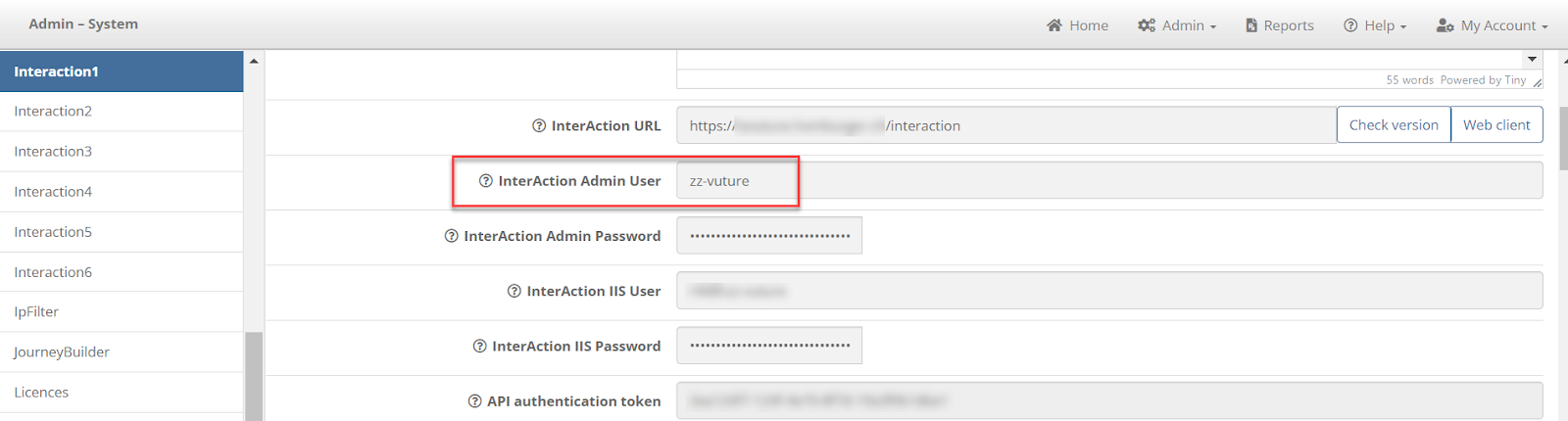
We then need to work out which user in InterAction that name corresponds to, and ensure that this InterAction user is retained.
Click the "Web Client" button on this interaction1 page
Go to their Web client and then add /findusers on the end of their URL:

This will give you a list of all the users in their system.
Search for the one where the <accountName> field is whatever was found matching the user above.
In this example, a Control F search for the username of zz-vuture gives the following result:
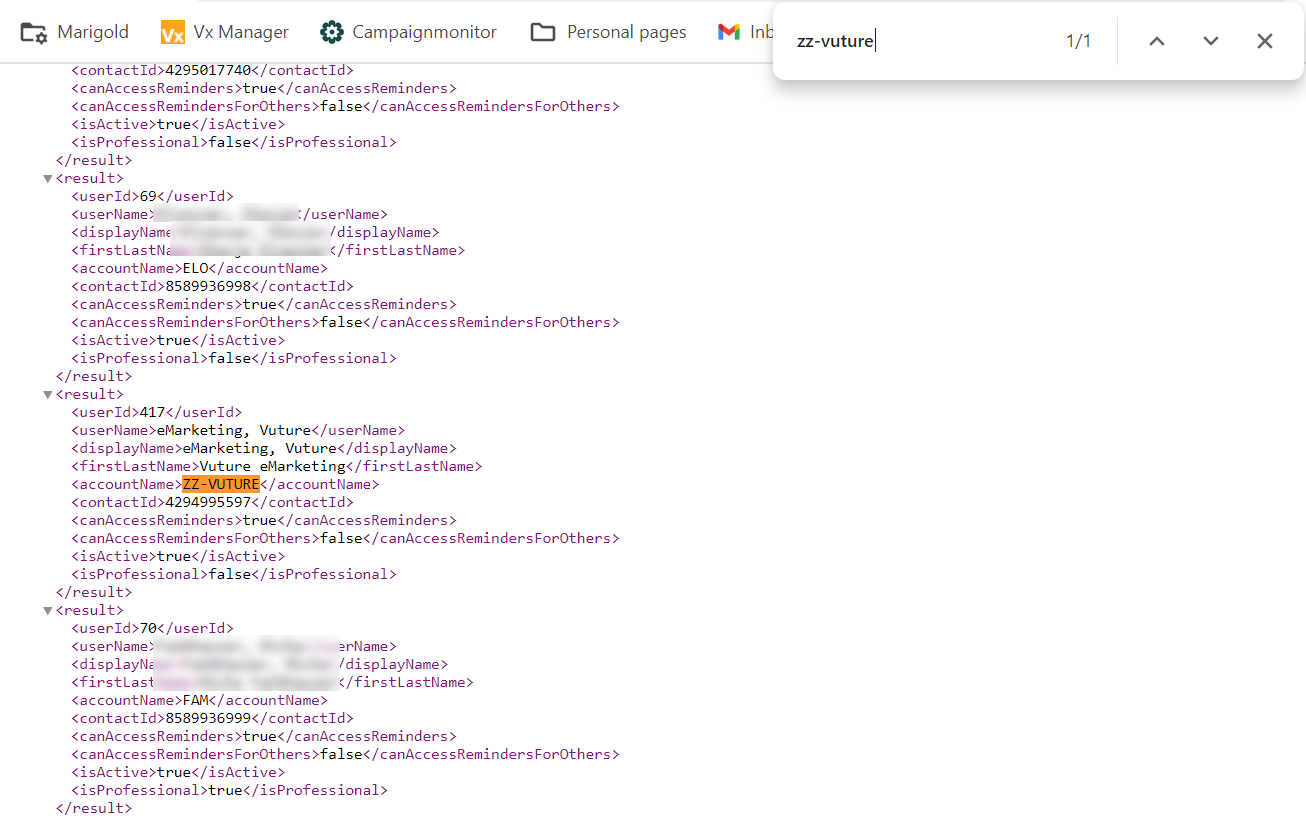
This demonstrates that the username required by the integration and corresponding to the Account Name is Vuture eMarketing.
It can also sometimes be displayed Last Name first, as in eMarketing, Vuture. Please ensure that this username is not deleted from InterAction.
Any other usernames that contain the word “Vuture” will likely have been created during the integration project or while the Events app was being tested and should no longer be required.
However, please note: you should perform one more double-check before deleting any other Vuture usernames.
Navigate to Admin.Containers & Users and check to see whether the username they hold against the InterAction1 record corresponds to what they have set up in Admin.System.InterAction1.InterAction Admin User.
For this example (image below), the Interaction1 name is the same, which is correct.
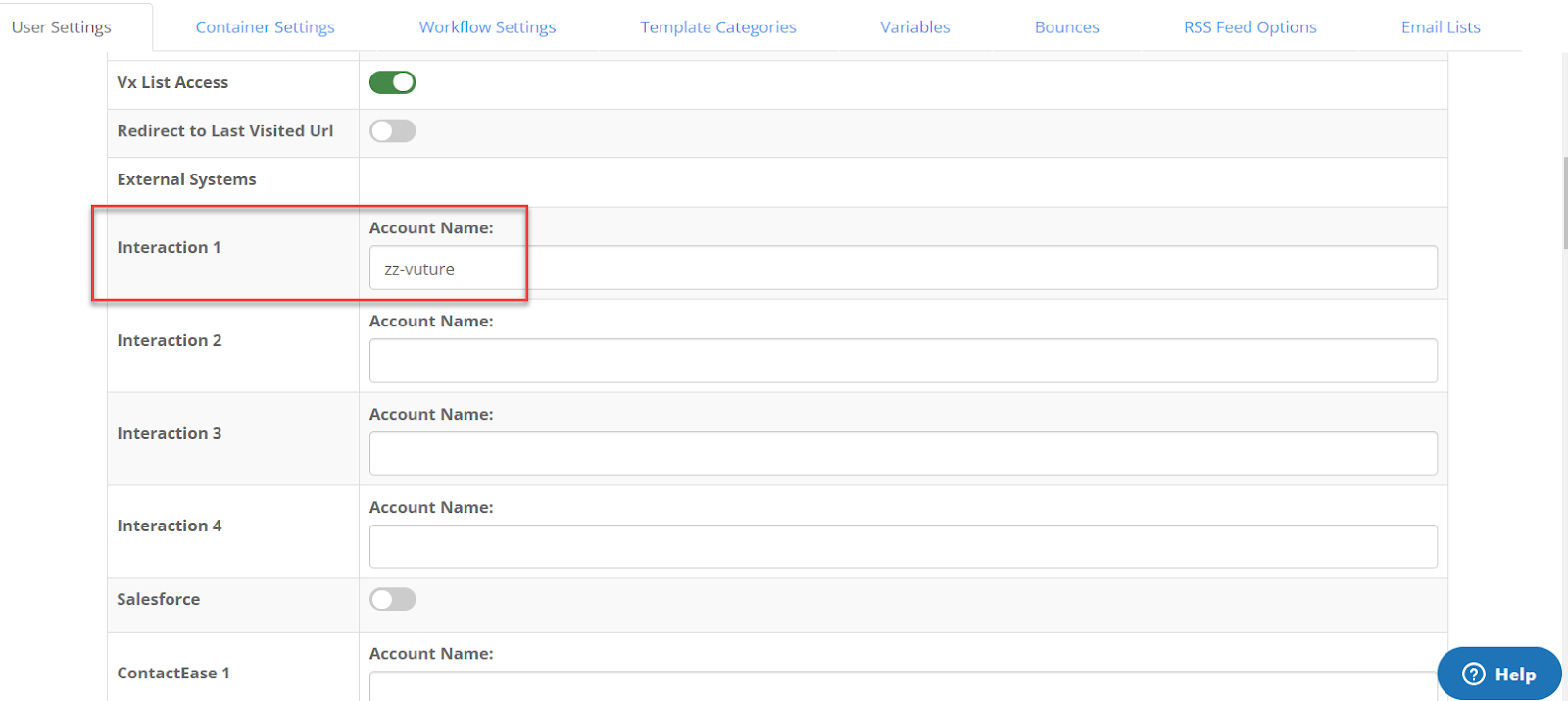
If they have a different username there, the client should investigate that before you recommend that they delete any IA user accounts.
Note: Some clients have a different setup here, described as part of this article. They can use their own InterAction account name against the Interaction1 record. This permits them to limit the lists and folders each user sees in Vuture to only the lists and folders which are available to them in InterAction. They do have to ensure, however, that every InterAction user account also gives the Vuture User account full proxy access in InterAction. This system of entering a different account name for each user can be lengthy to set up, and to maintain, so the preferred method for most clients is to enter the single Vuture Admin account name in every user's Interaction1 field, as in the image above.
