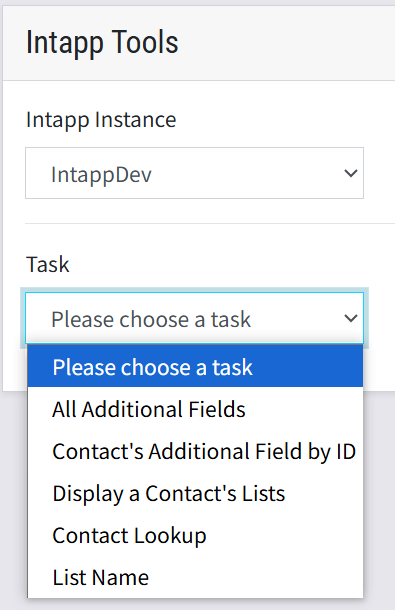
The Intapp Tools line item in the Tooling menu will only appear for clients when their platform is integrated with an Intapp CRM. You will need to select the Intapp Instance before choosing a Task.
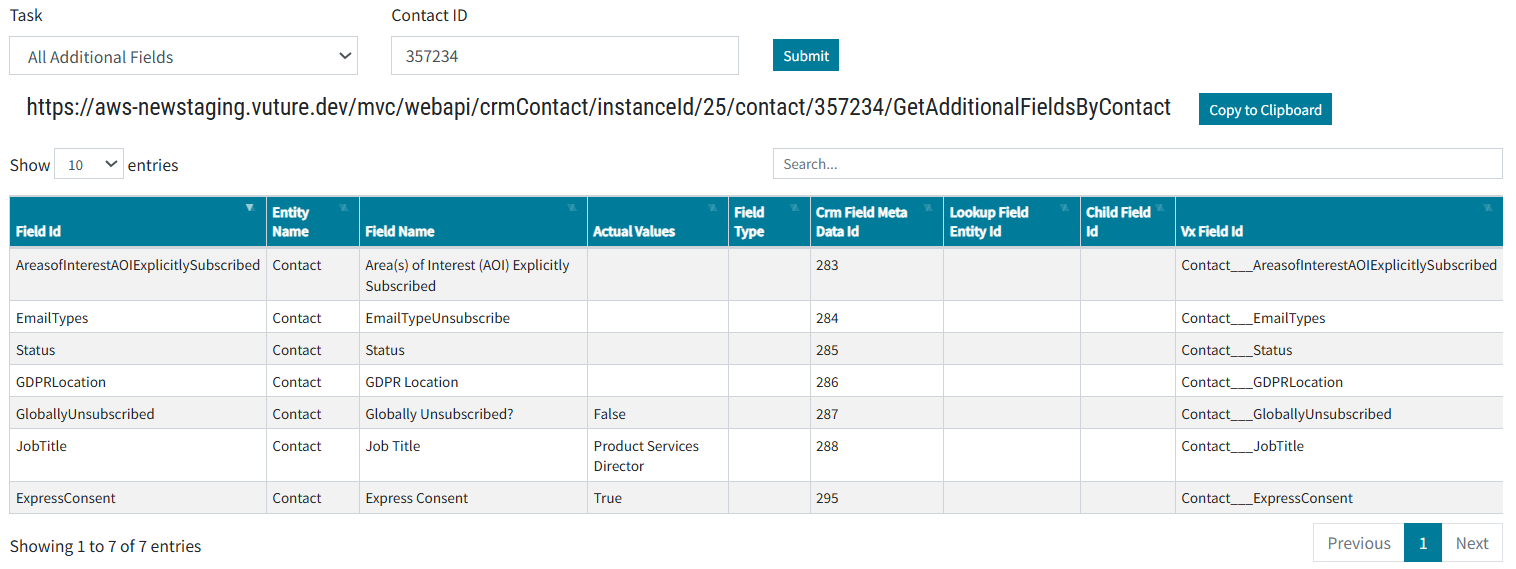
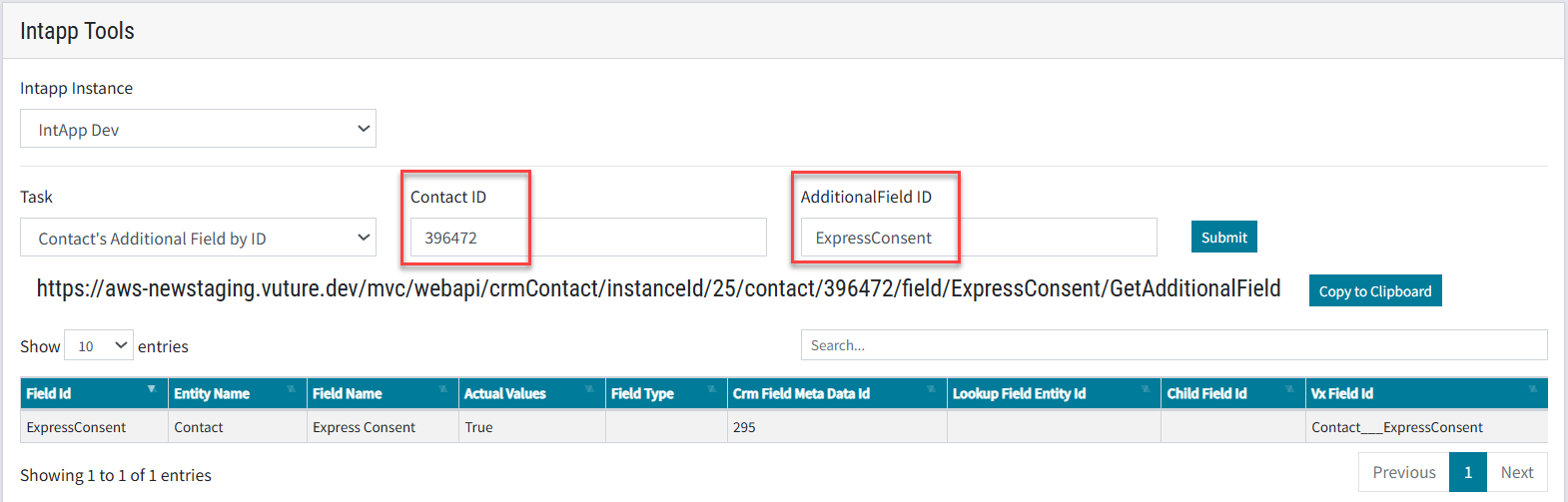
This tool displays all the additional fields that Vuture is aware of, for a certain contact. If you do not already know the contact's ID, you will have to first use the Contact Lookup tool and then Copy/Paste the ID into the Additional Fields tool.
Sort by the Actual Values column to see the fields where data exists for the contact.
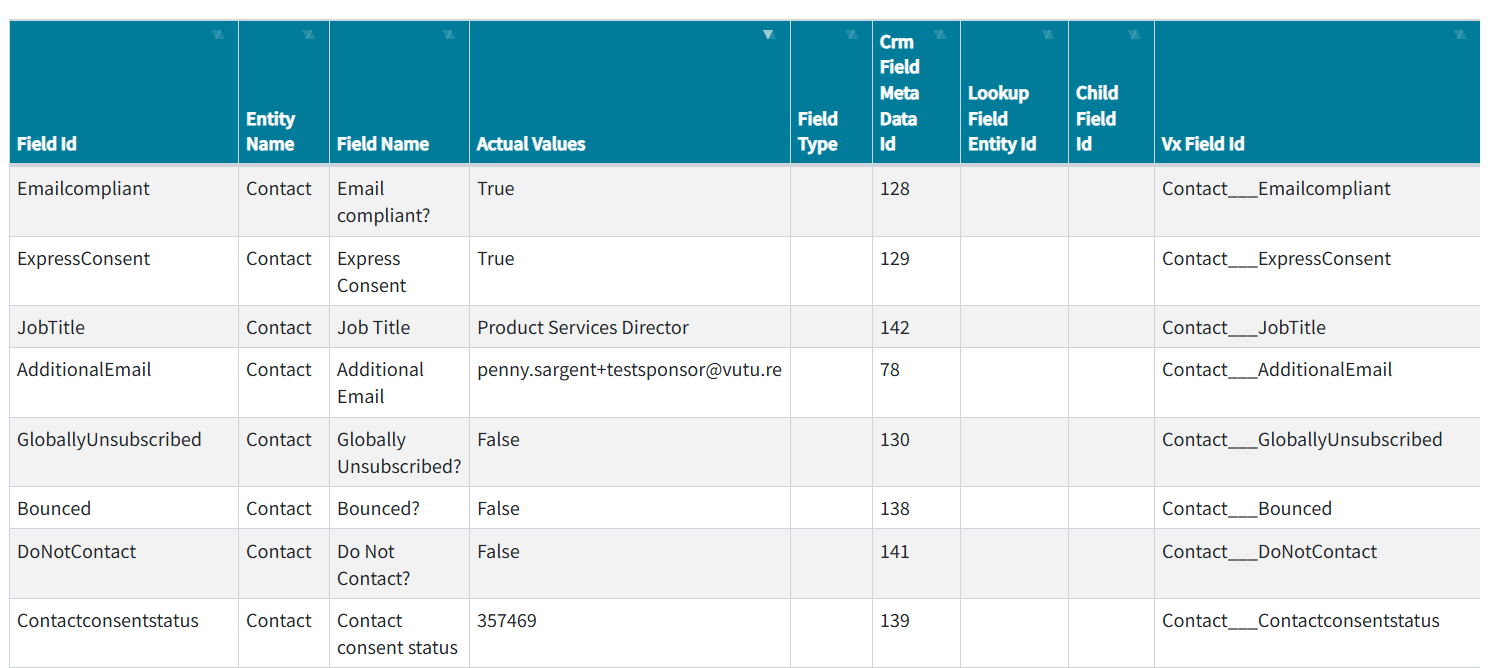
The results of this query can be very long. If you make a note of the ID of the Additional Field you can reduce the results by using the next tool instead -
You will have to enter both the Contact's ID and the Field Name from the Field Id column header (where it asks for Additional Field ID). Note that for this report to work you must enter the field name exactly as it is written in the Field Id column including case sensitive and no spaces. For example, ExpressConsent will work and give results. Express Consent or Express consent will not work.
Display a Contact's Lists
Use the Contact Lookup to find the contact's ID first. Then Submit.
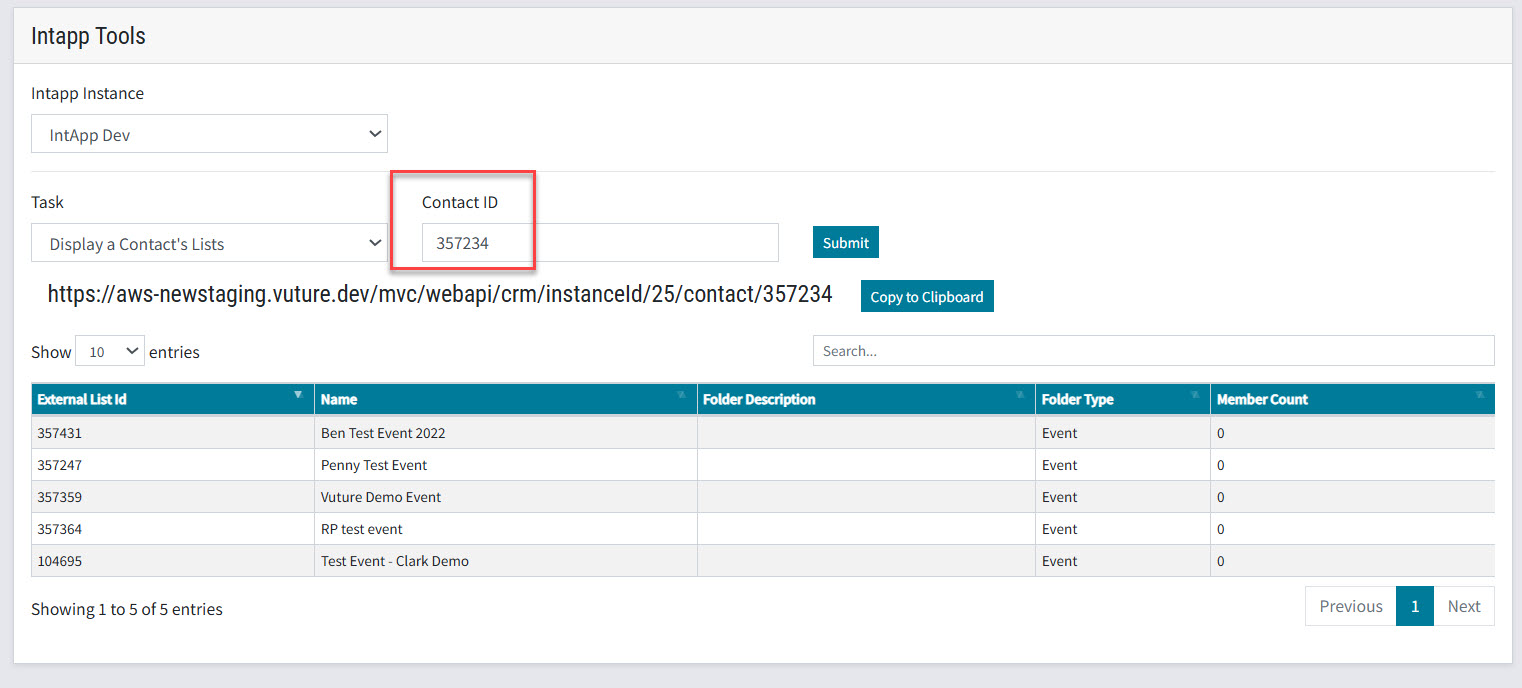
This will display all the lists that contain the contact, that Vuture can see (ie not looking at the crm).
List Name
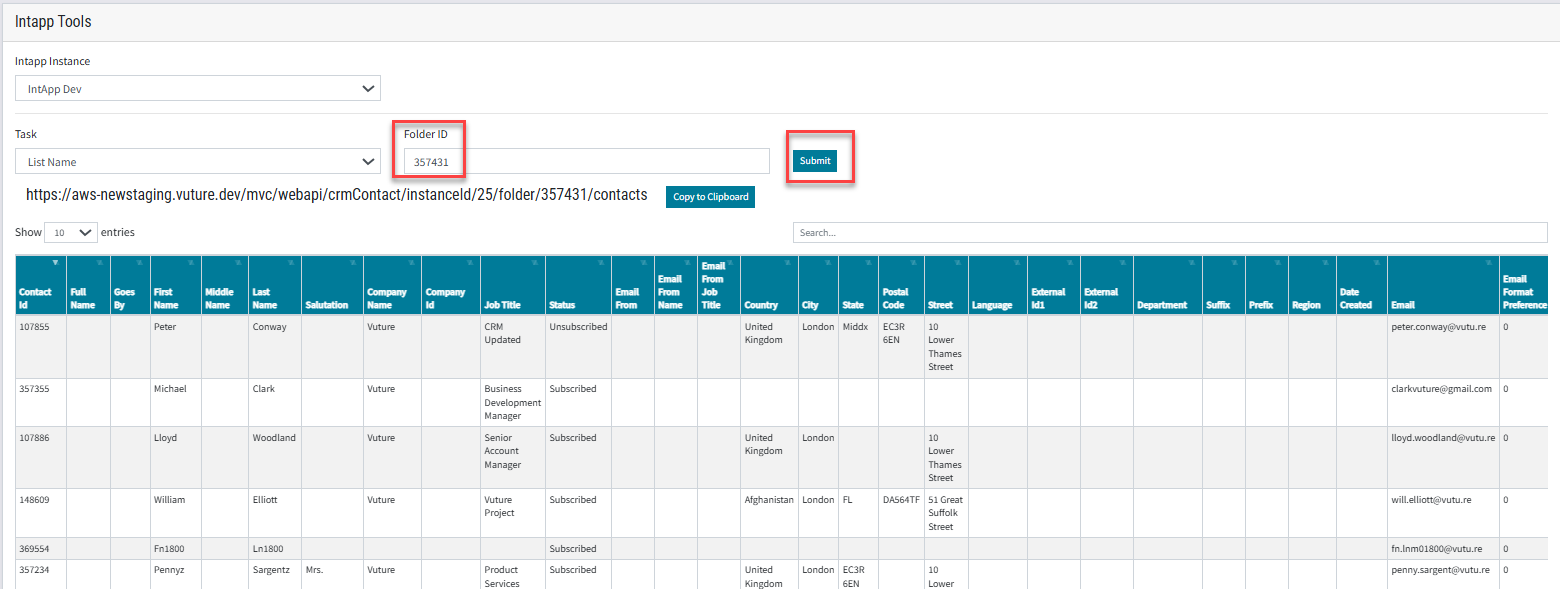
This final tool for Intapp will display, for any list that Vuture can see, all the contacts on the list. Note: you may need to import a list to the Contacts module first, and refresh the contacts, to get an accurate picture of the contacts on the list. If you enter a valid List ID and there is an error message Contact Not Found then try the import and refresh.
To use this tool, you need the Folder Id also called External List Id. To find this, start with a contact, look up the lists they are on, and then copy the External List Id from the result.
Starting with the Penny Sargent contact: the Contact Id is 357234 from the Tool image above.
You can see the lists Penny is on from the image above. Including Ben Test Event which has the External List ID of 357431.
To see who else is on that list select the List Name tool and add the External List Id. Click Submit.