Overview
This General System Statistics Dashboard gives you overall statistics for all mailings in your Vuture Platform by month for a given date range.
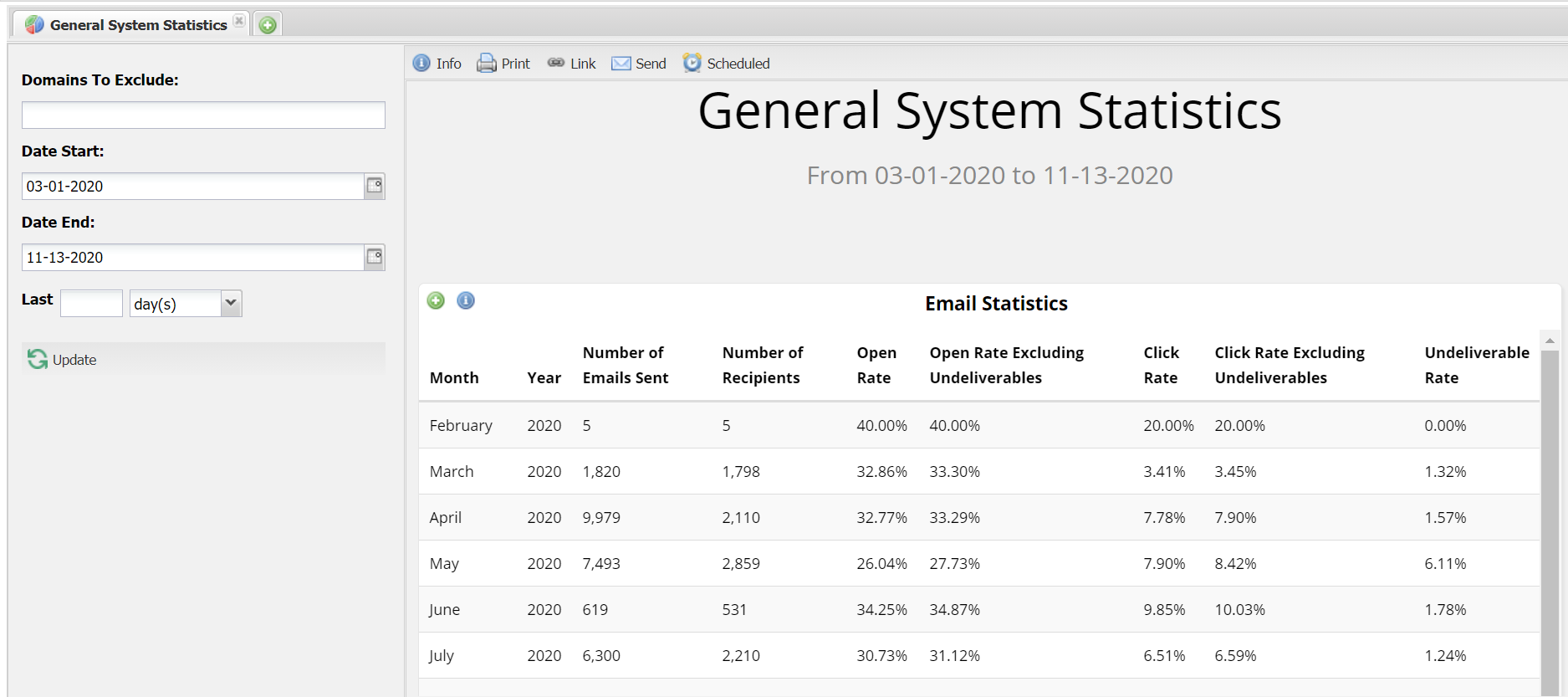
You can send this dashboard to yourself or your colleagues either once or on a recurring basis. Find out how to do this here.
Filters
You can exclude specific domains such as your internal domains.
You can filter by a specific date range.
Reports in this dashboard
(197: Email Statistics)
This report is calculated by looking at a combination of totals and averages from month to month. This is useful to look at overall trends from month to month. Note: Unique click rate will not capture multiple clicks per contact.
-
Number of Emails Sent: The number of emails sent out of the Vuture platform that month.
-
Number of Recipients: The number of unique recipients who received your mailings. For example, you may have sent a total number of 100 emails in the month of May to 50 unique recipients. This means that each recipient could have received 2 mailings, to make up the total 100 mailings sent that month.
-
Open Rate: The number of emails opened, divided by the total number of emails sent, expressed as a percentage. (Total # Opens) / (Total Mail Sent) * 100.
-
Open Rate Excluding Undeliverables: The number of emails opened, divided by the total number of emails successfully delivered (i.e. not including bounces), expressed as a percentage. (Total # Opens) / (Total Mail Sent - Bounced) * 100.
-
Click Rate: The percentage of users who have clicked at least once in an email, divided by the total number of emails sent. (Total # of unique recipient email clicks) / (# of Emails Sent) * 100.
-
Click Rate Excluding Undeliverables: The percentage of users who have clicked at least once in an email, divided by the total number of emails successfully delivered (i.e. not including bounces). (Total # of unique recipient email clicks) / (# of Emails Sent - Bounced) * 100.
-
Undeliverable Rate: The total number of emails undelivered, divided by the total number of emails sent, expressed as a percentage (e.g. Bouncebacks). (Note: The total sent doesn't include emails not sent because they were suppressed. It is the total of emails that were actually sent, after suppressions.)
