Introduction
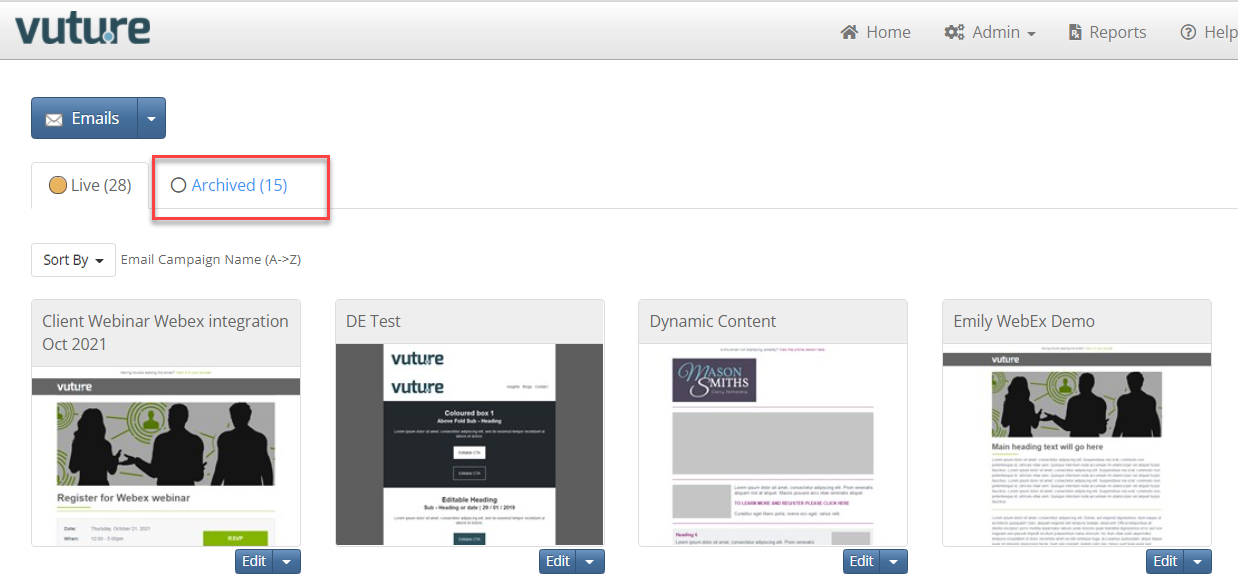
Archiving is a process which clears campaigns from the Live tab of your Home Screen and stores them on the Archived tab.
From the home screen of Vuture you will see the campaigns that have been archived on a separate tab:
Prerequisite
To archive a campaign, you will need to have the feature enabled for your Role. Ask your CSM to enable it at Admin.Roles.Email Campaigns. Archive
How to Archive a Campaign
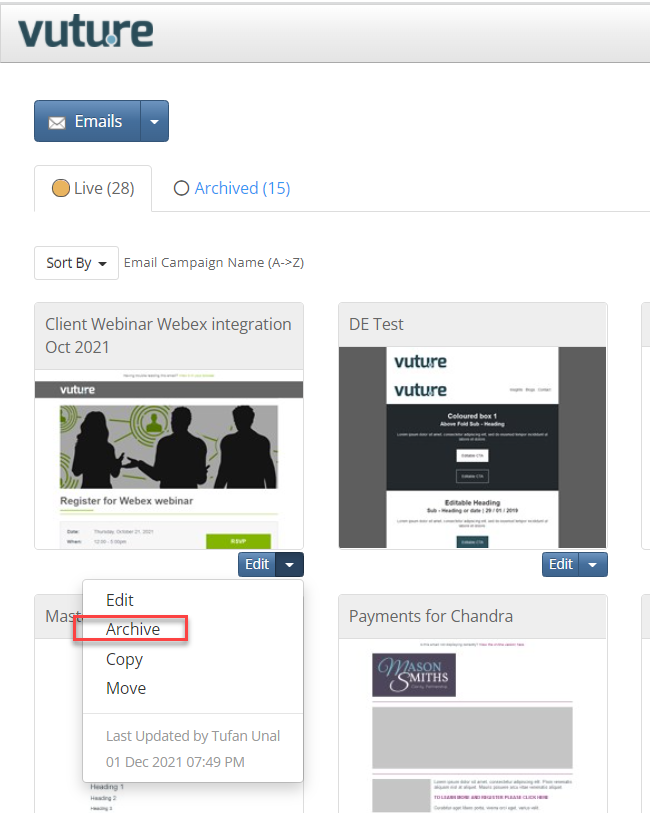
Once enabled for your Role, click the Edit menu below the campaign.
What are the implications of Archiving campaigns?
- You will keep your containers tidy; it is easier to see only current campaigns on the "Live" tab.
- No data is lost. If you need to, you can unarchive in the future. In the Archive tab, click on the Edit menu as before but this time choose Launch.
- Results of archived campaigns will still show in reports and benchmarking.
- You cannot send an Archived campaign. The Send button is not displayed. If you need to send it again, Launch it first.
- Triggers will not be affected by archiving. If you have triggers set up, for example to send an email tomorrow, and you archive the campaign today, the email will still be sent tomorrow.
Is it possible to automatically archive all campaigns within specified containers?
Yes, you will need to reach out to your Account Manager or Support and supply the Container IDs.
From here, a script will be executed in your instance's database to perform the archiving action. Please keep in mind that if one of the archived campaigns contains a Send Later/Scheduled Send will still remain in the sending queue, and thus it will send on the correct date - additionally, it will be very difficult to stop these if they have not already sent out. In the case of Triggers, these can be disabled in the archived campaigns to stop sends from further occurring.
