Keywords: GDPR, CASL, Consent
You can use a Vuture form to write back to a global Do Not Send Email field in Dynamics.
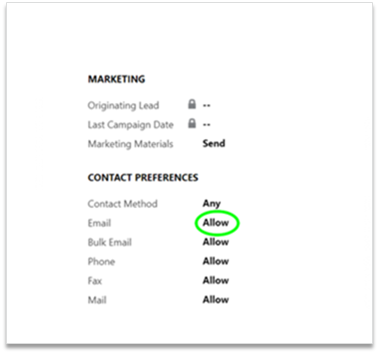
This means that a contact who has not consented to receive emails will be automatically excluded from any mailing sent via Vuture.
Dynamics Suppression Rules
Any contact who has the Donotemail field set to True will be suppressed from all Email sends. Vuture will check this at the point of send and not send to this email address.
Any contact that has Consentstatus field set to No will also be unsubscribed. Again at the point of send, Vuture will check the send and suppress.
Any contact who has Bounced set to True will also be suppressed at the point of send. This follows the standard bounce rules all our clients use for bad email addresses.
One Click Unsubscribe links in the Email Header
There is an article covering the mandatory One Click Unsubscribe here: https://support.vutu.re/s/article/16107279640733-One-click-Unsubscribe-Link-in-the-Email-Header-and-FAQs
Managing Spam Complaints and One Click Unsubscribes
To make it easy for Vuture clients to see who has been suppressed because of their complaint to an ISP, we have created a dashboard, which is available to Vuture’s client Admin users. This contains the Email Address affected (with a link to the actual email), the Date the email was sent to the contact and both the CRM Contact ID and the Vuture Contact ID.There is an article covering the Spam Complaints and One Click Unsubscribes Dashboard here: https://support.vutu.re/s/article/15422789497629-ISP-Unsubscribes-and-Spam-Complaints-Dashboard-or-Automated-Feedback-Loop
Managing Bounce Suppressions
If you have found that contacts are being suppressed as bounces, but are unsure as to when or why they bounced, there is a report that shows every bounce that has occurred from your Instance's mailings. There is an article covering this report here: https://support.vutu.re/s/article/7610763390237-Report-for-all-Bounces-when-and-why-a-contact-bounced
