Keywords: Consent, mailing preferences, container and subcontainer lists, global lists
Overview
By default, Vuture (CSV uploaded) lists are only available in the container in which you created them.
You can optionally change this by marking any list as Global, which then makes it available across all containers, or by giving users access in the subcontainers for a specific container.
Contents
Global Lists
A typical use case for making a list Global is if you have one or more lists containing global mailing preferences and you would like to access these lists from all containers. You could also use a Global list to manage Consent to receive mailings.
You can make lists Global by:
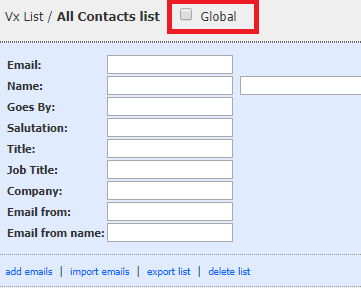
- Checking the "Global" checkbox by the list name when viewing the contact list. This view can be accessed either from the "manage list" link on the email sending screen or by clicking "lists" at the top of the left hand panel. You will first need to have the feature enabled for your role in "Admin.Roles.Enable Global Lists".
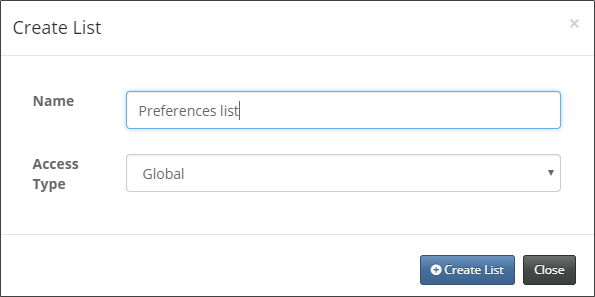
- In Vuture Contacts module, when you create a new list, you will be prompted to select the access type. This feature will be available for all roles in the Contacts module. Once created, you can update the access type in the Vuture Contacts module by selecting the list and changing it from the access type dropdown.
Container Lists
By default, Vuture lists (CSV uploads) are set up to be accessible for the container in which they were uploaded only. If you create a list through an email campaign, in the "Lists" section, it will automatically be created as a Container-only list. If you create a list through the Vuture Contacts module, you will be prompted to either change the access level or leave it as it is, with Container being the default.
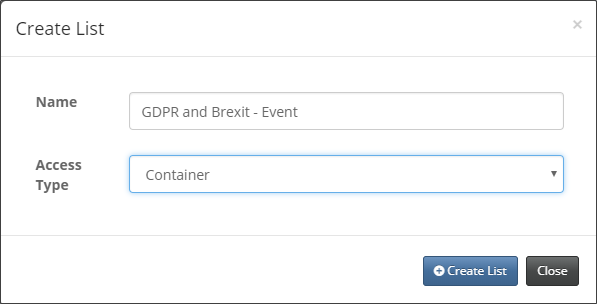
Once created, you can then update the access type in the Vuture Contacts module by selecting the list and changing it from the access type dropdown.
Container and Sub-container Lists
Some lists could relate to a container or a sub-container only. A use case for this would be if you organise your containers by geo-location or by specific topics and use sub-containers to manage your communications. You might want some lists to be available for those containers and their sub-containers, but not be accessible for other containers.
To determine whether a list should be accessible in containers and their subcontainers, you will need the Vuture Contacts module. When you create a new list, you will be prompted to select the access level for the list.
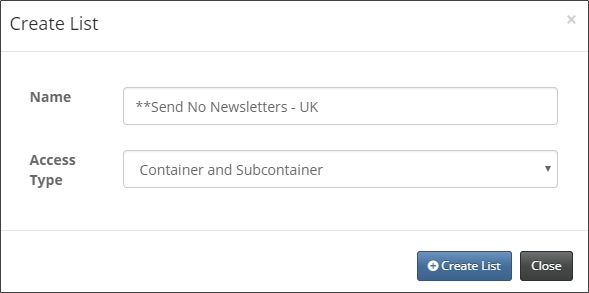
Once created, you can update the access level in the Vuture Contacts module by selecting the list and changing it from the access type dropdown.
