Permissions or Scopes Required to Enable the Microsoft Teams Integration with Vuture
Introduction
The instructions to clients for enabling the Microsoft Teams integration with Vuture includes allowing Vuture a fairly long list of Permissions. These are:
-
Essential to allow the integration
-
Only applicable to webinars created by the Vuture User. Other Teams webinars which may be created by a Vuture client but which have no integration with Vuture, for example: internal Teams webinars between the Vuture client firm and their clients, will not be accessed, seen or used by the integration.
Currently we are using the stable version of the Graph API v1.0 for our integration.
Vuture acquires the access token using certain APIs which are used for business-related API calls for the webinars.
There follows two sections with details about the authorization and authentication-related APIs and webinar business-related APIs.
Authorization and Authentication APIs
We have two types of access token generation for accessing the APIs: Delegated Access Token and Application Access Token
Delegated Access Token
The steps detailed below are required to generate the delegated access token. Vuture must develop the below graph APIs for the integration.
-
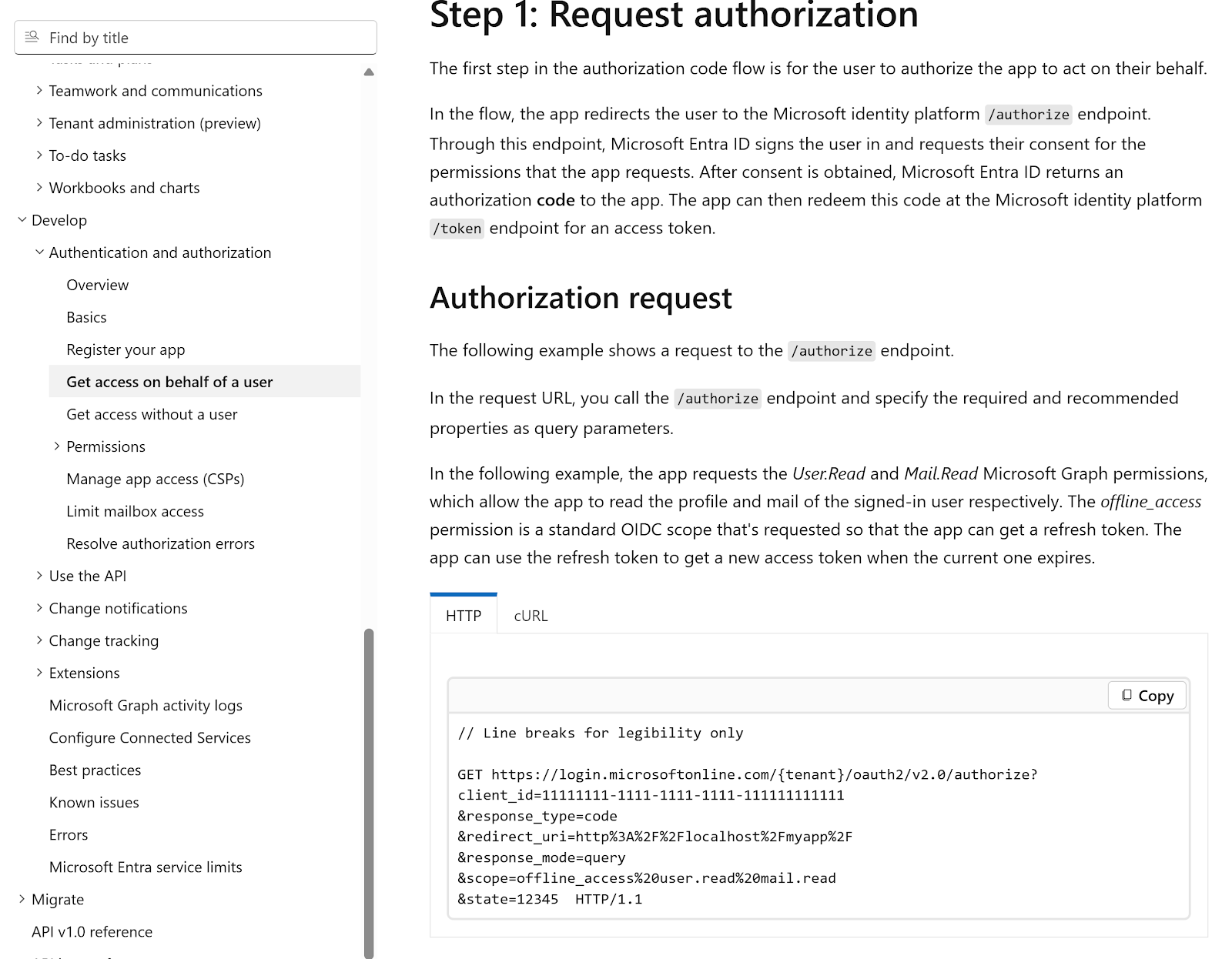
API: Request Authorization Code
Vuture uses the below URL to load into the browser and get the authorisation code.
URL - https://login.microsoftonline.com/{tenantId}/oauth2/v2.0/authorize?client_id={clientId}&response_type=code&redirect_uri={redirectUri}&response_mode=query&scope=offline_access user.read mail.read&state={customString}
Method Type – GET
Below are the list of permissions which are required for this API to return values
|
Permission Name
|
Permission Type
|
|
Mail.Read
|
Delegated
|
|
offline_access
|
Delegated
|
|
User.Read
|
Delegated
|
Reference Link –
https://learn.microsoft.com/en-us/graph/auth-v2-user?view=graph-rest-1.0&tabs=http
-
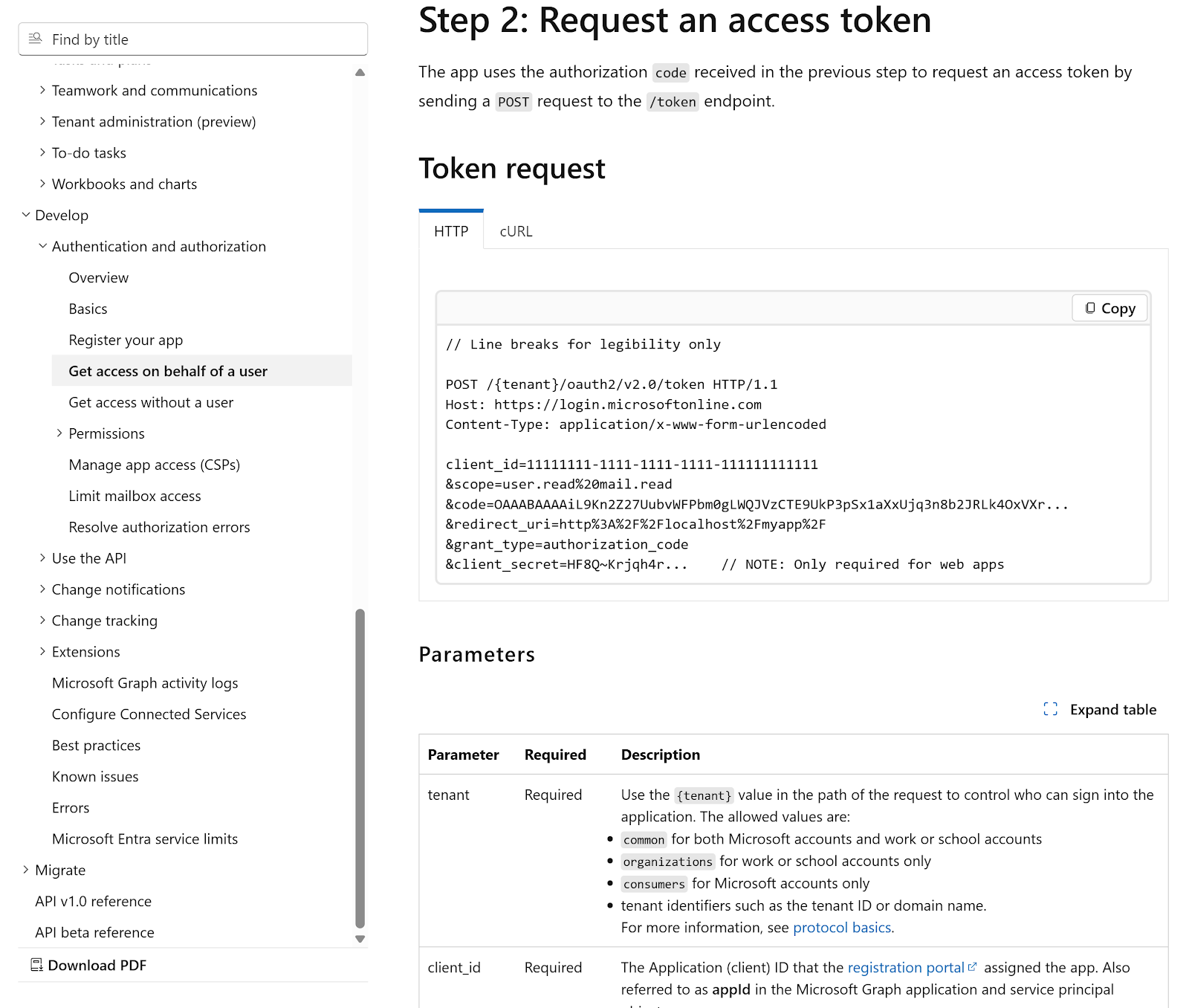
API: Request an Access Token
Vuture uses the authorization code received in the previous step to request an access token by sending a POST request to the /token endpoint.
URL - https://login.microsoftonline.com/{tenantId /oauth2/v2.0/token?scope=offline_access%20user.read%20mail.read
Method Type – POST
Below are the list of permissions which are required for this API to return values
|
Permission Name
|
Permission Type
|
|
Mail.Read
|
Delegated
|
|
offline_access
|
Delegated
|
|
User.Read
|
Delegated
|
Reference Link –
https://learn.microsoft.com/en-us/graph/auth-v2-user?view=graph-rest-1.0&tabs=http
-
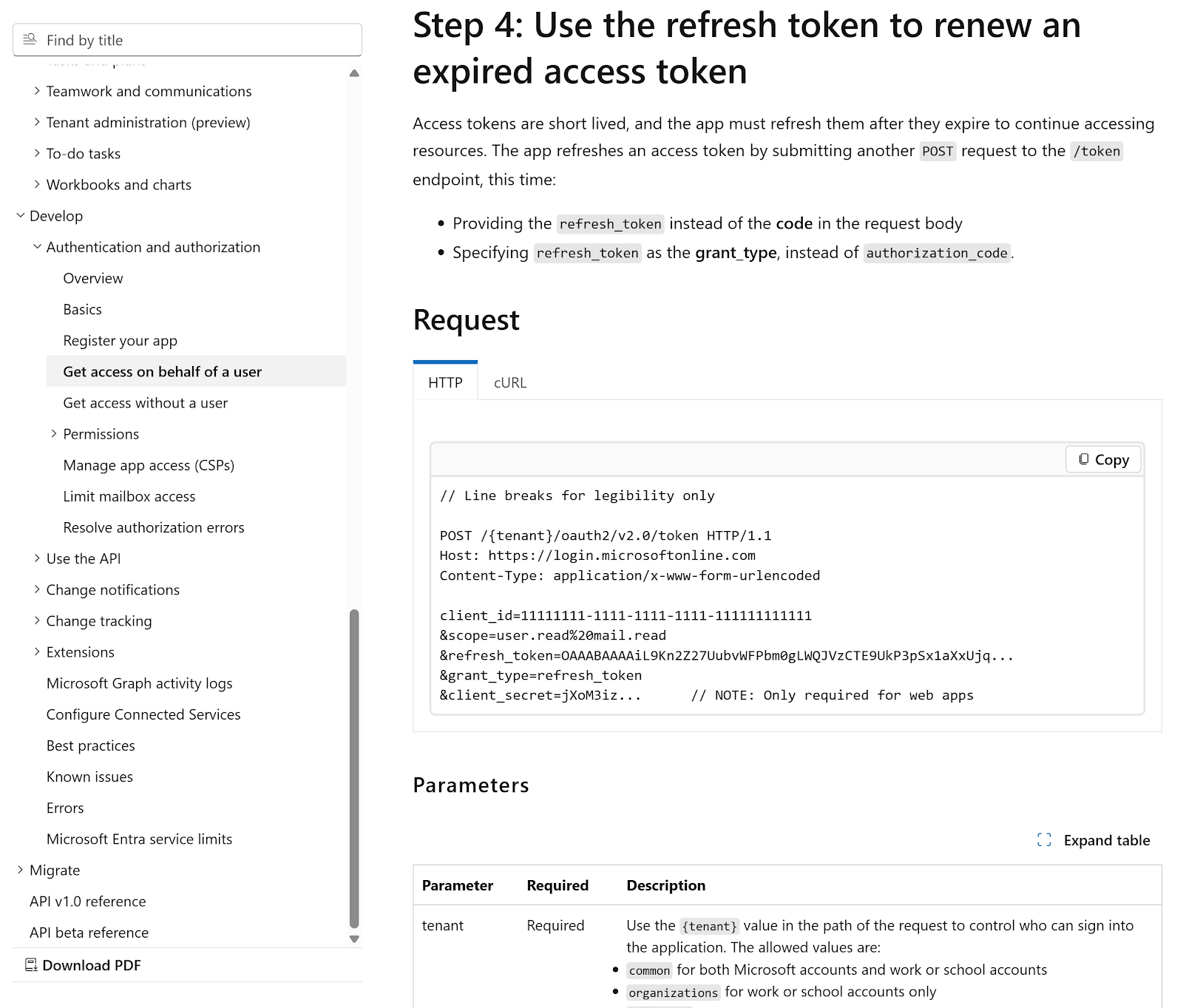
API: Request an Access Token using the Refresh Token
Vuture uses the refresh token further received in the previous step to request an access token by sending a POST request to the /token endpoint.
-
Providing the refresh_token instead of the code in the request body
-
Specifying refresh_token as the grant_type, instead of authorization_code.
URL - https://login.microsoftonline.com/{tenantId /oauth2/v2.0/token?scope=offline_access%20user.read%20mail.read
Method Type – POST
Below is the list of permissions which are required for this API to return values
|
Permission Name
|
Permission Type
|
|
Mail.Read
|
Delegated
|
|
offline_access
|
Delegated
|
|
User.Read
|
Delegated
|
Reference Link –
https://learn.microsoft.com/en-us/graph/auth-v2-user?view=graph-rest-1.0&tabs=http
Business APIs
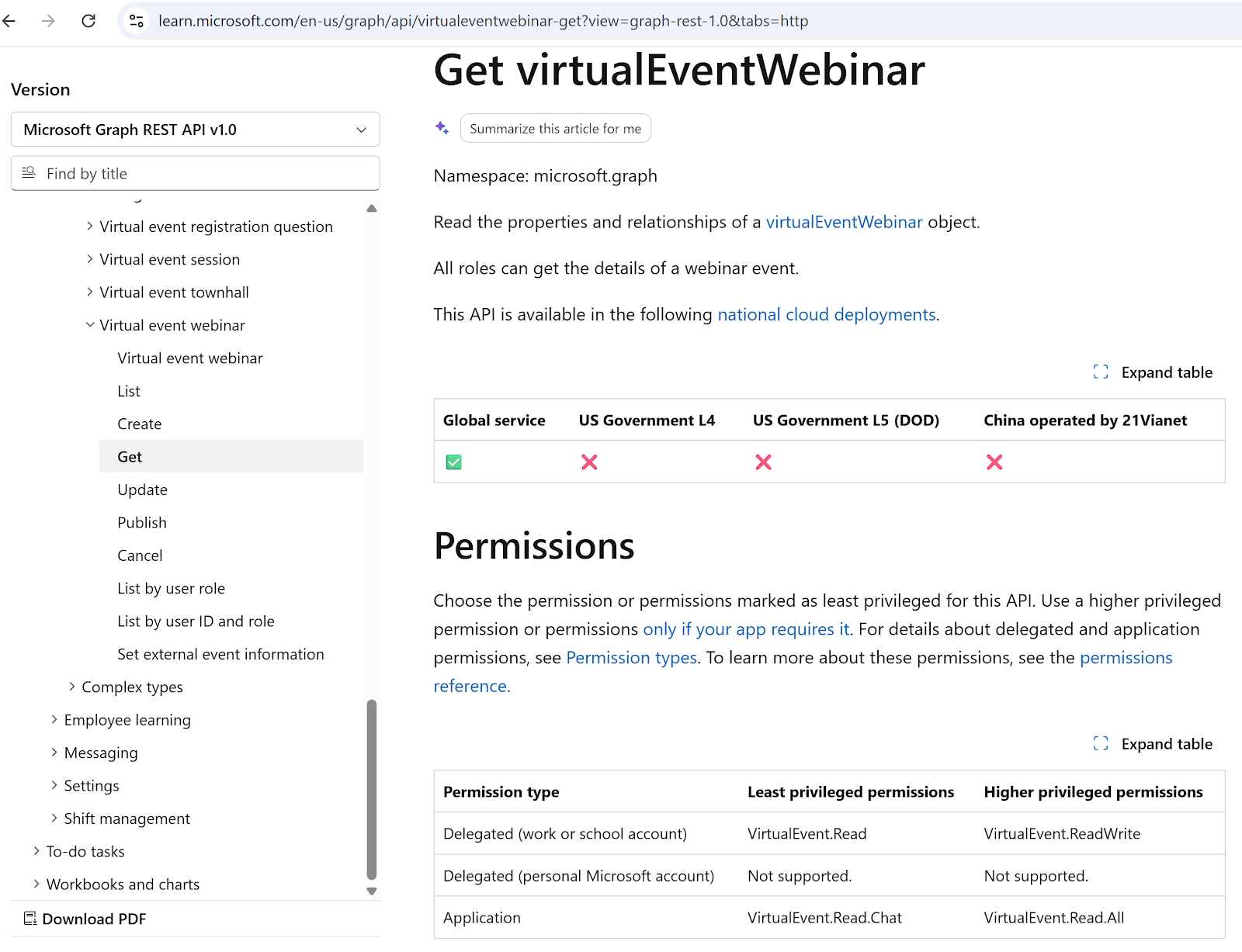
API: Get Webinar Details
URL - /solutions/virtualEvents/webinars/{webinarId}
Vuture uses this API to get the specific webinar details to know whether the organizers have changed the start date, webinar title, etc.
Method Type – GET
Access Token Type Used for this API – Delegated Token
Below is the list of permissions which are required for this API to return values
|
Permission Name
|
Permission Type
|
|
VirtualEvent.Read
|
Delegated
|
|
VirtualEvent.Read.All
|
Application
|
|
VirtualEvent.ReadWrite
|
Delegated
|
Reference Link –
https://learn.microsoft.com/en-us/graph/api/virtualeventwebinar-get?view=graph-rest-1.0&tabs=http
API: Register a Contact
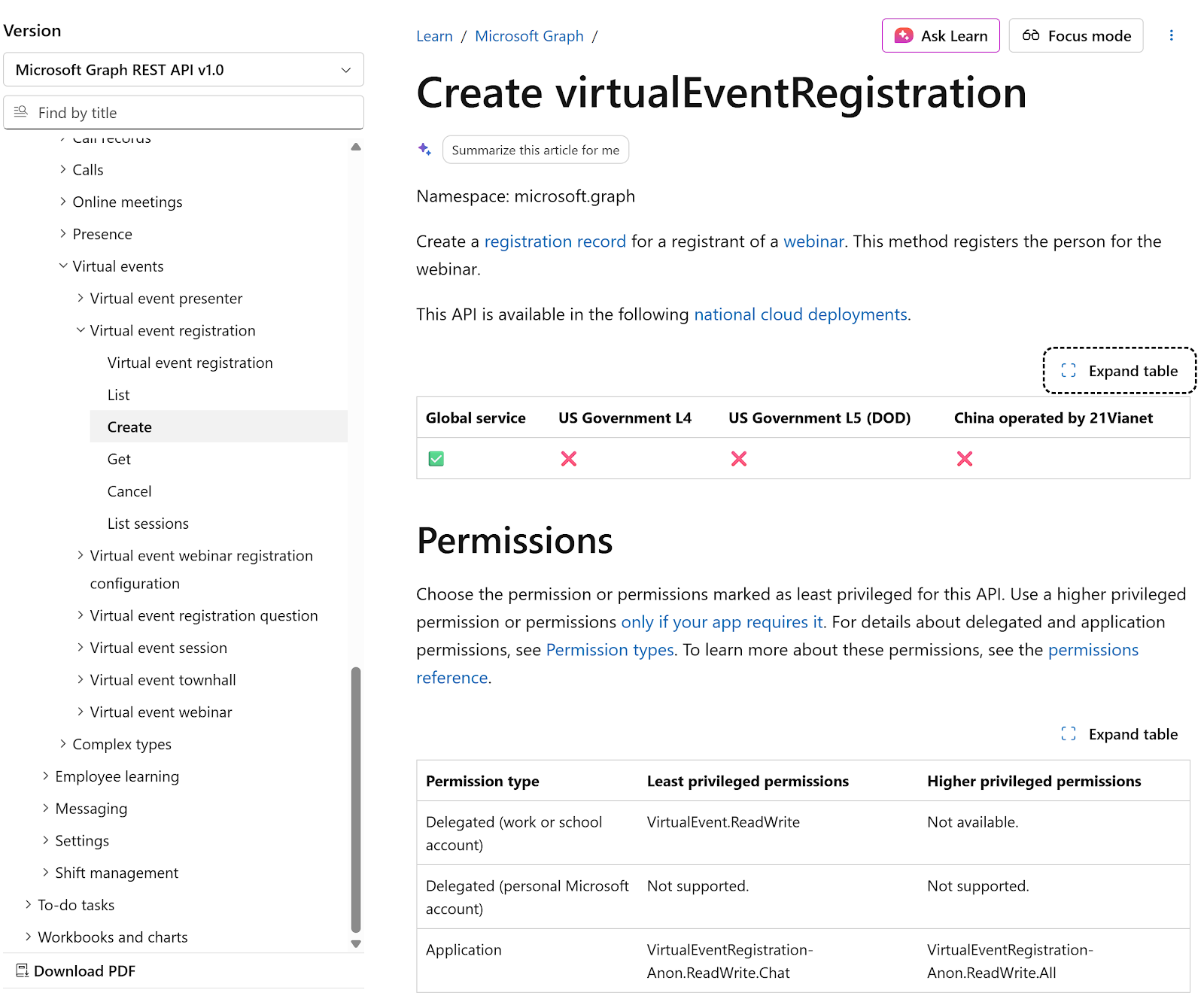
URL - /webinars/{webinarId}/registrants
Vuture uses this API to register contacts for the integrated webinars.
Method Type – POST
Access Token Type Used for this API – Application Token
Below are the list of permissions which are required for this API to return values
|
Permission Name
|
Permission Type
|
|
VirtualEventRegistration-Anon.ReadWrite.All
|
Application
|
Reference Link –
https://learn.microsoft.com/en-us/graph/api/virtualeventwebinar-post-registrations?view=graph-rest-1.0&tabs=http
API: Retrieve All Webinar Registrants
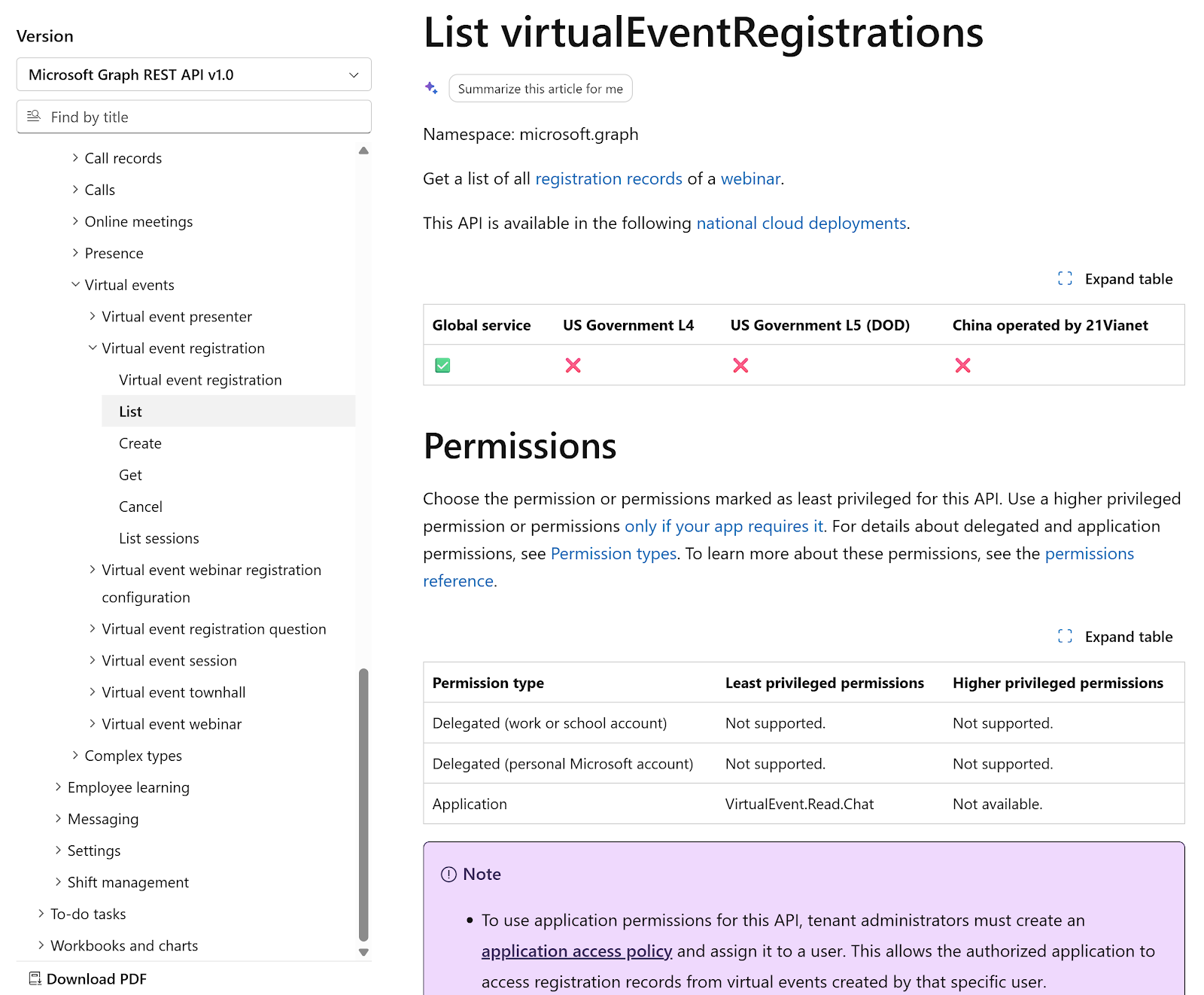
URL - /solutions/virtualEvents/webinars/{webinarId}/registrations
Vuture uses this API to retrieve all the registrants who have registered for this webinar. Internally we look up the registrants through Vuture using the email address and registration id.
Method Type – GET
Access Token Type Used for this API – Application Token
Below is the list of permissions which are required for this API to return values
|
Permission Name
|
Permission Type
|
|
Not applicable
|
None
|
Reference Link –
https://learn.microsoft.com/en-us/graph/api/virtualeventregistration-list?view=graph-rest-1.0&tabs=http
Retrieve All Webinar Participants
We need to call the below set of APIs to get the list of webinar attendees.
API: Retrieve Webinar Sessions List
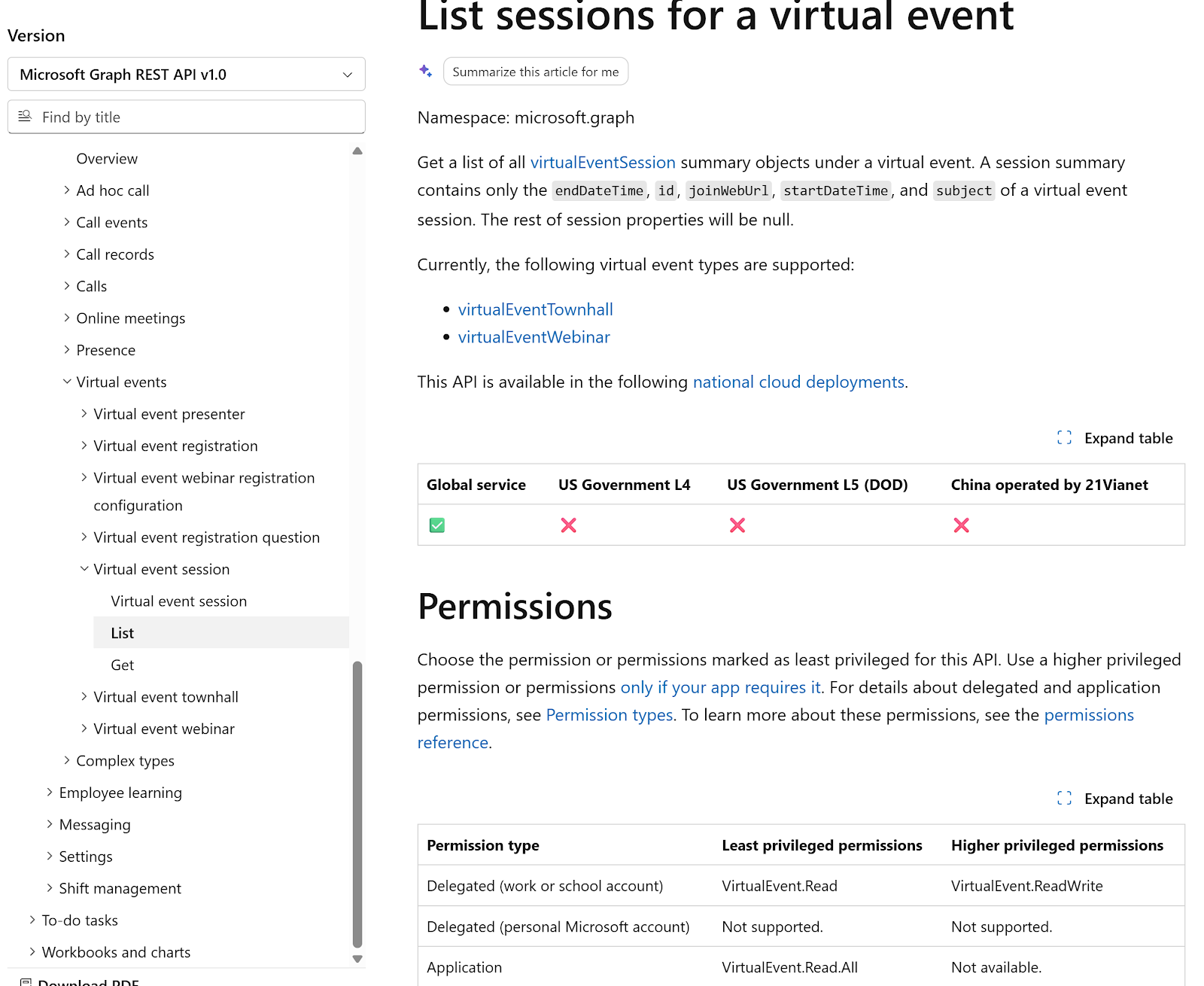
URL - /solutions/virtualEvents/webinars/{webinarId}/sessions
Vuture uses this API to retrieve the list of sessions associated with this webinar.
Method Type – GET
Access Token Type Used for this API – Delegated Token
Below is the list of permissions which are required for this API to return values
|
Permission Name
|
Permission Type
|
|
VirtualEvent.Read
|
Delegated
|
|
VirtualEvent.Read.All
|
Application
|
|
VirtualEvent.ReadWrite
|
Delegated
|
Reference Link –
https://learn.microsoft.com/en-us/graph/api/virtualevent-list-sessions?view=graph-rest-1.0&tabs=http
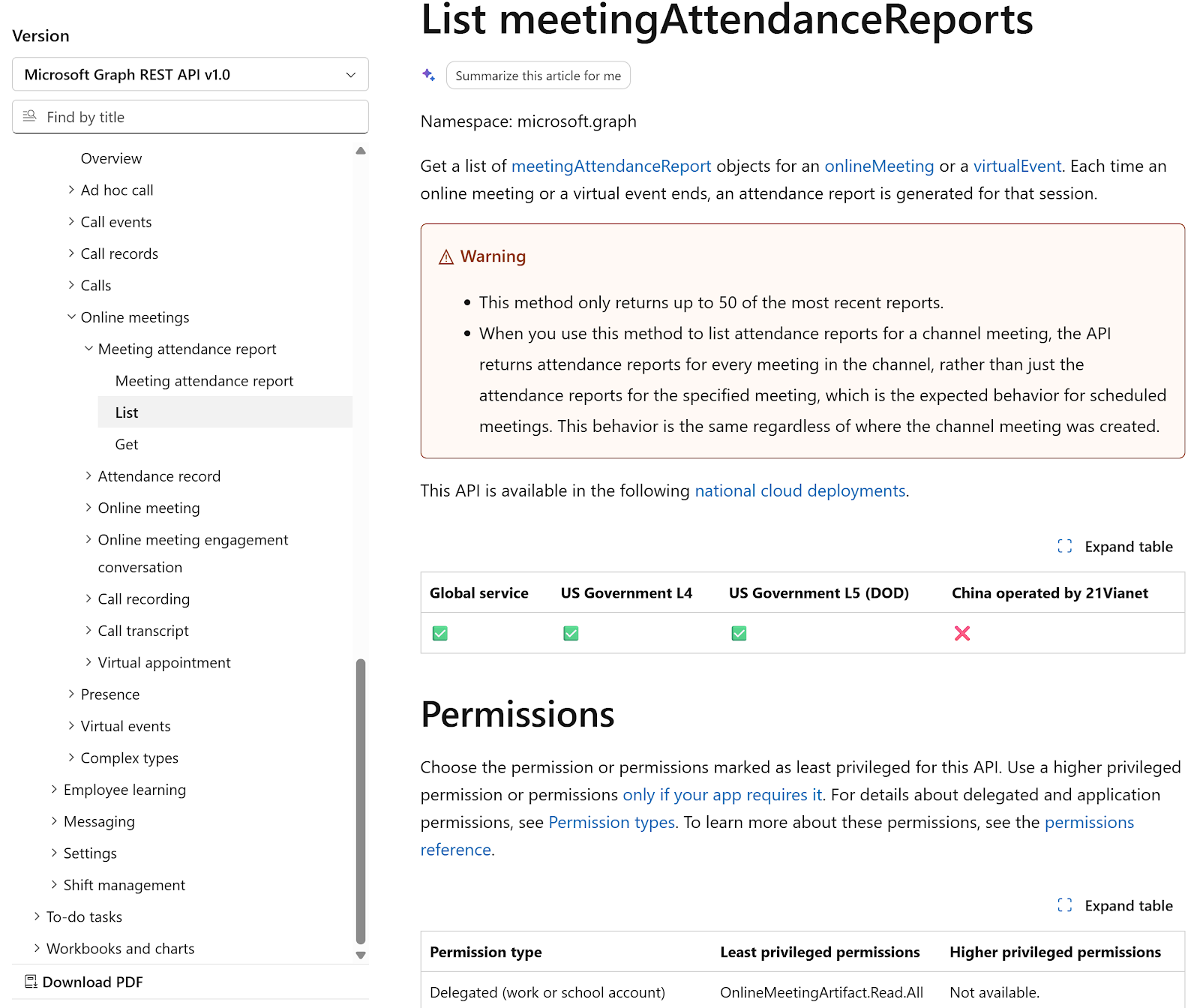
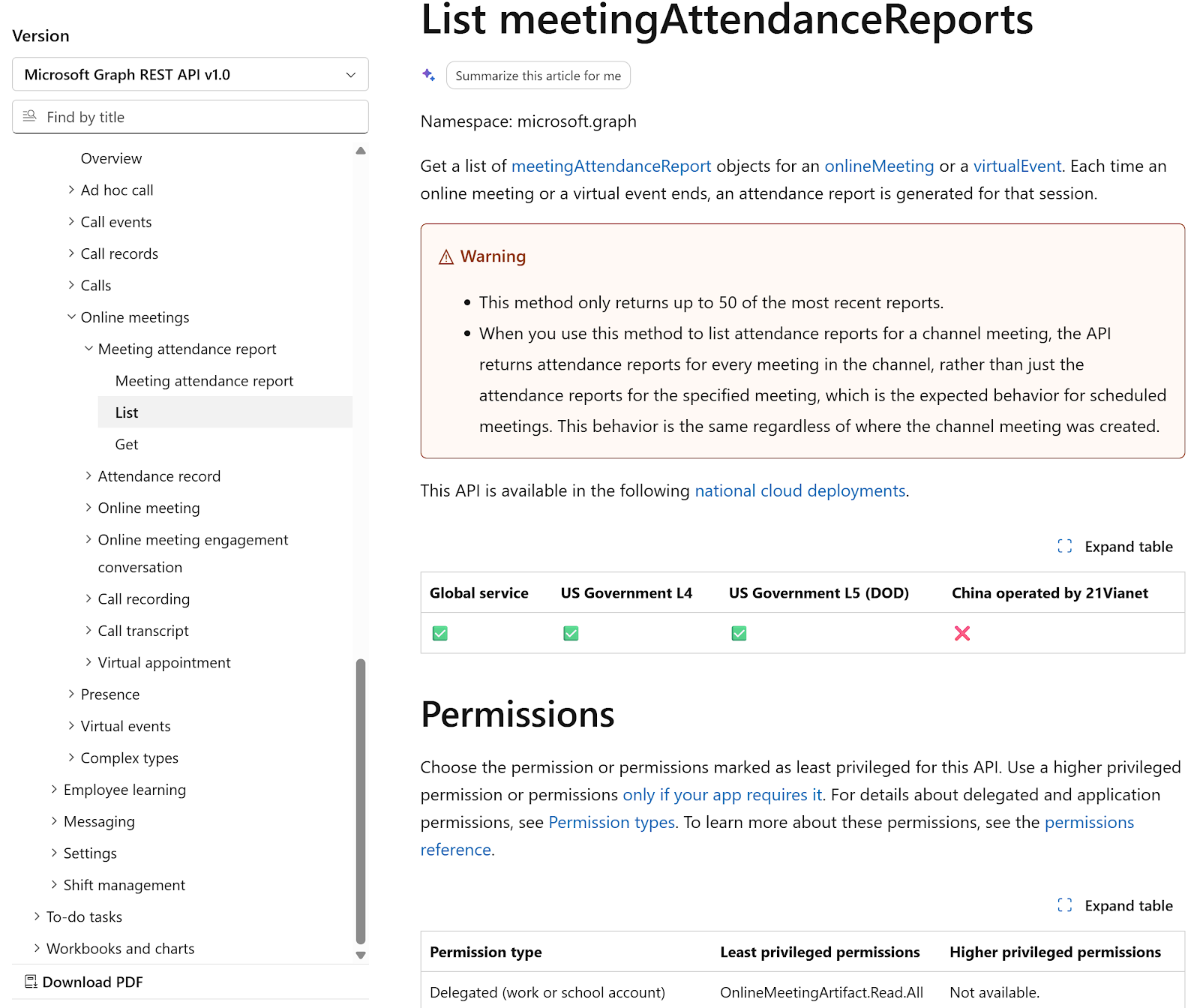
API: Retrieve Webinar Session Attendance Report
URL - /solutions/virtualEvents/webinars/{webinarId}/sessions/{sessionId}/attendanceReports
Vuture uses this API to retrieve the attendance report for each session.
Method Type – GET
Access Token Type Used for this API – Application Token
Below is the list of permissions which are required for this API to return values
|
Permission Name
|
Permission Type
|
|
OnlineMeetingArtifact.Read.All
|
Delegated
|
|
OnlineMeetingArtifact.Read.All
|
Application
|
Reference Link –
https://learn.microsoft.com/en-us/graph/api/meetingattendancereport-list?view=graph-rest-1.0&tabs=http
API: Retrieve Webinar Attendees for Attendance Report
URL - /solutions/virtualEvents/webinars/{webinarId}/sessions/{sessionId}/attendanceReports/{reportId}
Vuture uses this API to retrieve the list of attendees for each attendance report.
Method Type – GET
Access Token Type Used for this API – Application Token
Below is the list of permissions which are required for this API to return values
|
Permission Name
|
Permission Type
|
|
OnlineMeetingArtifact.Read.All
|
Delegated
|
|
OnlineMeetingArtifact.Read.All
|
Application
|
Reference Link –
https://learn.microsoft.com/en-us/graph/api/meetingattendancereport-list?view=graph-rest-1.0&tabs=http