If you wish to delete a campaign, there a few actions that must be taken before you can fully delete it.
Archive
Firstly, you will need to archive the campaign; live campaigns cannot be deleted. If you are unfamiliar with the process for archiving a campaign, see the below article:
https://support.vutu.re/hc/en-us/articles/4417227271825-Archiving-Campaigns
Enable Delete in the Container
Secondly, you will need to ensure 'Delete' is enabled in the 'Container Settings' for the container in which the campaign you wish to delete resides:
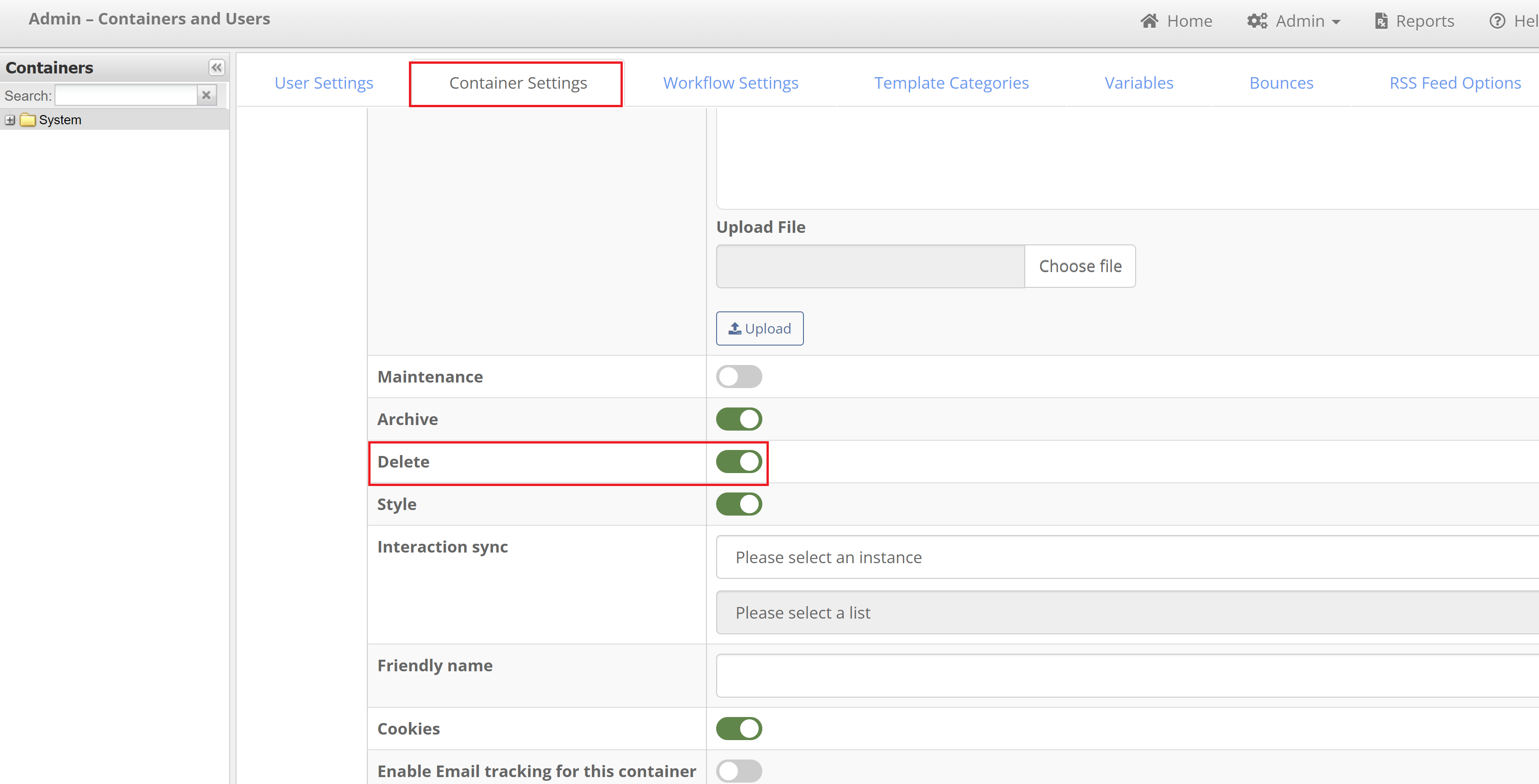
This is found by going to 'Admin > Containers & Users', selecting the the container in which the campaign resides on the left panel, and selecting the 'Container Settings' tab on the right panel.
Check your Role
Lastly, your Role will need to have the permission to delete a campaign. If you still do not have the ability to delete a campaign but have fulfilled the above, then you will need to reach out to your CSM to confirm whether your Role has the permissions set to delete a campaign.
