Typically, most form fields will be named for you by the template in use when you click to open a new form. However, you might choose to create a form from scratch and then, especially using standalone, the fields will need to be named by you.
This naming requirement also applies when adding a new field to an existing form.
Warning: Do Not Use Hyphens or Spaces in Field Names
Important
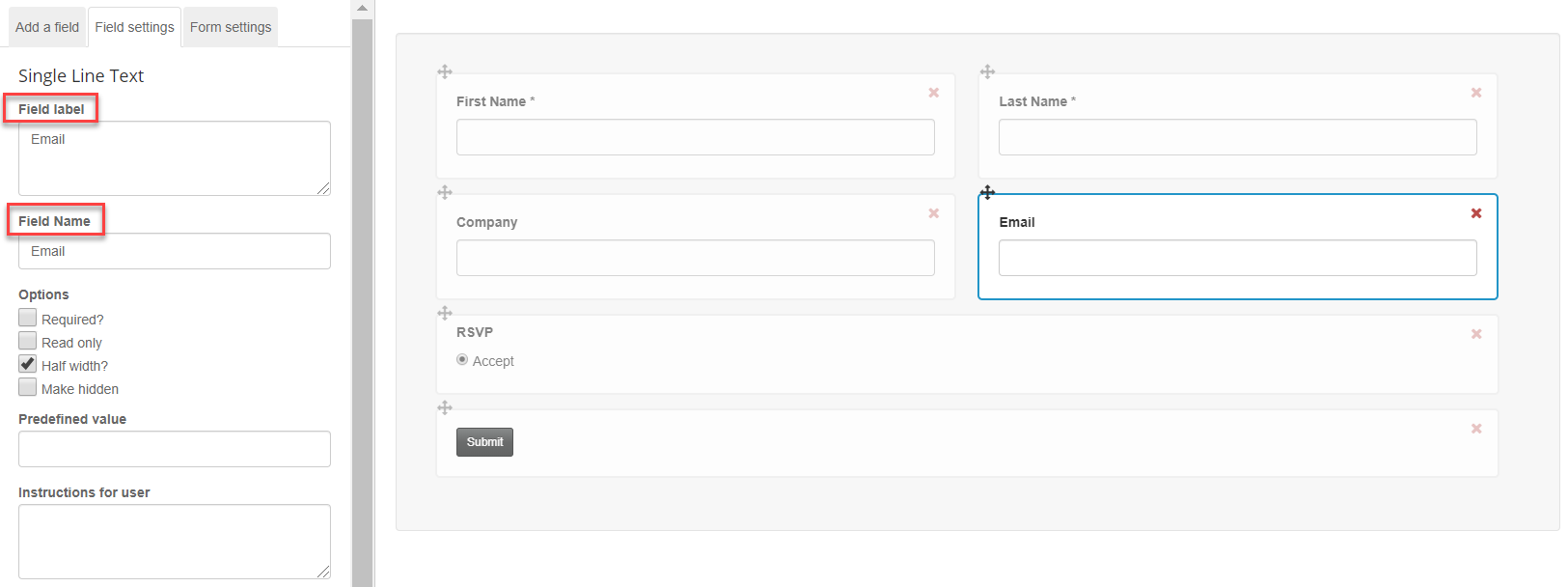
The Email field is particularly sensitive to the use of hyphens and spaces. Vuture's code cannot read field names containing a hyphen. Therefore the only name for the Email field is Email. Do not use a space either; the system will automatically change a space to a hyphen.
When adding a single line text field for email, it should strictly be named ‘Email’ - no other naming convention works. It may appear to work on the page, but it will not check for duplicates properly when submitted.
The Field Label is the term that the clients will see on the page. It is less sensitive, so you have more flexibility for naming Labels. You may use spaces and hyphens in the Field Label if you wish.
