Keywords: email types standalone
Please note, to use this functionality you must contact your account manager. They will upgrade your subscriptions version in "Admin.System.Emails.Standalone Form Subscriptions V2". There is no additional charge for this.
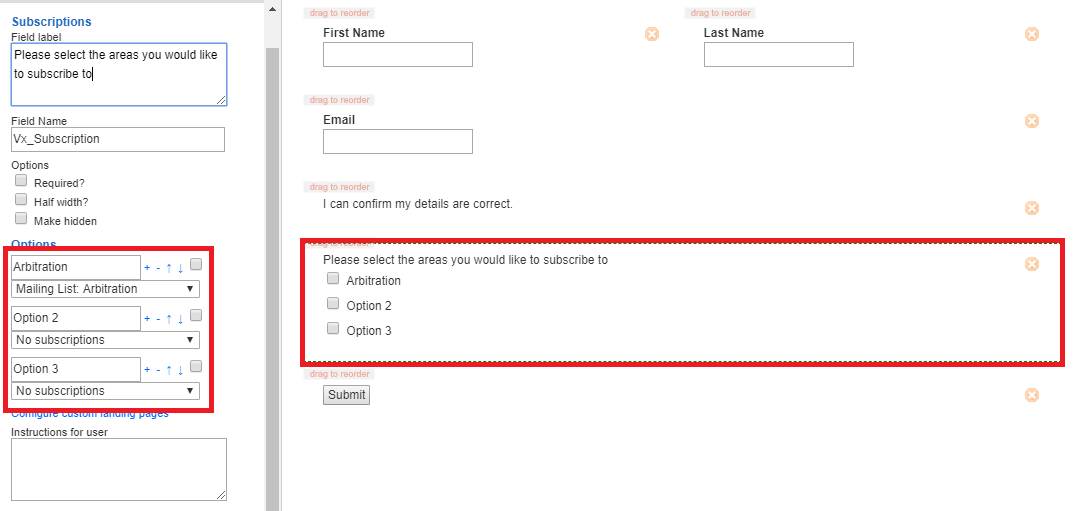
By using the subscription and unsubscription fields in the Vuture form, your contacts can subscribe and unsubscribe to specific lists and content types. When a field is checked on a form, the contact will be added to a list. When a field is unchecked the contact will be removed from the list.
Subscribe and unsubscribe from specific subject lists
 Adding subscription options allows the contact to select list-specific mailings they want to be added or removed from. Vuture will add / remove people from the list upon selection or de-selection of a form value.
Unsubscribe from types of communications
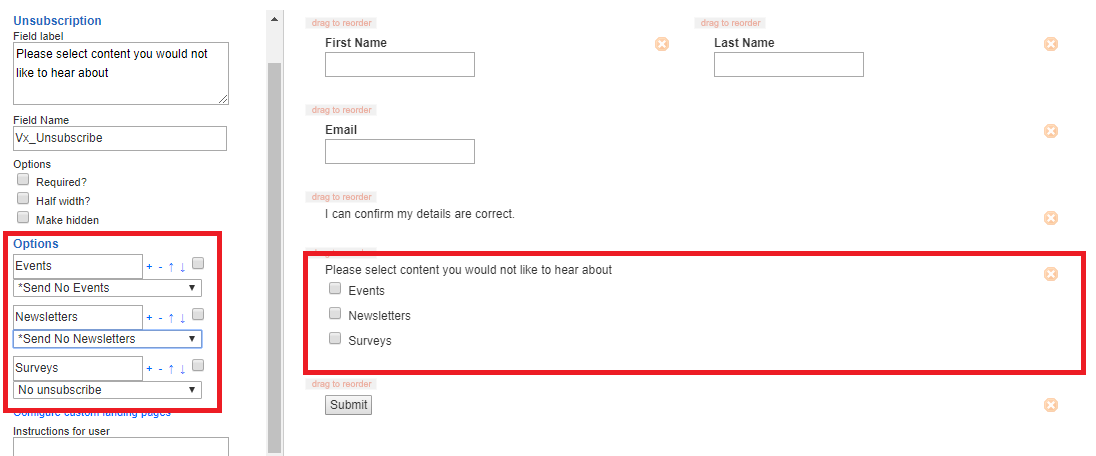
Most emails are categorized by type (e.g. Newsletters, Invitations etc.). In order to allow users to opt out of this type of mailing we advise you to set up lists which correspond with the mailing type. Typically this will be in the format *Send no event invitations.
Within a preference form, the contact can choose from a check box list which type of mailing they no longer wish to receive. This will automatically add the recipient to the appropriate list which can be used as a suppression list when creating an Email Type through the Campaign Types functionality.
Reporting on Global Unsubscribes using email types *From May 2019
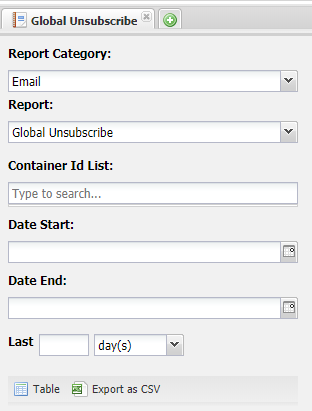
The Global unsubscribes report in "homepage.reports" will include details for contacts who have unsubscribed from a "Global Suppression list" which is suppressed by all Email types. If the list isn't suppressed by all the email types (see also here) it is not considered a Global Unsubscribe, so will not show in the report.