Once logged into Vuture you will be on the Home page:
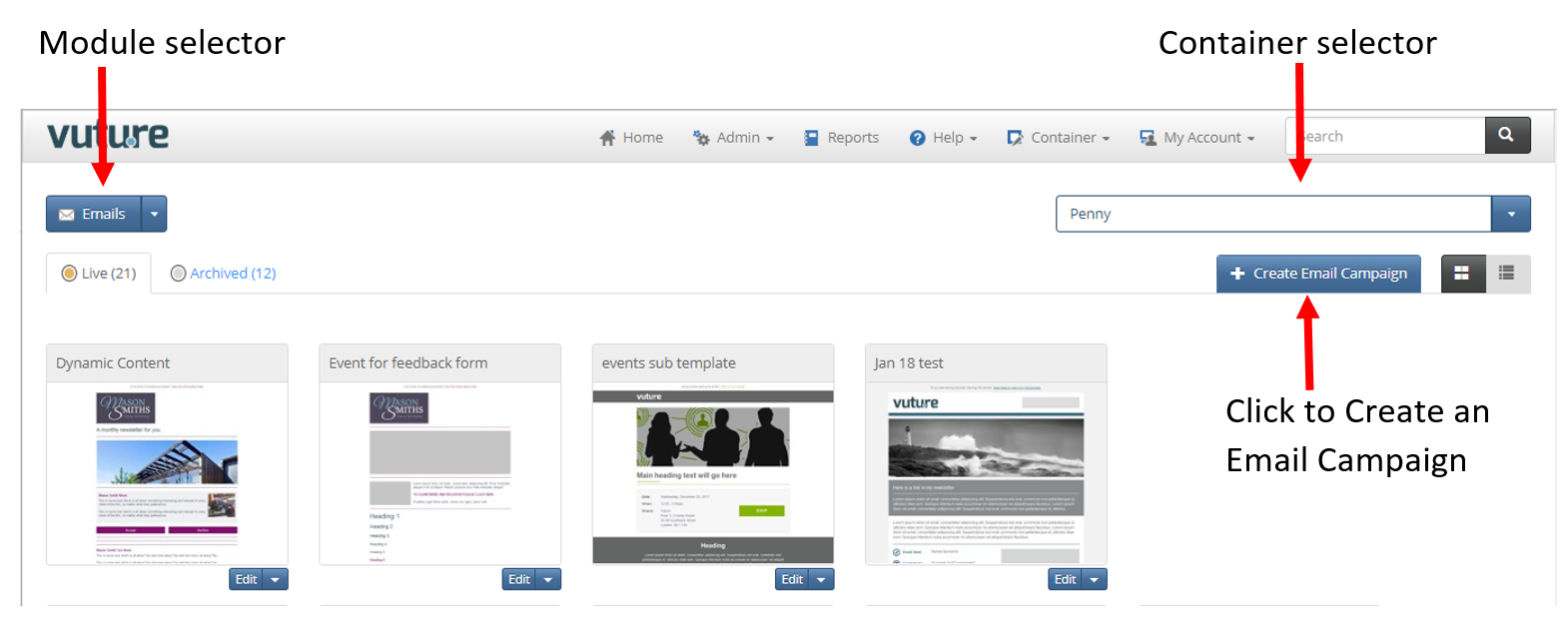
The top level menu bar takes you through to the Administrative and settings part of the system.
The Module selector on the left side of the screen is used to navigate from the Emails to the Dashboard module. Modules that appear here are dependent on the modules that are included in your contract.
A Container is a folder that holds the Events and Newsletters. The Container selector drop down allows you to navigate to a different container.
The Live tab holds current email campaigns (i.e. Newsletters, Bulletins or Events) that are still being worked on in this container. Once complete and sent an email campaign can be moved to the Archive tab.
- To access an existing Campaign click onto the relevant Campaign.
Here is the accompanying video:
Next Step: Getting Started - Creating an email campaign
Go back: Getting started - logging in to Vuture
