There is a list of countries world-wide, available in some Vuture forms, depending on your template.
We offer this because some of our clients have specific reasons for countries being named in certain ways on their forms. For example, some countries are not legally recognised in some jurisdictions or are named differently depending on location or political point of view.
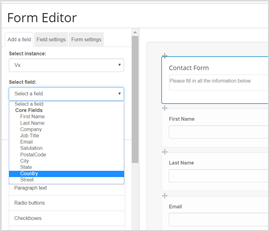
This list comes from a database table in the client’s instance called tblCountry. You will need to check the option Display Instance Dropdown which is in Admin.System.Forms
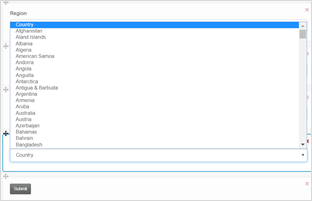
There is a set of defaults that all clients get with a new instance, but it can be varied for each client.
If you have a change to make which applies to one form only, you can adjust the list manually in the form. However, if you would like to make a change to the list of countries which would then apply across your instance for all Vuture forms, please contact Support. They can get the list altered for you, but please note that this will affect all forms.
This solution works for InterAction, Standalone, ContactEase, Dynamics and Fibre clients. If OnePlace and Salesforce clients wish to use a country drop down list, they can use a Vx field but it will not write back to the CRM. This is because it is held in the CRM as a text field.
