Front end websites run as their own .NET application with their own DLL files separate from the main Vuture back-end system.
Unlike the main Vuture platform which is automatically updated, front-end site are not updated automatically but can be upgraded to the latest version using the built-in deployment tool.
To access the upgrade tool click on “options” -> “configure site settings” from the editing screen of the website you wish to upgrade.
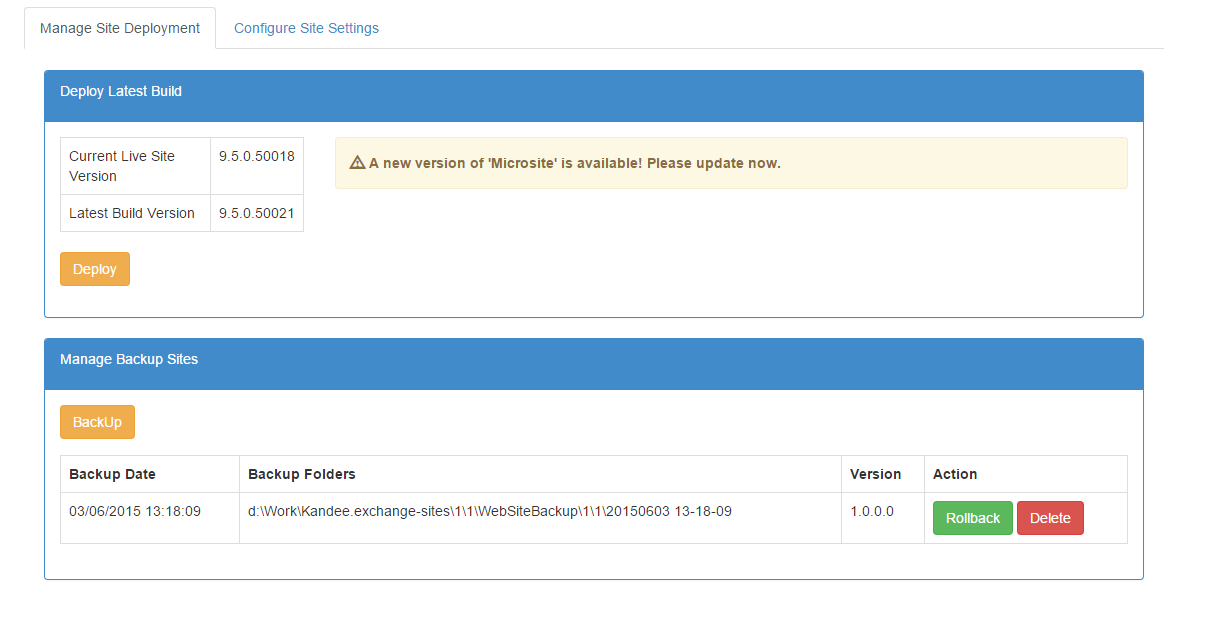
Deploy Latest Build
If the site does not have the latest code then there will be an alert saying

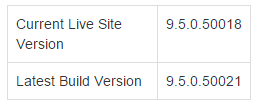
If you need to compare current live site version number with latest build version this is displayed:
To deploy latest code click on the ‘Deploy’ button. It’s recommended to take backup before doing the deployment.

Currently during the deployment following files and folders are being backed up and the updated:
Files
Folders
-
Bin: contain all the front-end related .dll files
-
_Configuration: contains log4net config
-
_System: contains system level controls (eg: login, change password form, PDF basket etc.)
-
_Pdf: contains generic handlers used in pdf basket
Manage Backup
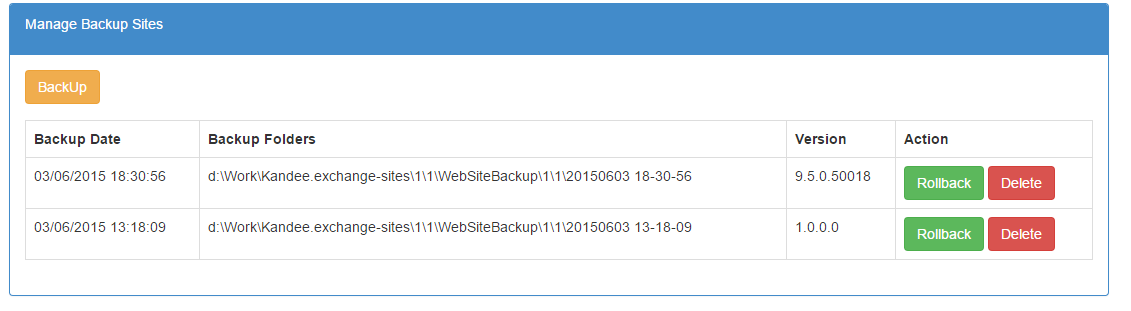
Backed up version are listed ordered by version number.
The following options are avaiable:
-
Backup: backup the current site version and put it in the backup folder.
-
Rollback: restore the current site to a previous version
-
Delete: delete backup
Configure Site Settings - Modules
There are several modules that can be enabled or disabled depending on the functionality required for the site.
Click on the "Configure Site Settings" tab and then "Modules" to access this list:
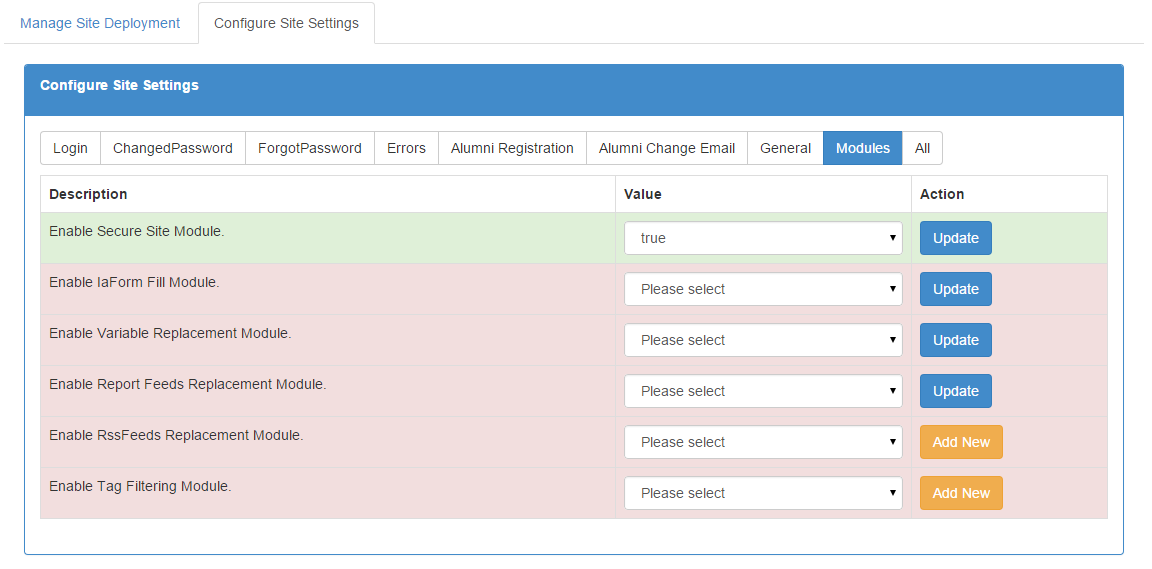
There following modules are available - you can disable any that are not required:
Secure Site Module
- This module is required for secure sites, i.e. those with a login page. If the site security is switched on for a site this module is automatically enabled. It can be disabled if security is not required on the site.
IA Form Fill Module
- This module is required to pre-fill fields from CRM contacts and to use CRM-based features such as dynamic content. It can be disabled if no CRM integration is being used.
Variable Replacement Module
- This module is required to use variables in the website. If variables are not being used for the site it can be disabled.
Report Feeds Module
- This module is for the new reporting snippet that is coming soon but is not currently required.
RSS Feeds Module
- This module is for the RSS snippet. This can be disabled if this snippet is not being used on the site.
Tag Filtering Module
- This module is only required if any of the following system variables are used on the site
- {vx:Page Name} - Name of the page
- {vx:Page Url} - Full URL of the page (same as the URL of the published page if you click "view page") - note this URL changes if the page or folder are renamed
- {vx:Short Url} - Shortened URL of the page - note this URL never changes so can be used as a permanent link to the page
