Uploading a .csv list to the Lists area on Vuture is quick and easy to do. However, some clients are unsure about what to do when the list of lists gets long and difficult to manage.
All mailings sent from Vuture are recorded in the system, and the Email Reports area retains the essential data around who opened, who clicked, who bounced and so on. This information will be kept until the campaign itself is deleted. It does not rely on you keeping the original mailing list.
Note: Any form submissions should be kept in the stats regardless if a list is still in the system or has been deleted.
If the list of lists is getting very long in a container it is quite safe to delete any mailing list from the lists area in that container, once it is no longer required.
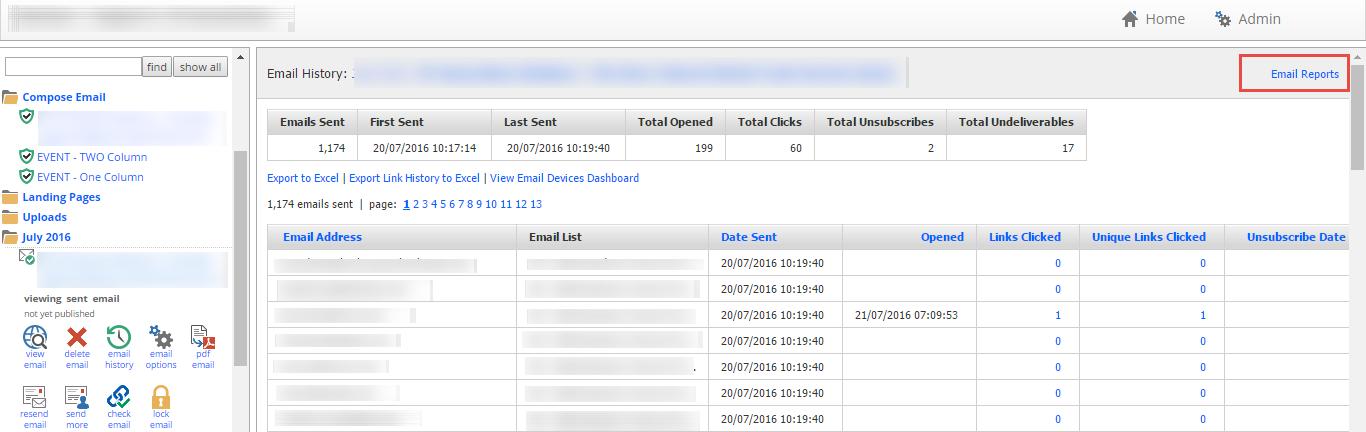
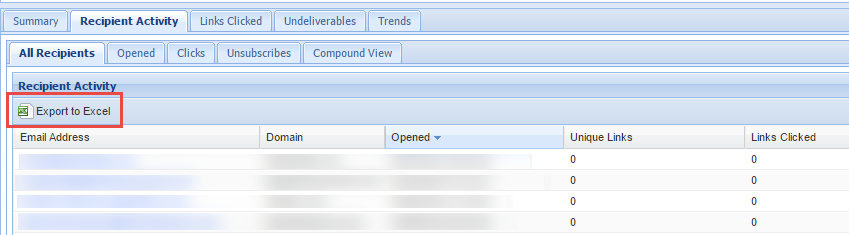
If you ever needed to recreate a mailing list, you could use the Email Reports area to export the list to Excel, save it as a .csv and upload it again to the container.
An alternative to deleting lists in a container is to “retire” the container, complete with its lists and campaigns, and then create a new one. Remove all users from the container so nobody but the central administrator (you) can see that container, rename the retired container by adding 2021 Old or similar to the end of the container title and then create a new container re-using the old name. You can now continue to work as before, adding only those csv lists to the container that you still need.
