Attached to this page you will find 3 downloadable, empty sample reports that we have built, to start you off in Power BI.
Prerequisites
- Access to the DWH for your firm, in order to populate the reports with some data. Credentials will be sent to you by your CSM.
- Power BI installed on your pc or laptop.
- Important: You will need to have Power BI training, or support from your Power BI account manager. Vuture cannot support Power BI.
- These reports use 3 tables in the DWH - Marketing, Mailing and Contacts. You can choose to add further tables and fields if you wish.
To download the sample reports, click the link below. Save the .pbit file on your desktop or in your personal folder. You will need to populate the reports with your own DWH data.
Click the file to open it. This will open Power BI (as long as you have it installed). You will be immediately asked to enter your Server Name and Database Name.
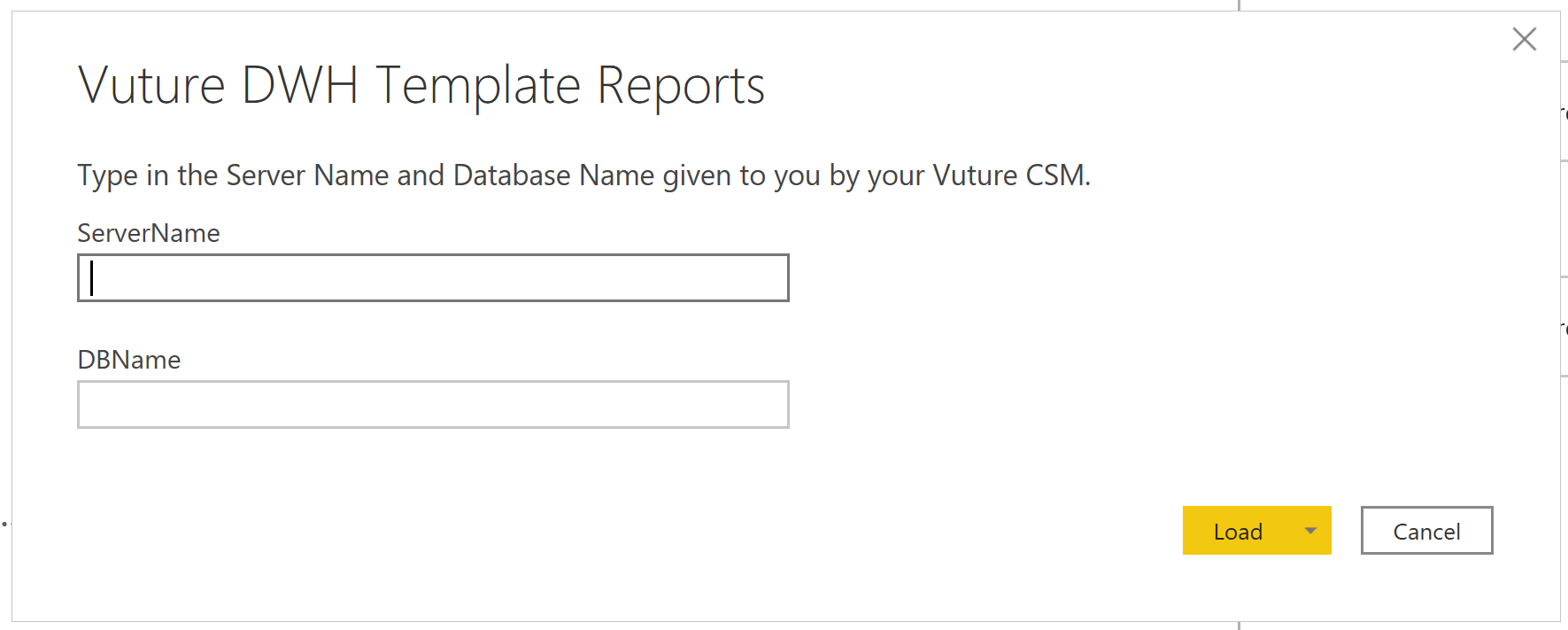
You will have received this information from your CSM. Enter the data and click Load.
Depending on how large your DWH is, it may take some time to render the page. This may be several minutes or more.
Once the data has loaded you will be able to use the reports as they are or change them in any way you like. If you accidentally destroy a report you can freely download another empty copy from this page.
