Keywords: Move campaign, request move, migrate, migration task
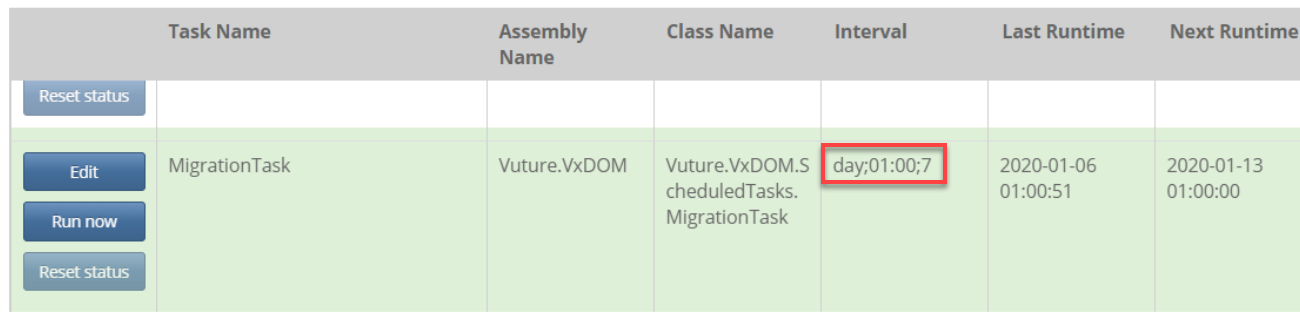
When campaigns are queued up to be moved, they are processed by a task called MigrationTask, which can be found in Admin>Services. By default, the task interval may be set to 'day;01:00;7' (as seen in the screenshot below). This means every 7 days at 1am is when the move will take place, but this is probably longer than a client would like to wait for their campaigns to be migrated.
Solution: To migrate the campaigns manually, click the 'Run now' button. Depending on how many campaigns are queued up for migration, this may only take a few seconds for them to be moved.
Bonus: You can update the interval so that the task runs daily instead. Just click the 'Edit' button and change the '7' to '1', so it appears as 'day;01:00;1'
Related Articles:
