In Vuture
Please contact your account or project manager. They will follow the below instructions. Please note, this is a global change and will exist in all Sent activities recorded in your CRM
To ensure the "Publication" or "Function" fields are written to a Vx activity in OnePlace, they must exist in “Admin.System.Salesforce.VxActivityFields” .
| Key | Value |
| Function | Function__c |
| Publication | Publication__c |
If they do not appear in the above table, go to "Admin.ExternalSystems" and in the OnePlace system row, click on “Set-up” and click on “Define activity types”.
Once this has been done successfully, check the field exists in “Admin.System.Salesforce.VxActivityFields” , create and validate objects.
In OnePlace
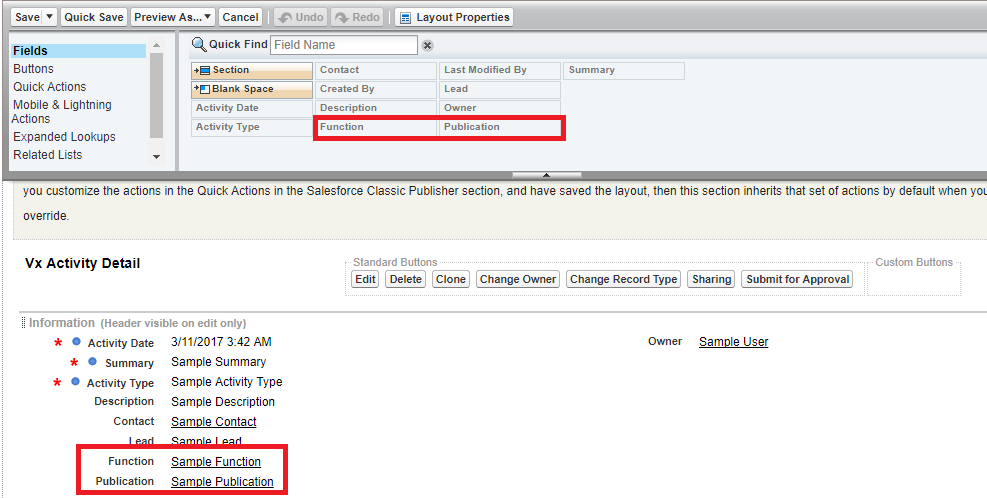
If it doesn't already exist in the Vx Activity page, the field should be added through "edit layout" once in a Vx Activity.
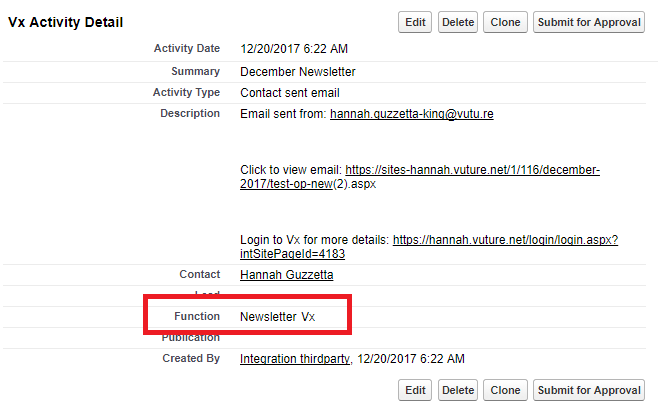
Then, once an email related activity is recorded it will show as below: