Forms in Vx that have been in use and already submitted by your clients and contacts will carry stats - visible from the View Stats icon. This can make it difficult to upgrade the form for use with the new v2 integration between Vx and Dynamics.
When you try to edit an existing or legacy form in the form editor, a message may be displayed stating:
“You cannot upgrade this form because there are existing Stats. First clear any stats and then click Upgrade, or, make a copy of this form and upgrade the copy. Click the icon for more help on this.”
“The latest version of your integration requires an upgrade to this form. Click Upgrade.”
Please use the instructions detailed below to upgrade the form.
Upgrading Forms to Dynamics Integration v2
In the Form Editor, if you see the following message:

In this case copy the form first and then click on any field to open Form Editor again on the new copy. As you have copied the form and it now has no stats attached, you will now see a different message “The latest version of your integration requires an upgrade to this form. Click Upgrade”

Click to Upgrade.
After clicking Upgrade please check that the core fields have removed “Dynamics_” and Additional field names have changed from “Dynamics_” to “vx_” as shown below:
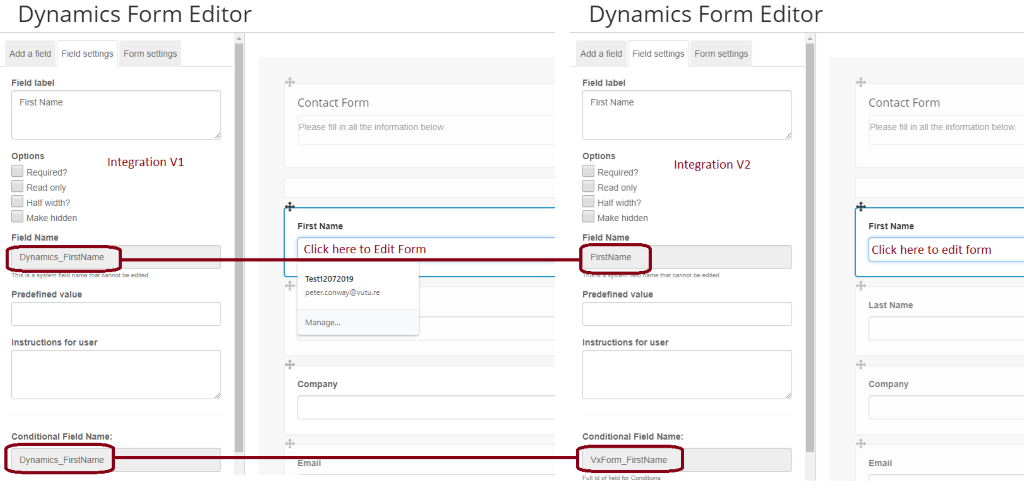
Now click Save, Publish and Publish Now to save
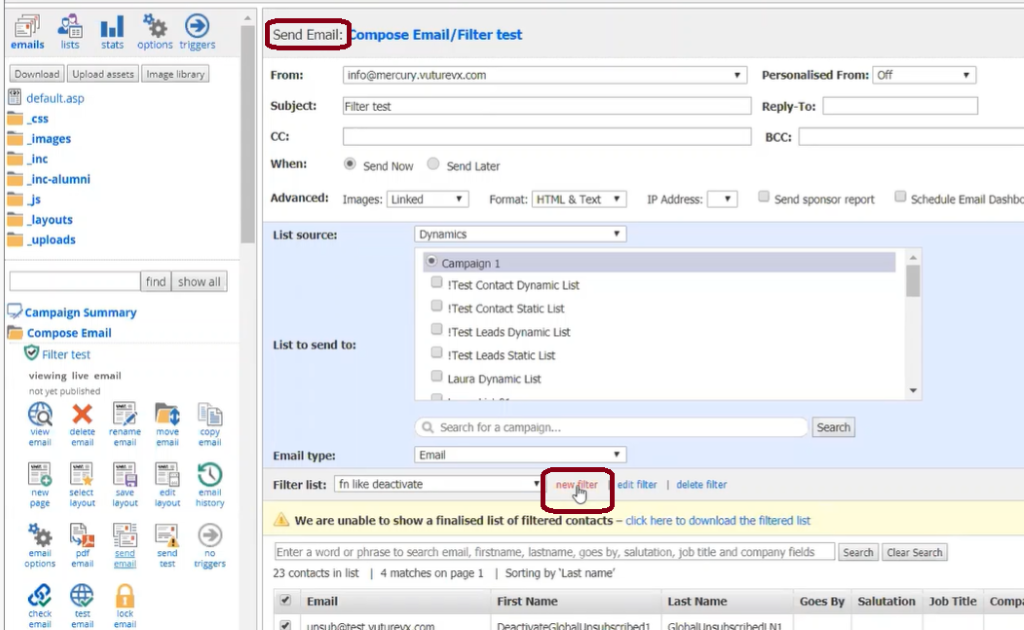
Sending Emails - Extra Fields Available for Filters
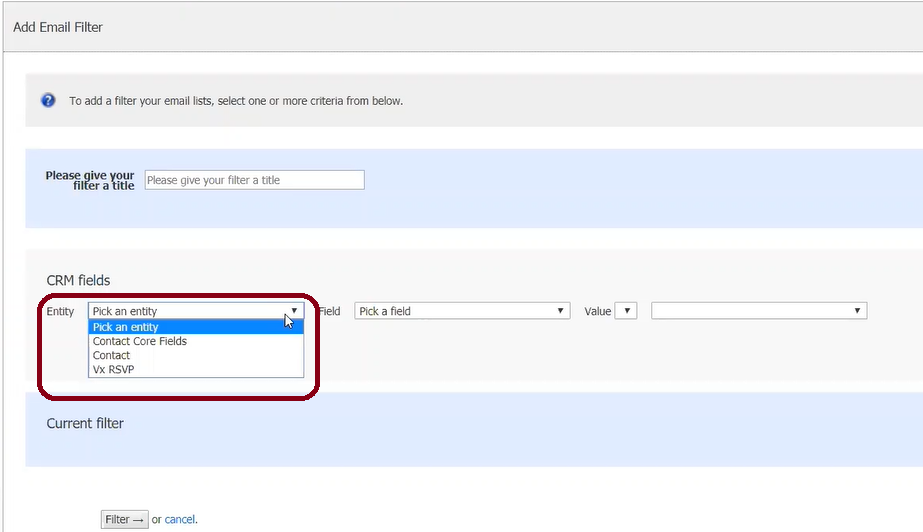
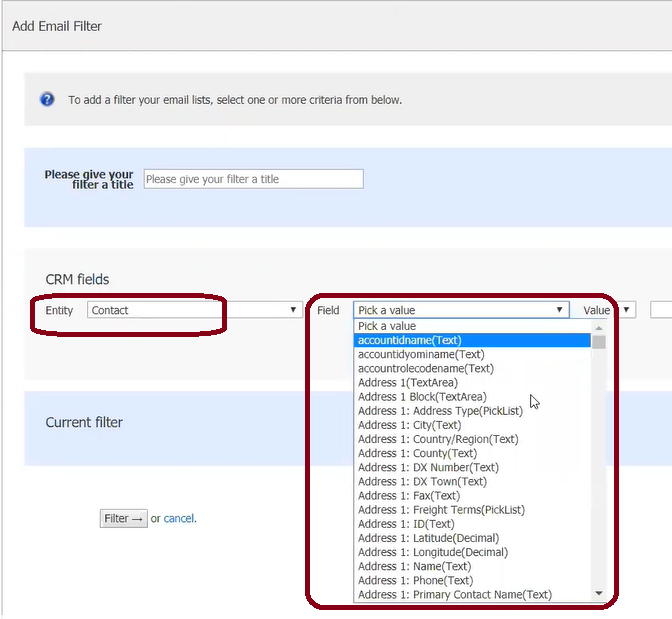
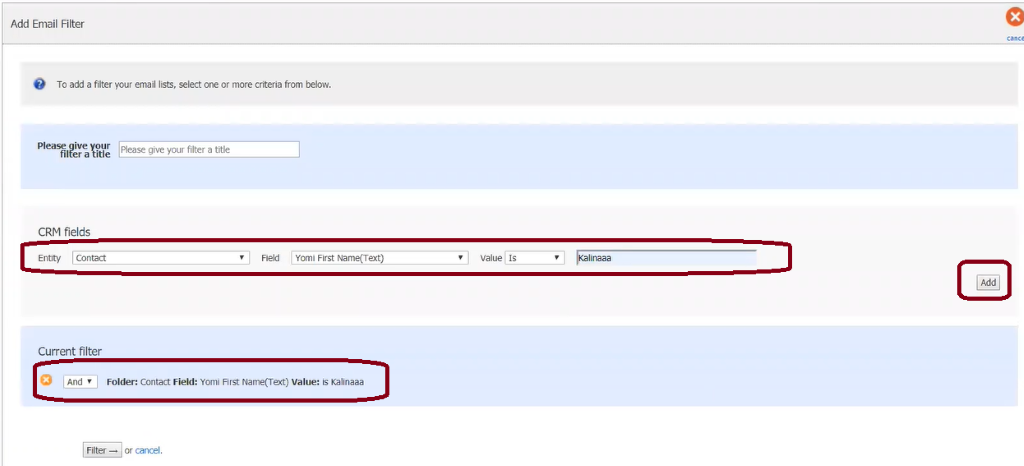
Nothing requires changing here, you just need to be aware of the extra fields which are now available on the filters when sending emails. They are additional “Contact” and “VX RSVP” CRM fields now available on Filters as well as the core fields.
You can now select the fields from the CRM for the objects shown below: