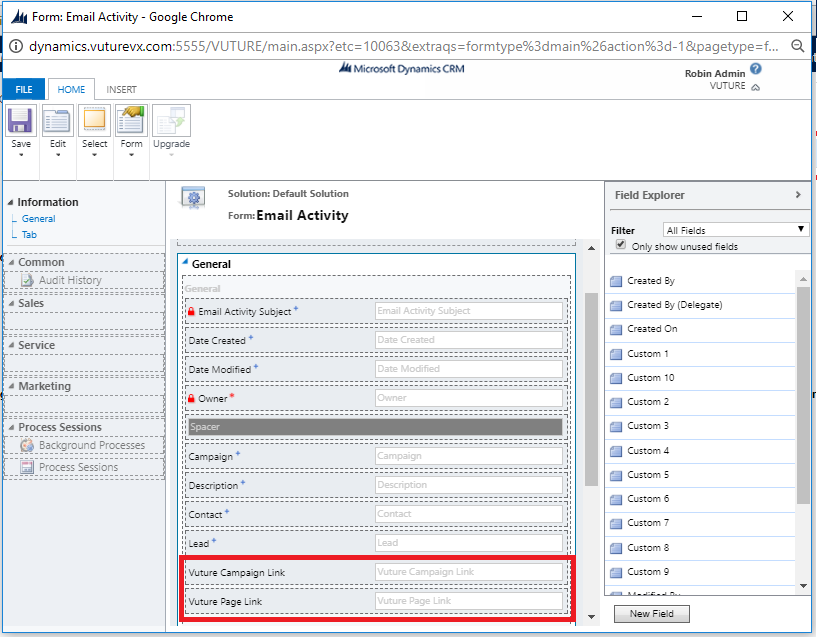
The Email Activity object in Dynamics has been enhanced with two new fields which are clickable links to the specific email / landing page, as well as the Vuture campaign that the activity is related to.
To enable these fields you will require support from your Account Manager - they will have to go to "Admin.Systems.MicrosoftDynamics" and follow these steps:
- Click on "Validate - Custom" and "Validate - Core"
- Click on "Create Fields"
- Refresh/reload page
- Click on"Save"
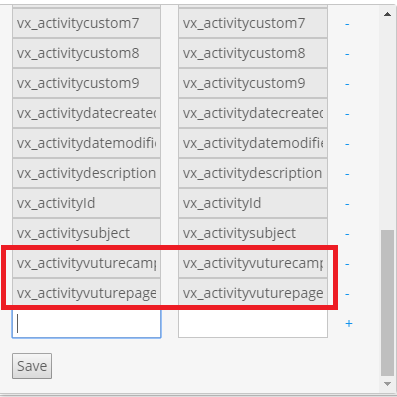
- Look in the "Vx Activity Fields" dictionary, it should have two new fields: vx_activityvuturecampaignlink and vx_activityvuturepagelink
To view these fields in your Email Activities in Dynamics, you will have to add them to the page from the form editor.