The following two reports, Web Tracking Page Visits and Web Tracking Page Activity, are available for web tracking. They can be found by clicking on "Reports" from the home screen main menu and selecting "Report Category" of "Web".
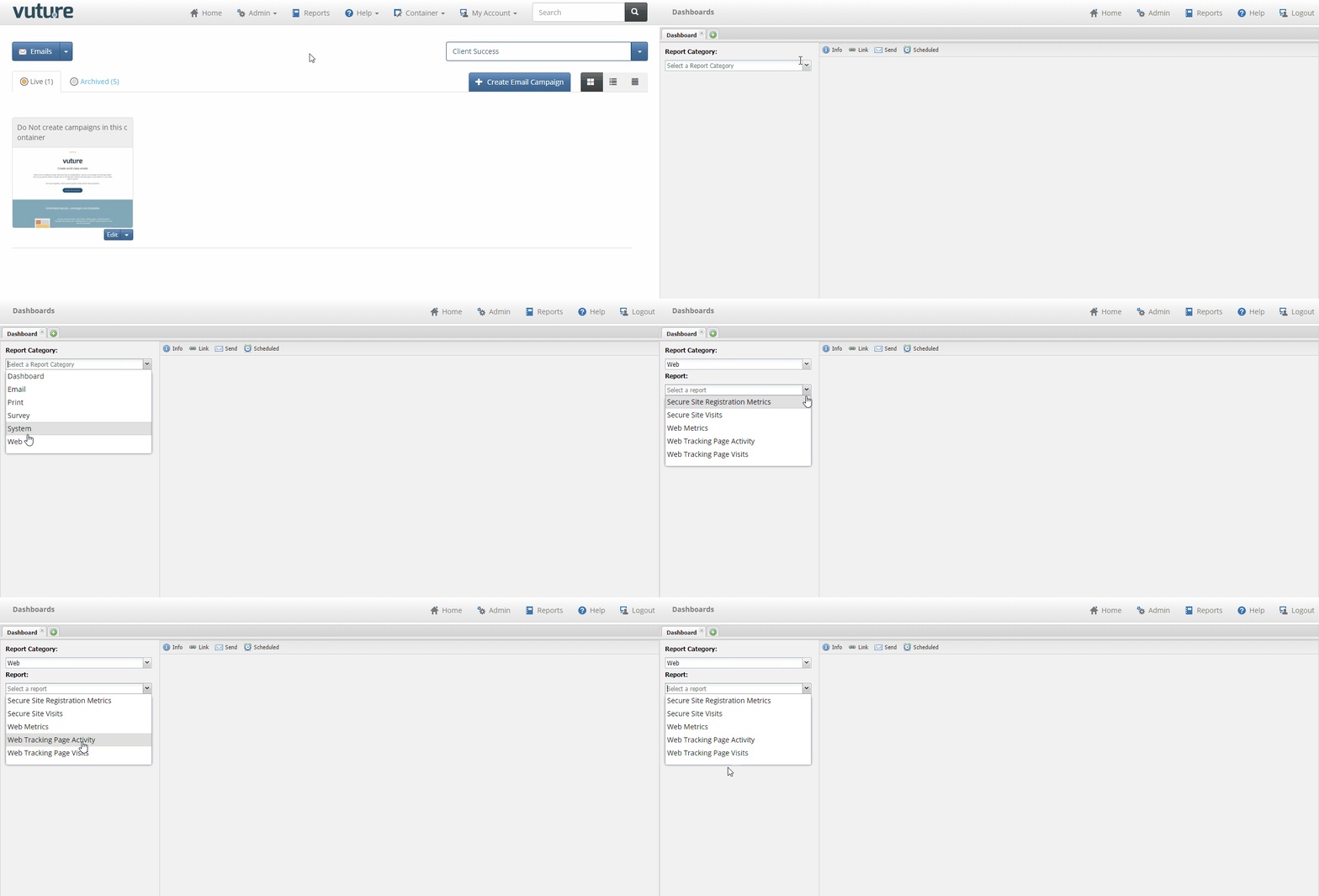
Web Tracking Page Visits
This report allows you to see the total visits and the total unique visitors for any page or pages within a given date range.
Report Parameters:
URL: enter all or part of a URL into this field and the system will look for all tracked pages that match
Date Start / End: Enter the required date range
Exclude Domain: Enter an email domain which you would like to exclude from the report (e.g. Vutu.re)
Report Data:
Id: This is a sequential Vuture-only id number - please quote this in any support queries
Page: The URL of the page visited
Total Visits: This is the total number of times the page was accessed and counts visits where the same vistior returns to the page more than once in the date range
Total Unique Visitors: This it the total number of unique visitors to the page. This is calculated using cookies so someone returning to the page having cleared their cookies will be counted again.
Web Tracking Page Activity
This report allows you to see the individuals who access a particular page within a given date range.
Report Parameters:
URL: enter the full URL of the page including http:// or https://
Date Start / End: Enter the required date range
Report Data:
Id: This is a sequential Vuture-only id number - please quote this in any support queries
Accessed: The date and time the page was accessed in your local time zone
Visitor: If we can identify the visitor, which is done using cookies linked to Vuture mailings they have received, then their email adderss is displayed here. If we can't identify them then we display "Unknown". We may later on identify them if they have cookies enabled and subsequently receive a Vuture email and click on a link.
IP Address: The IP address of the visitor. Note that IP address is not a good way of identifying a contact as contacts from an organisation can all come from the same shared IP address and contacts using a home internet connection are likely to have a dynamic IP address which regularly changes.
Page Referrer: If the visitor arrived at this page from another web page this is recorded here
Email Referrer: This is the name of the latest email received by the visitor which they have clicked to open (thus downloading the tracking cookie). This column can sometimes be empty because the visitor may never have received an email.
Campaign: If the visitor arrived at the page with a utm_campaign parameter in the URL the name of the campaign is displayed. This is a Google standard for passing the name of the referring campaign by adding a parameter to the URL of the page. This is used by Vuture's Google Analytics Tracking functionality
