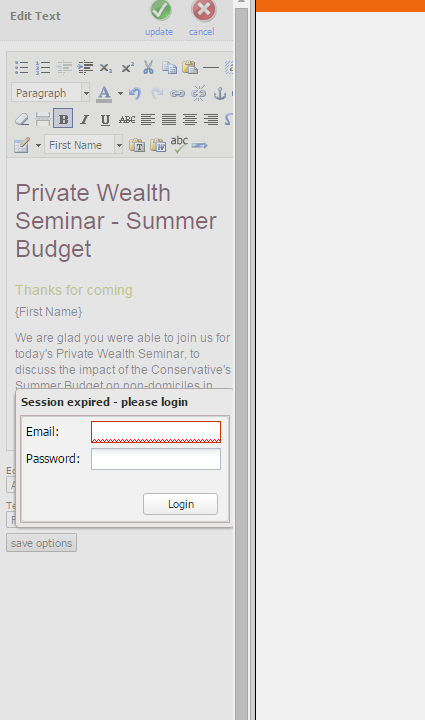
Vuture maintains session-state (i.e. keeps you logged in) using a session cookie, if the cookie is lost, the timeout is exceeded, a session timeout will be forced and the user is logged out of the system.
The timeout is set in the system configuration setting "Admin.System.General.Session Timeout". This is a value in minutes where the default is 1440 which is 24 hours.
If you are getting logged out before this timeout period check with your IT department that if you are using any cookie blocking or removal software or if there is anything on your internal IT system or networks that can affect session cookies. Adding your Vuture URL to your trusted sites may also help.
When a user is logged out they are taken to the login screen unless they are in the text editor in which case the login box appears in the left panel and allows you to log back in and carry out editing text where you left off.