Keywords: TLS, InterAction
Overview
We strongly recommend that clients disable TLS 1.0 and TLS 1.1 on the InterAction Server(s) that Vuture connects to, ensuring TLS 1.2 is enabled. This is because TLS 1.0 and TLS 1.1 are being deprecated since they are a security risk.
How to manage the enabled protocols
Your InterAction Application Server is a Windows server and managing TLS settings varies between versions. We recommend you consult your Microsoft documentation and speak to Lexis Nexis before making any changes to your server.
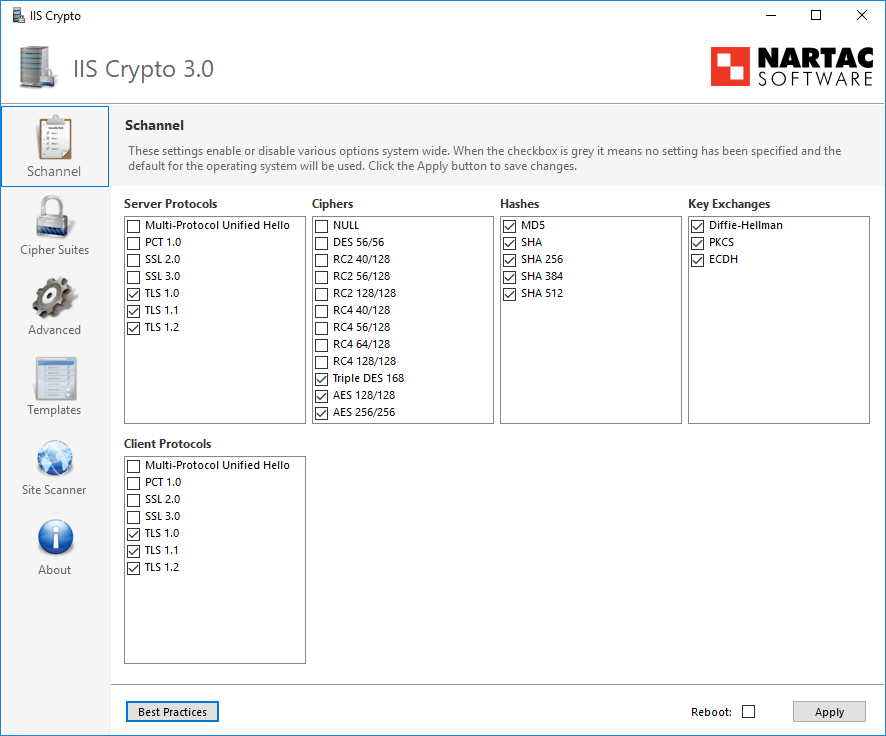
We use IIS Crypto by https://www.nartac.com/Products/IISCrypto/ to manage protocols and ciphers on all our Windows Servers. It is an easy to use and free tool that shows you which protocols you have installed on the server and allow you to quickly disable and enable the required ciphers.
If your server is Windows 2008 you may need to install TLS 1.2 - see https://www.microsoft.com/security/blog/2017/07/20/tls-1-2-support-added-to-windows-server-2008/
Using IIS Crypto you can uncheck TLS 1.0 and 1.1 and check TLS 1.2
You will need to restart the server after making this change for it to take effect.