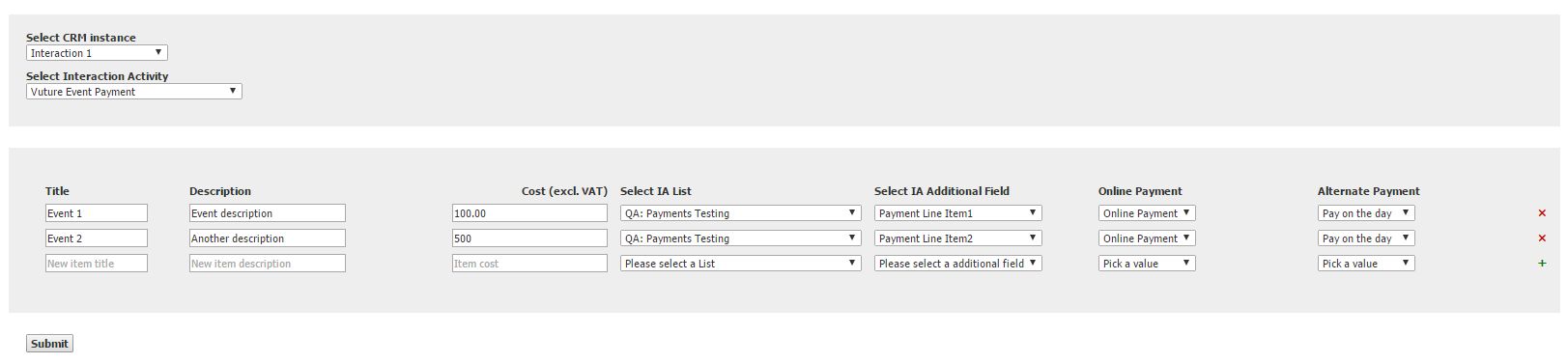
When creating payment line items you can specify a separate additional field to populate for each line item. This can take a different value depending on whether the contact uses pay online or pay-on-the-day.
This can be useful for doing follow-up emails to contacts using filters based on their purchase options.
When editing a payment each line item allows you to select the IA List, Additional Field and Additional Field Value for Online and Alternate Payments. Remember to click the plus sign after entering each payment line item.
Please note: Please do not use values of "Yes" and "No" for the Online Payment and Alternate Payment values as the system will not recognize these values. For example, you could use the additional field of "Payment Received" with the value of "Credit Card" for "Online Payment" and "Other" for "Alternate Payment".
When a payment is made the additional field for the payee contact is updated with the relevant value for each line item that they have purchased.