Move Page is a tool available for users who wish to sort the order in which individual emails appear in a campaign, in the list of pages or emails in the folder.
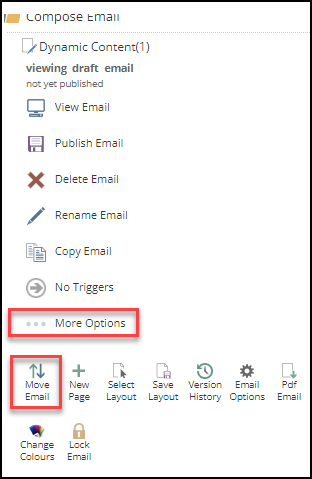
It is accessed from within the campaign and, with the individual email you wish to move, selected. Click on:
... more options
and then on: Move Email
The next screen is asking you to which page you want to move your selected email Below, so that it will show in the newly-sorted list underneath that email page.
Choose where you want the moved email to appear in the newly-sorted list and click on the page you want to be above it.
Note the warning that if you move an email out of the Compose folder you will not be able to send it.
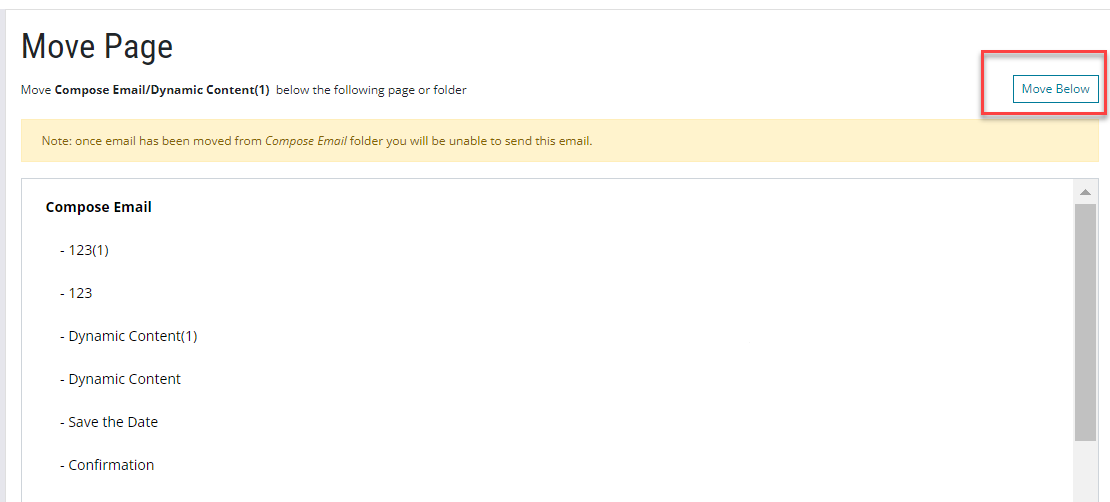
Select the page in the list and then click on the Move Below box top right of the screen.
You will be returned to the campaign screen, with your selected email now showing below the page you chose in the list.
