Process to stop suppressing global lists for selected (Transactional) content types - for InterAction only
Introduction
All InterAction clients have a global suppression folder which is in normal use for suppressions. This is standard behaviour and should not be changed lightly. Discuss with the client’s CSM before making any changes to their suppression process.
However, for some clients it is required to send “transactional” emails which ignore all suppressions. If a client needs this, the following steps can be taken.
NOTE:
This works only when Admin settings Interaction.Download and store unsubscribe data is switched off.
-
Navigate to Admin>System>InterAction. Remove the global folder ID that needs to be ignored from the field called InterAction Unsubscribe Folder ID and leave the setting empty.
-
Add the global folder ID to each of the content types specified in the InterAction Unsubscribed Folder Id Dictionary, separated by semi-colons, at the beginning or end of each list. The choice of beginning or end will vary, depending on where it is desirable to add the one-click unsubscribed contacts, since one-click unsubscribes will be added to the first folder given in each list.
Scenario 1 - add the global folder ID at the beginning of the list if the one-click unsubscribes should be added to the global unsubscribe folder. This is the more usual scenario for most clients.
Scenario 2 - add the global folder ID at the end of each list if the one-click unsubscribes should be added to the content type suppression folders, except for the content types that are to be transactional.
Clients can choose to have a combination of Scenarios 1 and 2. For example, for content type 1 they can have the global folder ID at the beginning and for content type 2 they can have it at the end. The one-click unsubscribe process will add a contact to the first folder ID which is given at the beginning of the list.
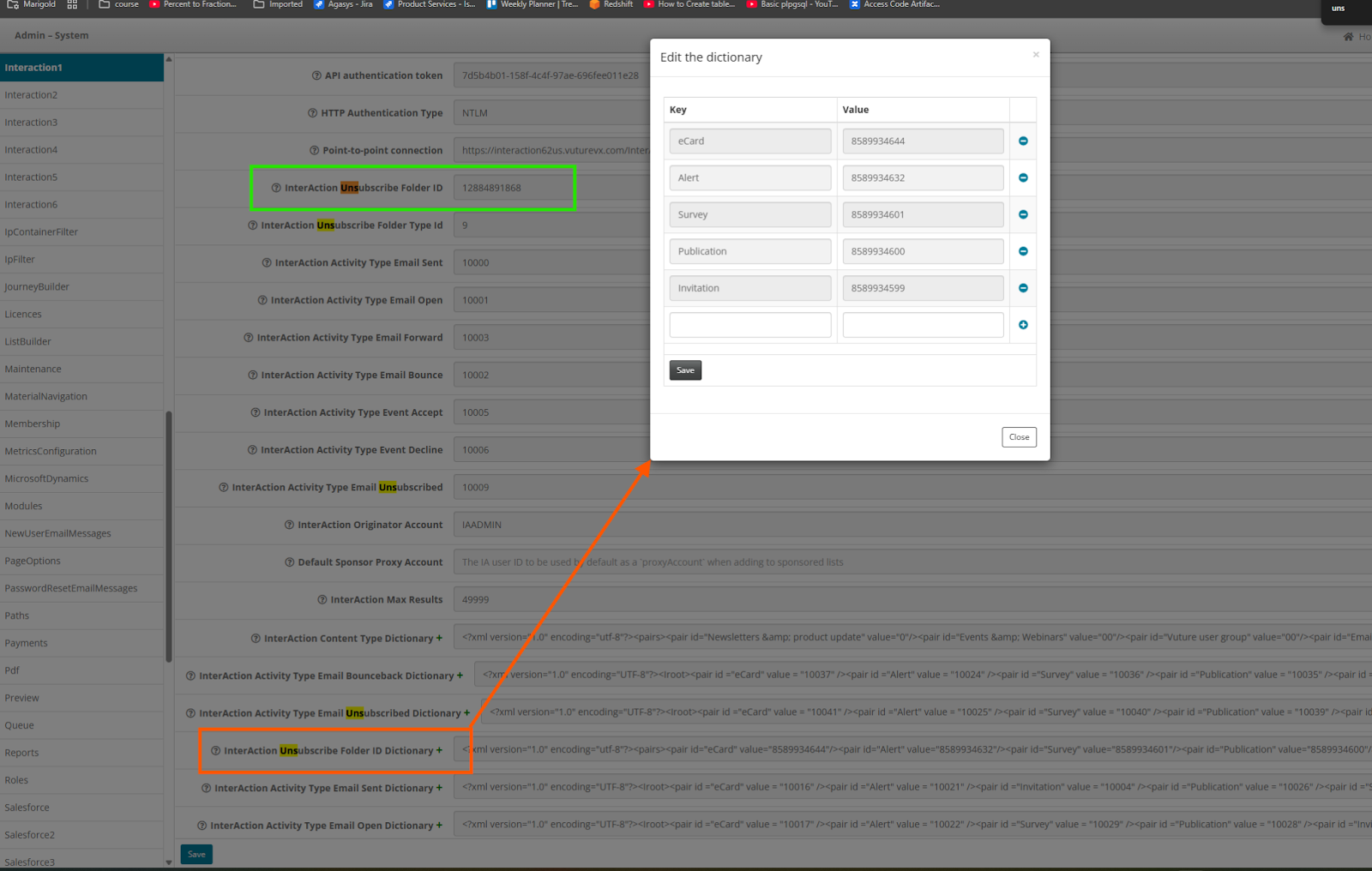
Example images for Scenario 2:
Before any change, the standard configuration for most InterAction clients is:
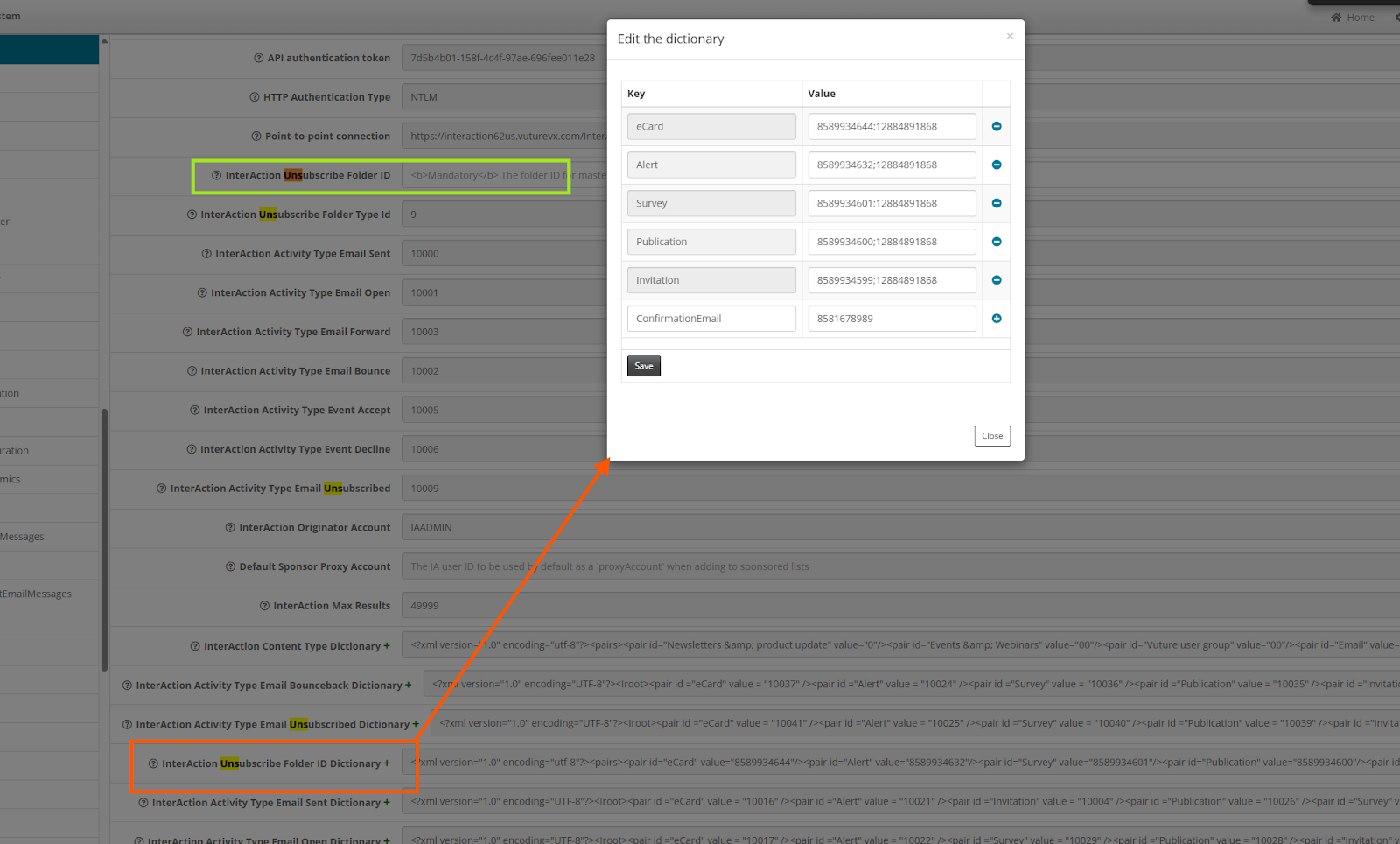
After the change to Scenario 2:
The global folder (ID 12884891868 in this case. The client’s ID will be different) has been removed from the InterAction Unsubscribe Folder ID field and appended to the very end to each of the content types in the dictionary, except for the ConfirmationEmail content type, which is to be used for transactional mailings. This means that selecting the ConfirmationEmail content type on Send will result in the global folder being ignored.
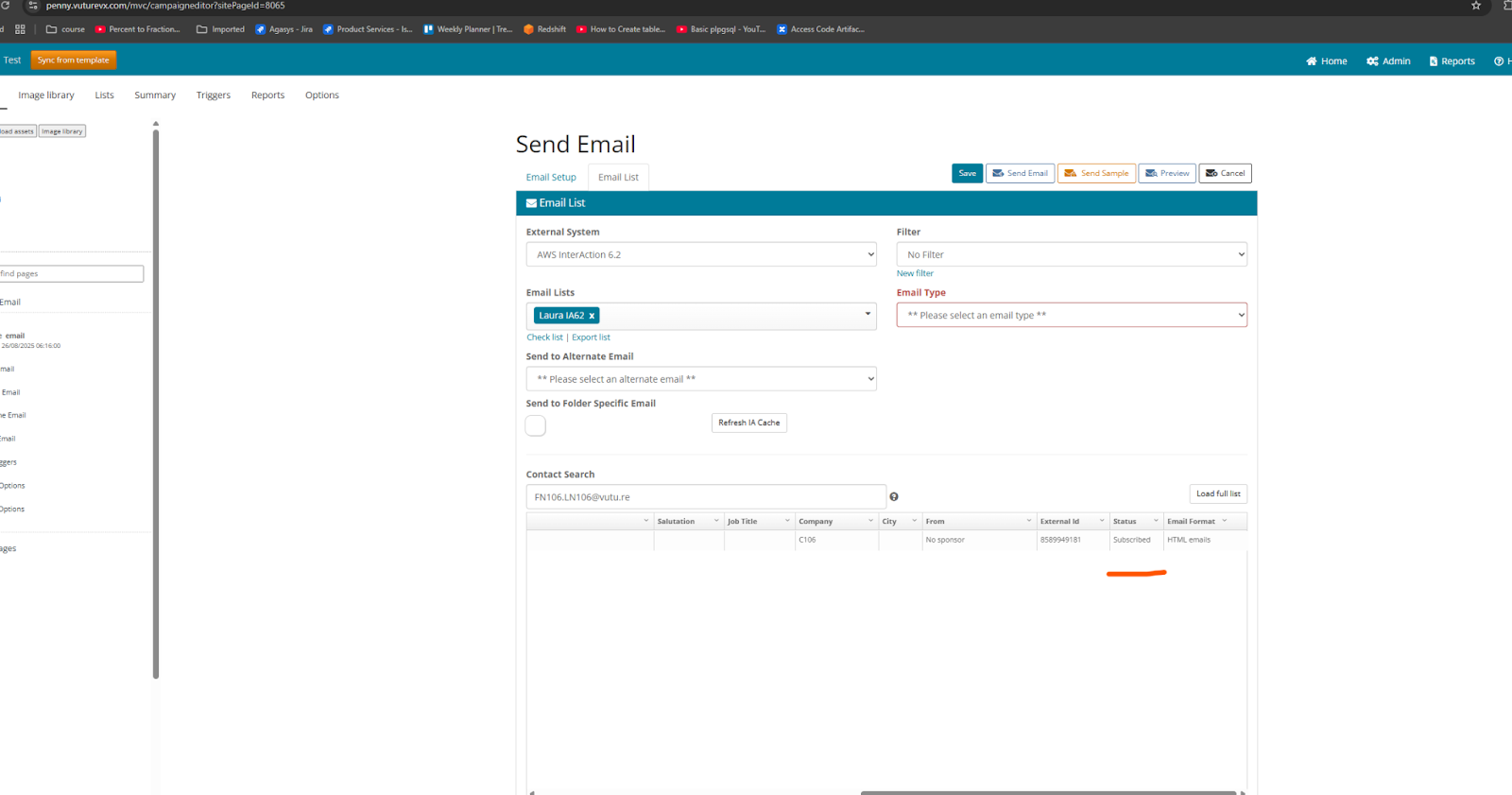
Send Email Screen:
In Scenario 2 there is an apparent anomaly when sending emails to contacts using any content type other than ConfirmationEmail.
The send email screen still shows the contact as subscribed, but the suppression will be handled on send.
If the email type is selected first, and the list name is selected next, then the contact status will show as unsubscribed. If the list is selected before the email type, the contact will be shown as subscribed as the list is not refreshed (due to performance reasons) but this will be handled at the time of sending.
If the email type is selected first and then the email list is selected, it correctly shows the contact as unsubscribed in the send email screen but the other way round, list is selected first and then the email type is selected, on the screen it shows the contact as subscribed. Both the scenarios will be handled at the time of send and the contact will be suppressed.
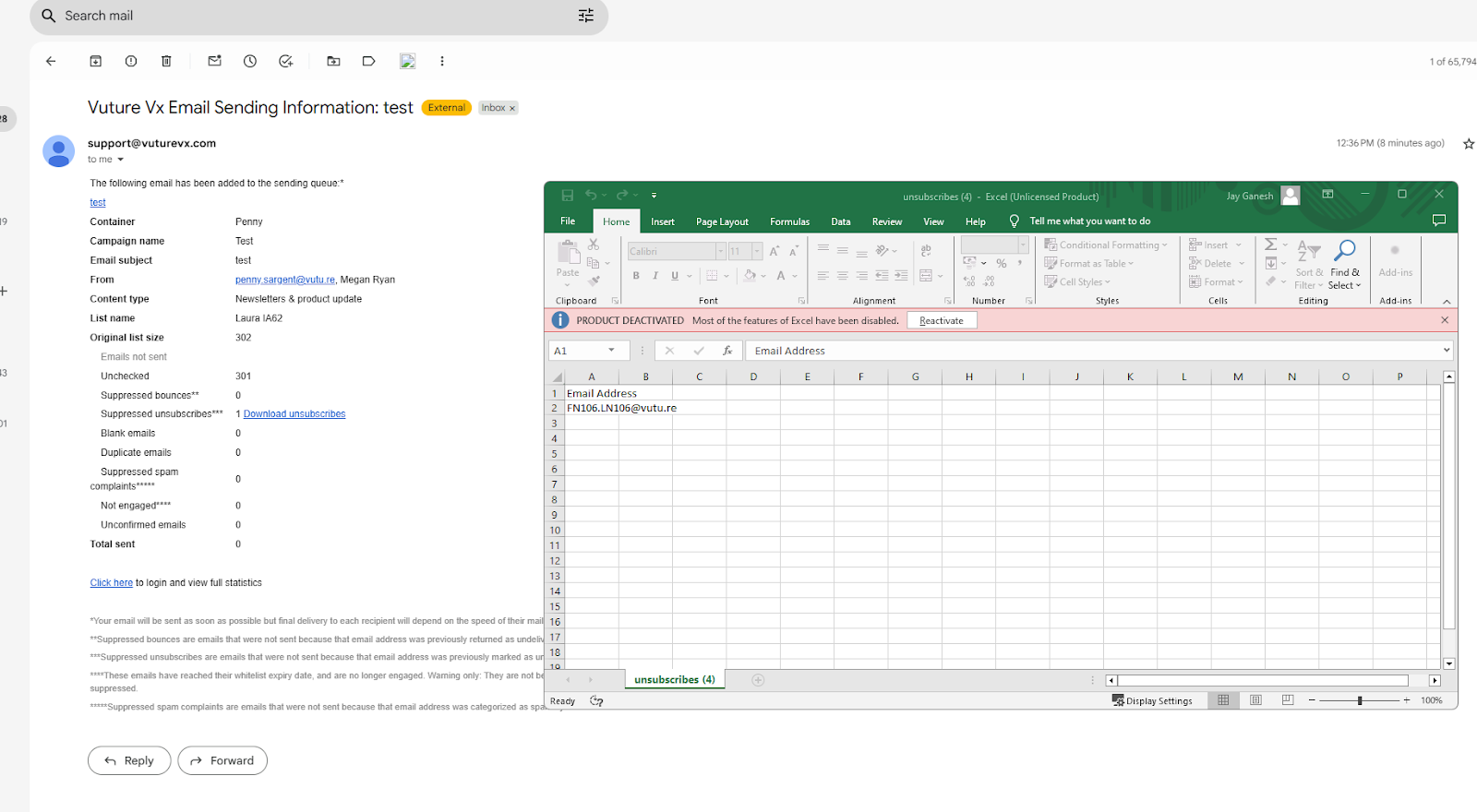
For content type ConfirmationEmail, using Scenario 2 above, the contact will not be suppressed.
Confirmation Email received, showing the contact as suppressed:
NOTE:
This process works only when Admin settings Interaction.Download and store unsubscribe data is switched off.
