If you have set up an RSVP form, and find that when it is submitted, it takes you to a page with a blue shield on it with the text ‘Page cannot be found’, take note of the URL and the actual name of the page it is trying to point to, see the below example, ringed in red:
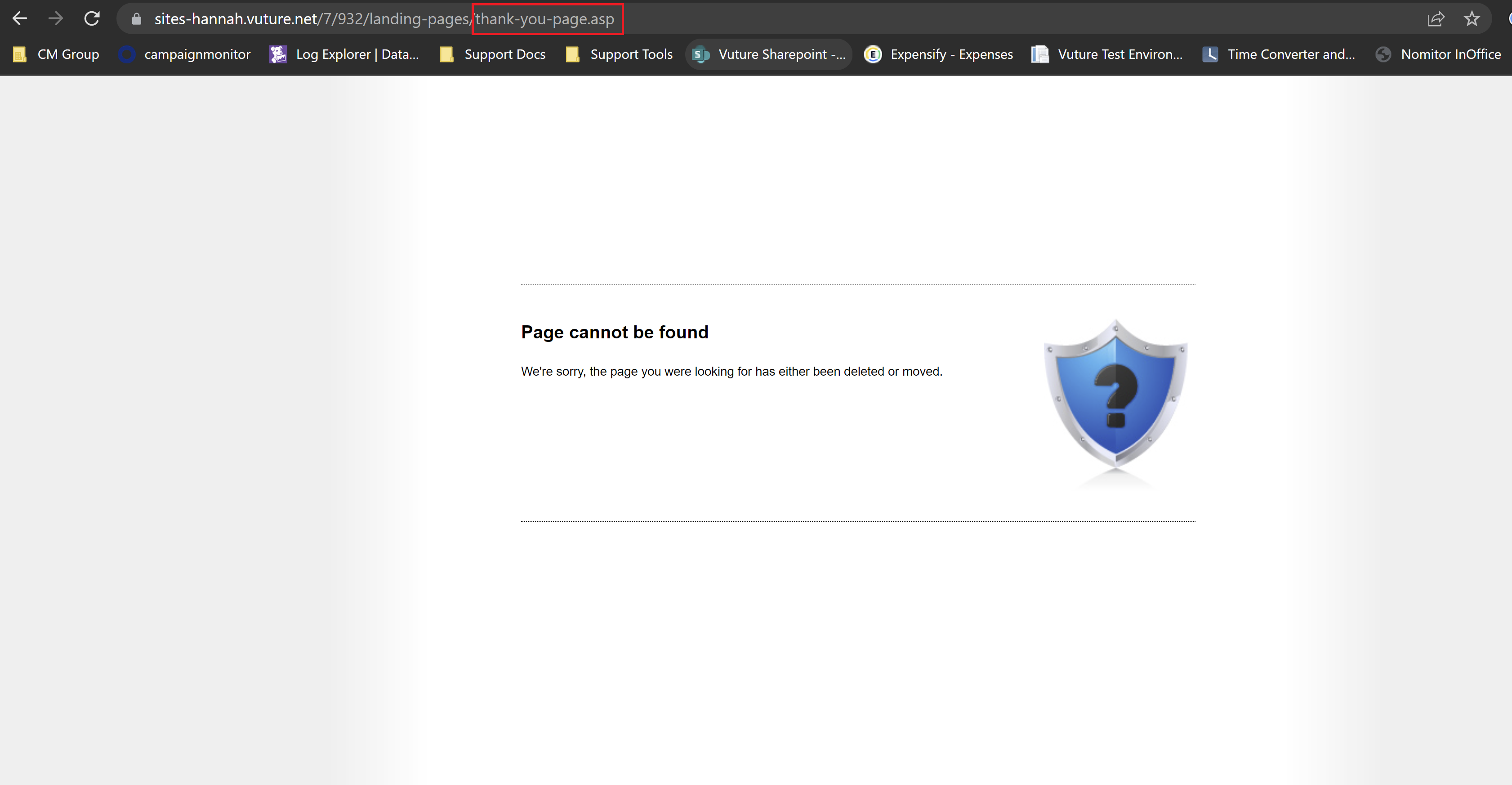
This could occur if you had linked a landing page in the ‘thank you page’ section under ‘form settings’, but then renamed that page. This can leave the reference to the old page name in the HTML for the redirect.
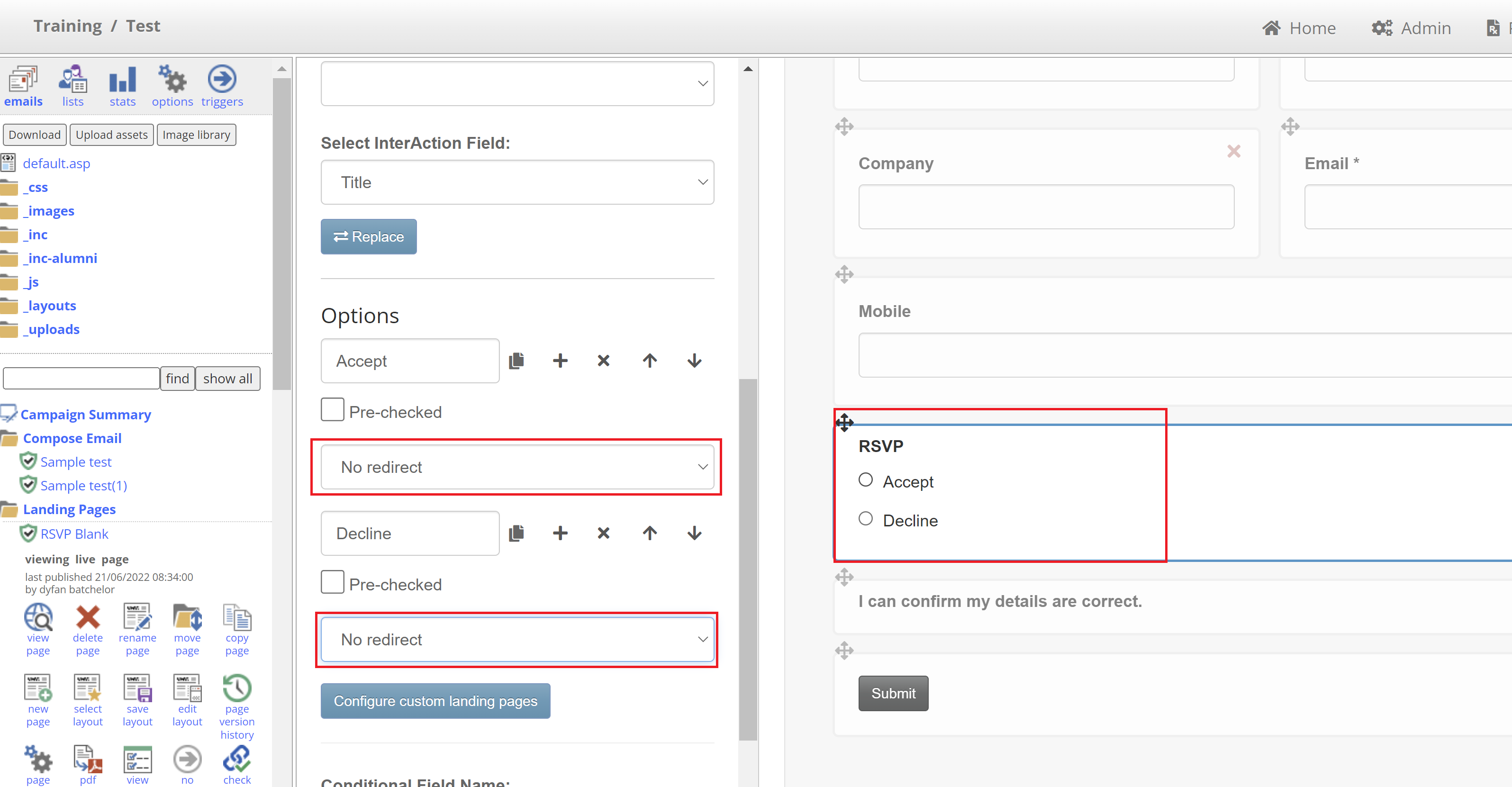
To correct this, first you will need to clear or unlink the existing thank you page redirects.
To do this, set the redirect on the ‘Accept’ and ‘Decline’ RSVP options to ‘No Redirect’:
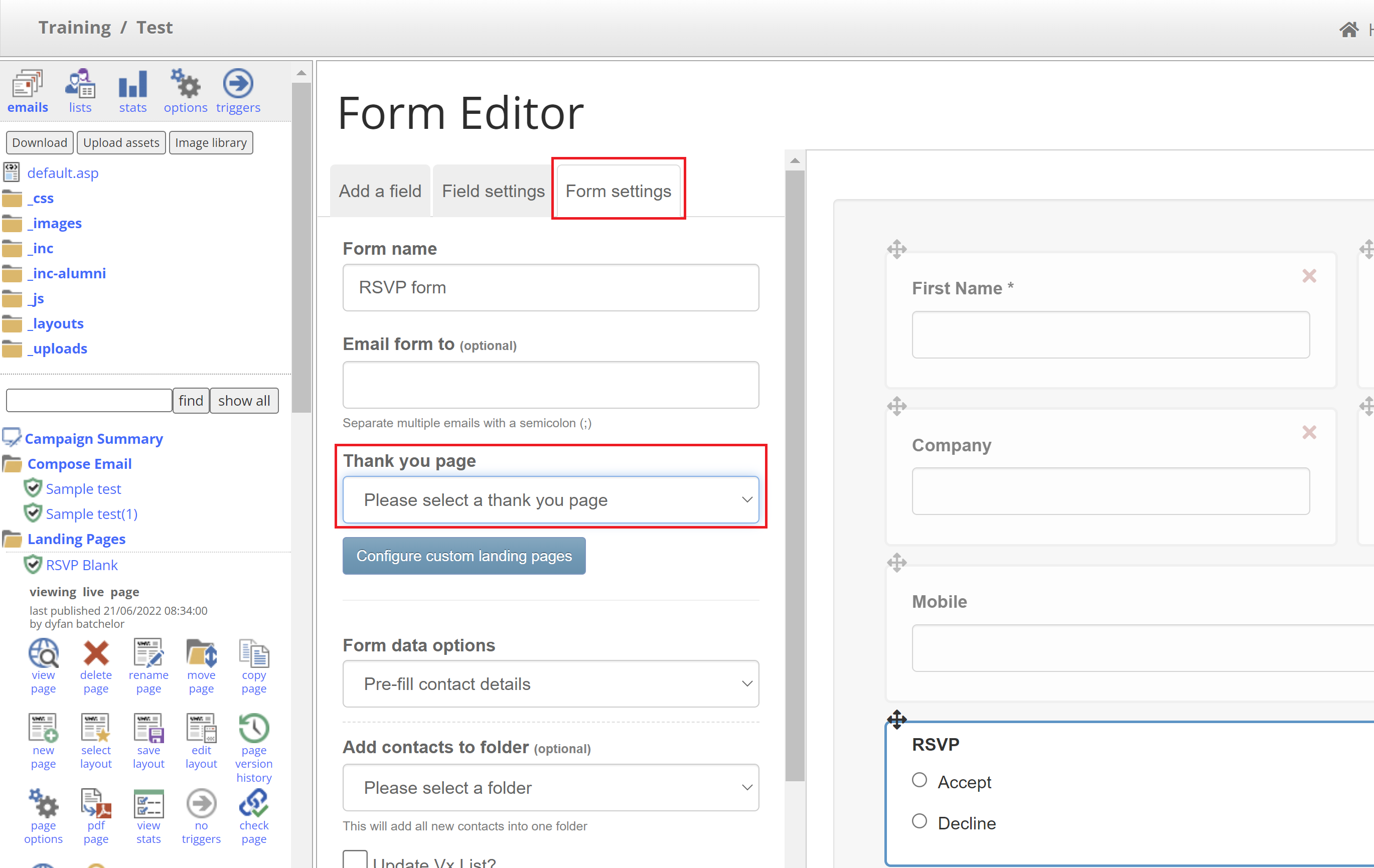
Then navigate to the ‘Form settings’ tab, and set the ‘Thank you Page’ drop down to ‘Please select a thank you page’:
After this is done, click ‘Save’ in the top right, then publish the page.
Once this is done, all redirects in the form editor will have been removed.
Now, you simply need to go back into the form editor and set up the redirects once more.
This process will ensure that references to the old landing page name in the HTML is removed and redirects will work correctly.
To avoid this error in the first place, try to finalize your landing page names before linking any of them.
