Keywords: Redirect, Redirect Vuture Landing Page, External URL redirect
Update for November 2020 - Redirect Page now in Spacelab
The functionality of this page has not changed in any way, it is only the user interface, look and feel, of this page that has been updated to the Vuture Spacelab UI.
Overview
This article will walk you through step by step how to redirect a Vuture Landing page: either to a different Vuture Landing page or an external URL (i.e. Firm's website).
Looking to redirect a sent email link instead? Please refer to this article.
Step by Step Instructions
Step 1: Navigate to the Vuture landing page you wish to redirect. Make a safety backup copy of this page in case you need it later, using Copy Page and then rename the copy to something helpful such as "Copy of xxx". Return to your original page and click on 'Select Layout'.
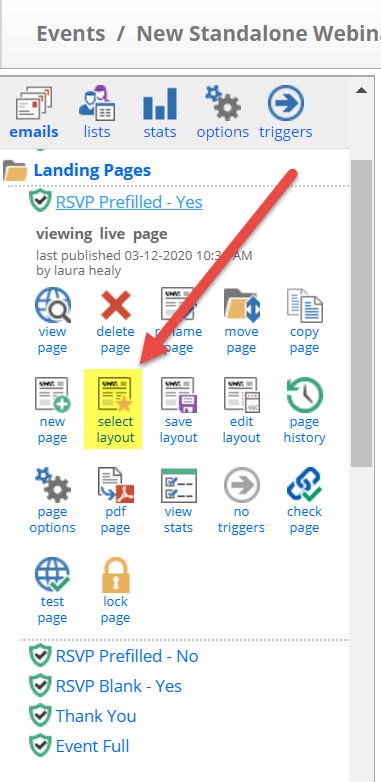
Step 2. Then, click on the 'Redirect Page' thumbnail.
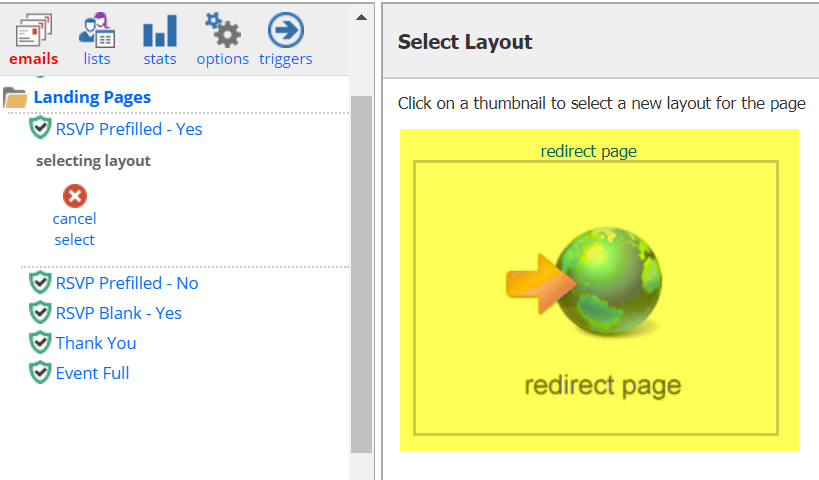
Step 3. Upon clicking the 'Redirect Page' thumbnail, you will get a pop-up message that reads: "Selecting a new layout will overwrite the page content. Click 'OK' to continue or 'Cancel' to abort overwriting".
This message is letting you know that by creating a redirect, you will essentially be overwriting this Landing Page. Please be absolutely certain you do not wish to use or reference this landing page again in the future. (This is why you made a safety backup copy to begin with, in case you change your mind). Then click 'OK' to continue.
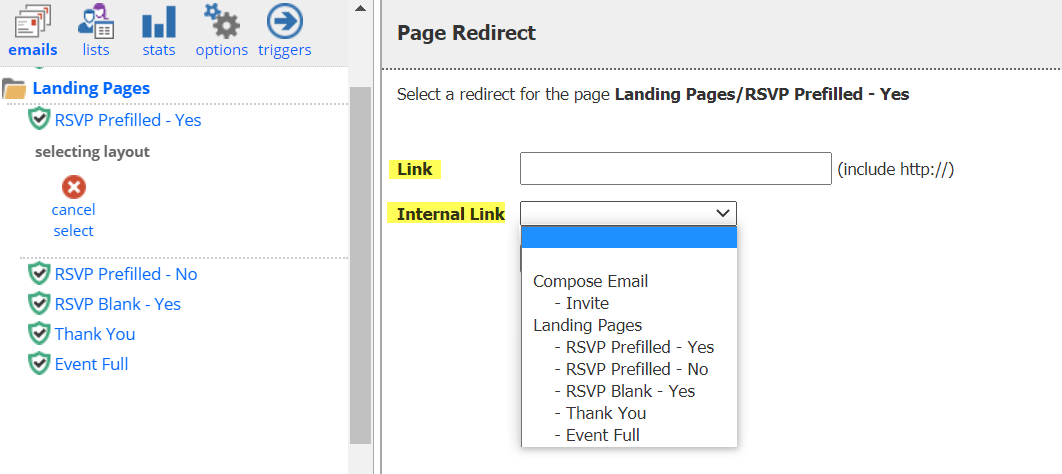
Step 4: Once you click 'OK' you will see the below screen. You can either, paste in the full external URL into the Link field. For example, this could be a link to your main firm's website (including the http:// or https://). Or, you can select a landing page within this campaign to link to from the 'Internal Link' drop-down.
Then click 'Select'.
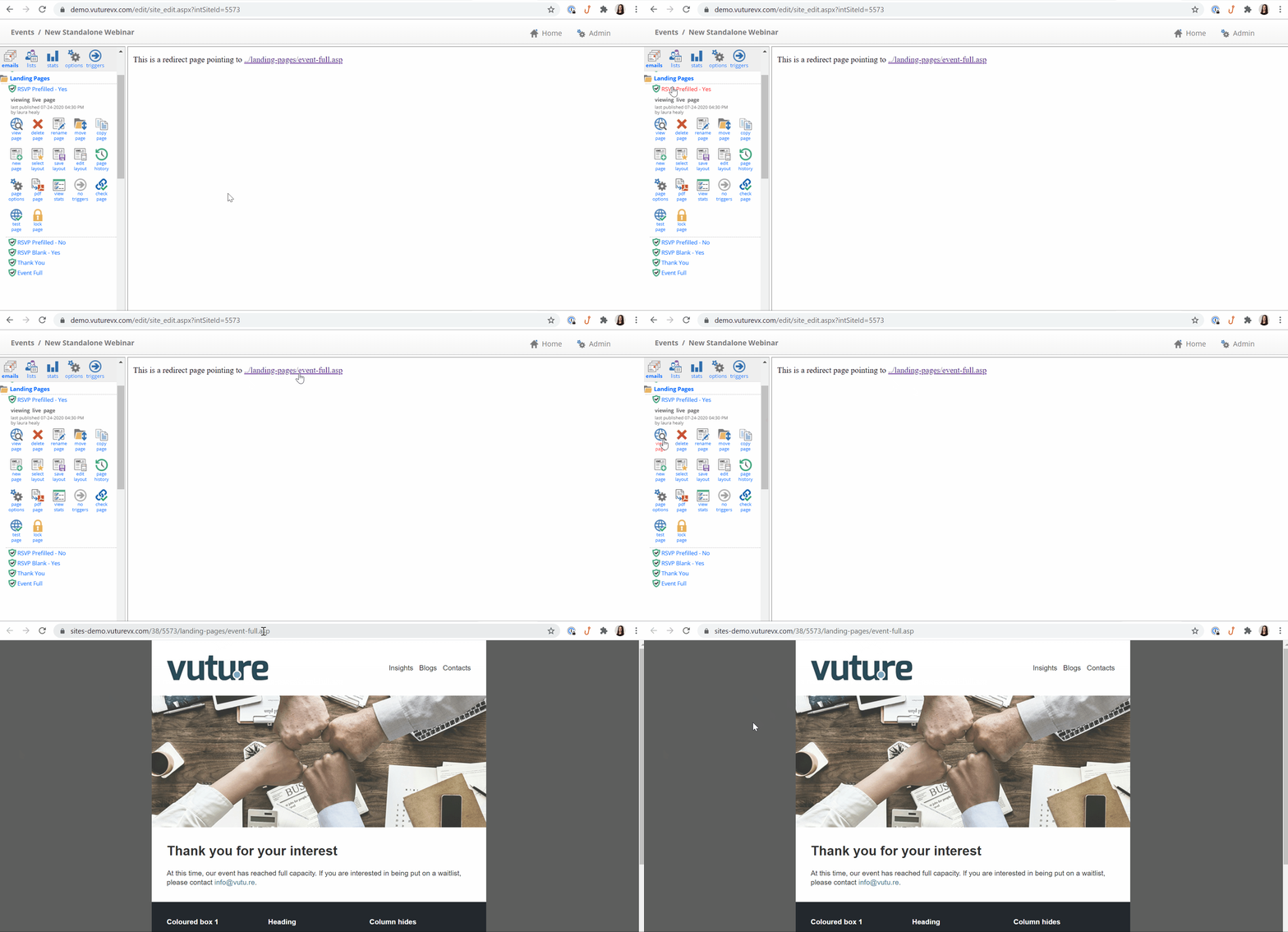
Step 5: You will now see your page being redirected. You may then "Publish" > "Publish Now".
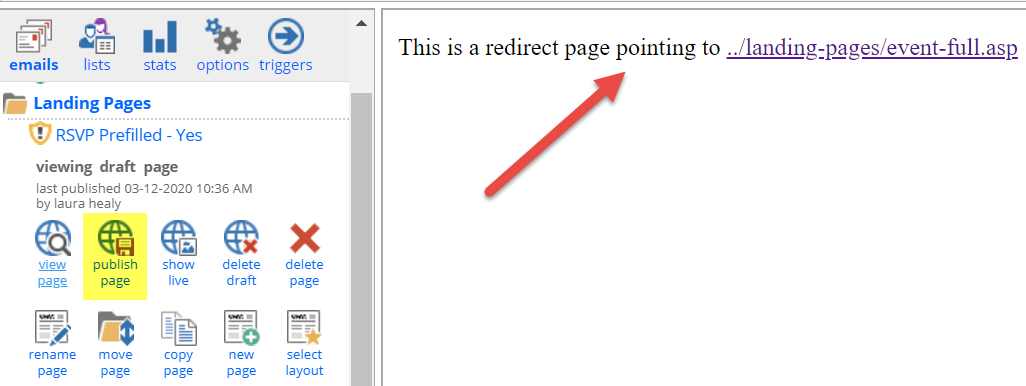
Step 6: To test, you may click on "View Page" and you'll see that this page is automatically redirected to the new page or external URL that you set.
NOTE: If you wish to track any links clicked on any landing pages, including redirects, you will need to have Web Tracking setup.
FAQs
Q. I understand how to make a landing page a redirect page, but can I edit the destination link?
A. You can edit the link by following the same steps as in the Select Layout / Redirect Page process described above and entering the new URL.
