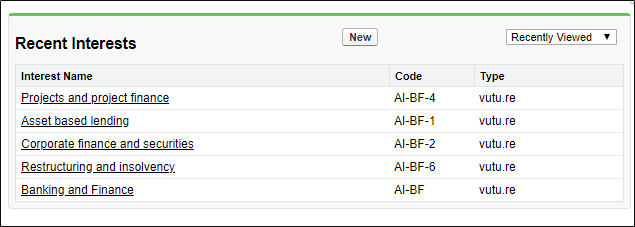
Areas of Interest on OnePlace are attributes assigned to a contact record. They indicate the topics that the contact is interested in.
You can manage a list of Interests on OnePlace and assign some of them to be available via a Vuture form.
If you have a list of Interests in OnePlace and you are happy with the way that list appears in Vuture forms, you do not need to do or change anything. However, sometimes you will wish to add a new Area of Interest to both OnePlace and your Vuture forms, or remove an Interest from your forms. We have two possible methods for handling this. You do not need both and can choose to use either method.
1. With your Account Manager's Assistance
Provide your Account or Project Manager with the areas of interest and their "code" in OnePlace. We will then add these into the Vuture back end at "Admin.System.Salesforce.Marketing Preferences". Once added, these will be the only areas of interest to appear in a form when you insert the Marketing Preferences field.
Please note, each area of interest should have a Type=Vutu.re associated with it, otherwise it will not write back to the CRM
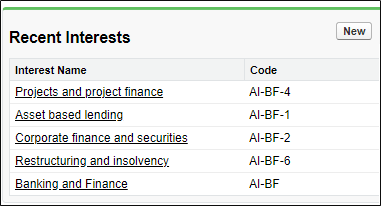
2. Manage this Yourself
Allow the system to find all the Areas of Interest you have in OnePlace and synchronise them onto the Vuture form. To do this, first ask your Account Manager or Project Manager to remove any existing Areas of Interest in "Admin.System.Salesforce.Marketing Preferences" and to ensure that this part of the system is blank.
Then, when you select the "Marketing Preferences" field in a Vuture form, the system will source all your Areas of Interest directly from OnePlace. You can then choose which ones to keep or remove from the Vuture form.
Please note, for this second option to work correctly, you must:
- Set your Interests in OnePlace to Type=Vutu.re
- Ask your Account Manager or Project Manager to select "OnePlace_type__c" at "Admin.system.salesforce.Area of Interest type".
- Use the Form editor Version 2.