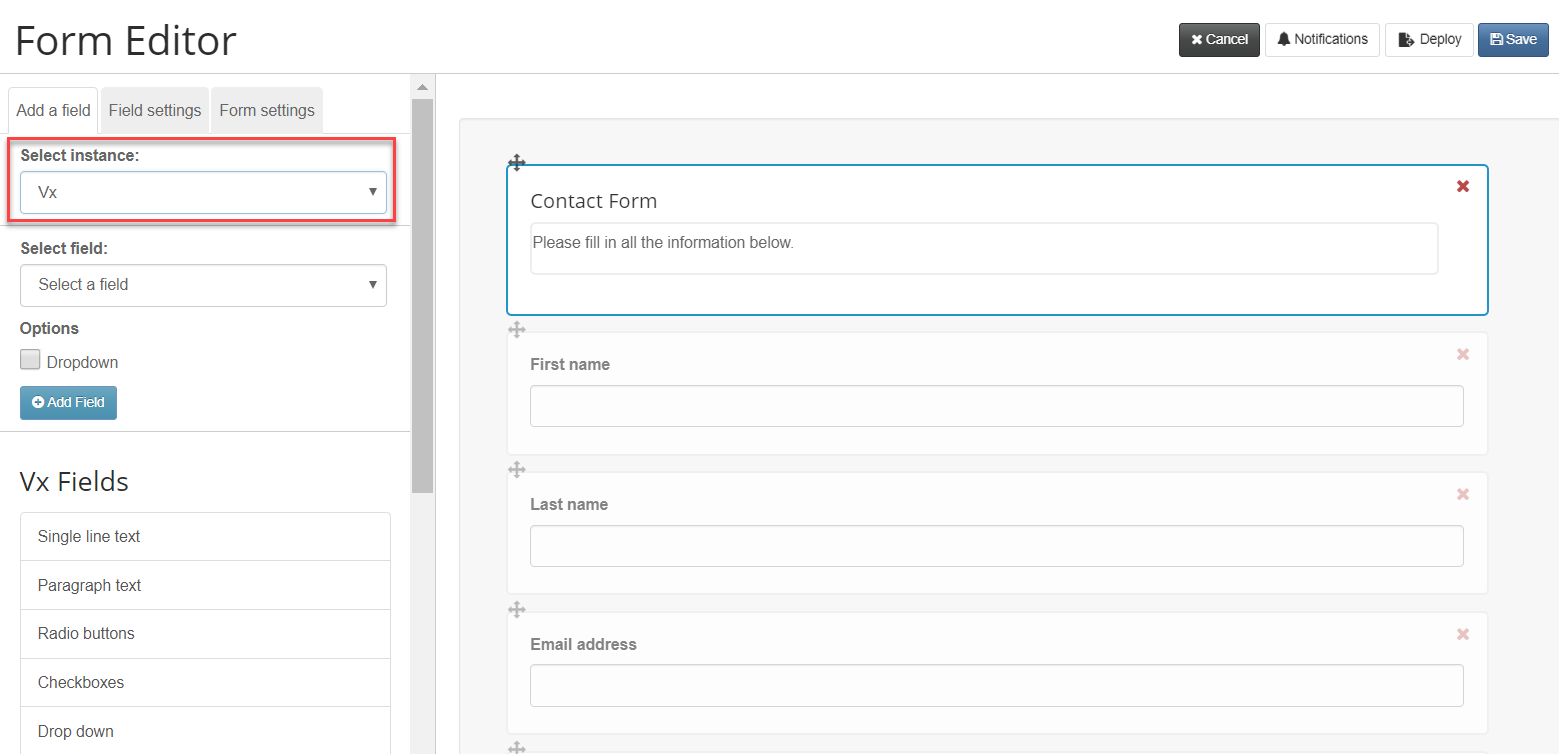
The CRM picker in the form editor screen has been updated to improve its performance. Among changes you will notice are the easy switch between adding fields from your CRM and adding Vuture fields. This will be particularly useful when you are building a form containing one or more questions which are not designed to write back to your CRM.
Vuture-only questions will write back to the Vuture database, visible via the View Stats report.
Prerequisites:
This works for all CRMs except Dynamics (who have different form types) and will only work with Forms v2. Check with your AM if you are unsure whether you have Forms v2.
You also need to have admin.system.forms.display instance dropdown enabled. Again, ask your AM.
To see the easy switch between Vx and your CRM as a source of fields in a form, open a form and click on Add a Field. You will now be able to use the drop down list to switch between Vx and your CRM - or CRMs if you have more than one.