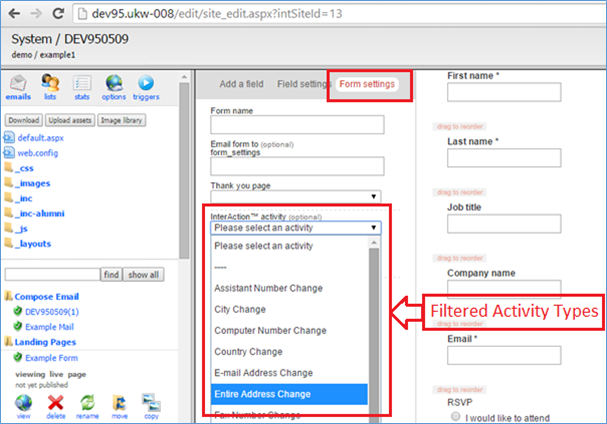
Overview of restricting Activity Types by Group in the Form Editor
The Form Editor allows you to choose a separate Activity Type for each form that is written back whenever the form is submitted.
By default the system lists all Activity Types in the Form Editor but it is possible to restrict the Activity Types that are displayed based on the Activity Group.
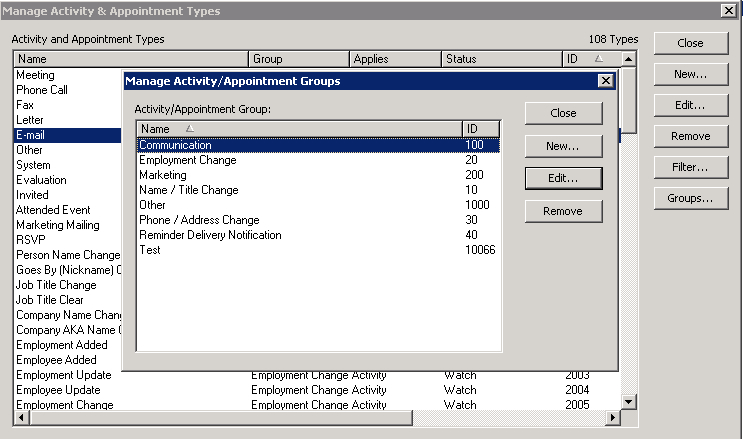
Activity Groups are filtered by an ID. If you wish to only display Marketing Activities we would need to know the ID for the Marketing Activities (in our example above 200).
To enable this filter please contact a Vuture Administrator with a list of InterAction Activity Groups and ID's that you would like to be displayed.
How to add an Activity Group filter for an InterAction instance
For Vuture Administrators only
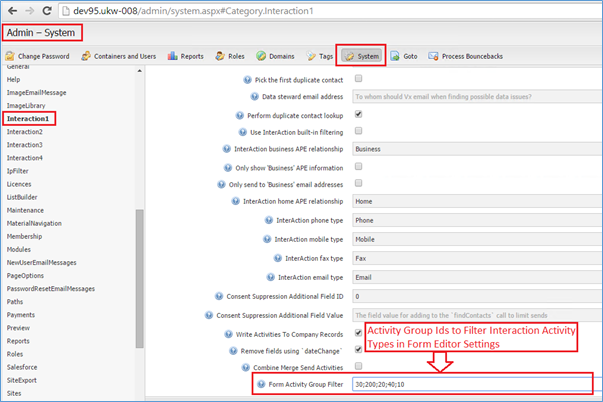
Update the configuration setting "Admin.System.InterAction.Form Activity Group Filter", for the InterAction instance that you wish to update, with a semicolon (;) separated list of Activity Group Ids provided by the client:
How does the Form Editor look after applying an Activity Group filter?
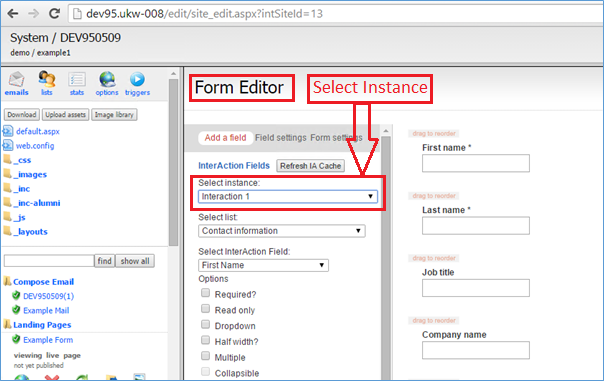
Click on a form to enter the form editor, select the required InterAction instance:
Click on the "Form settings" tab and the "InterAction activity" dropdown should now only display Activity Types that are in the Activity Group filter: