This article covers an update (Spring 2020) to the way your CRM Additional Fields and their values are presented in the Vuture Contacts Module.
Previously, when importing a list into the Contacts Module, the headers would display the additional field columns as IDs, not the text labels. This could make it difficult to remember what each additional field was used for. Like this:
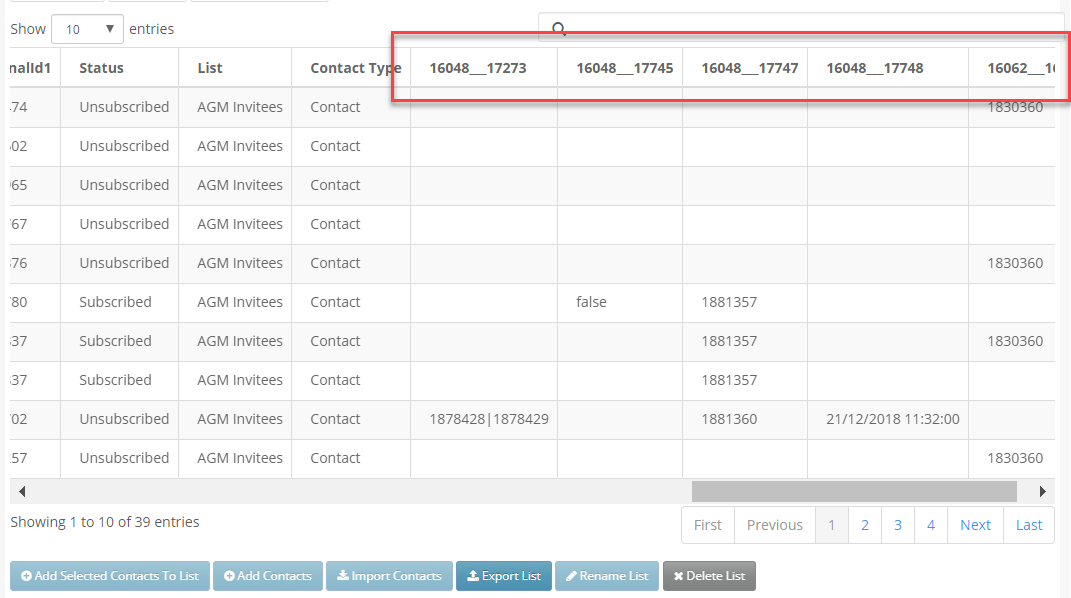
Now, with this update, the Contacts Module will display your additional field headers, and their values, as text instead.
Note: To see the labels for the first time, click "Refresh from CRM" in the Contacts Module for the list you are using.
Editing Field Names or Column Headers
If you would like to edit any of the labels being displayed, you will need to speak to your Account Manager. They can go into the CRM Metadata Manager for you, and edit the FriendlyFieldName. This will change the Field Name which is displayed each time a list containing that field is uploaded.
Using Field Names in Forms
Using the fields in forms, such as RSVP forms for example, is not affected. The field will be available to you to place on your form, as before. In the form you will be able to change the label displayed to your client on the form. However, as before, this edited label will not write back to your CRM or change the label in your CRM. For example, you may wish to change the label RSVP to read instead Would you like to attend? This change will only affect the form you are currently using and not have any effect on the CRM field label.
Contact Fields
There is no change to the standard set of Contact Field labels you currently use. Fields such as First Name, Last Name, and so on, were already being displayed in words and will continue to be displayed in words. This update is only to Additional Fields.
This update will be applied to your Contacts Module automatically once released. There is no need to ask for it to be enabled.
