Introduction
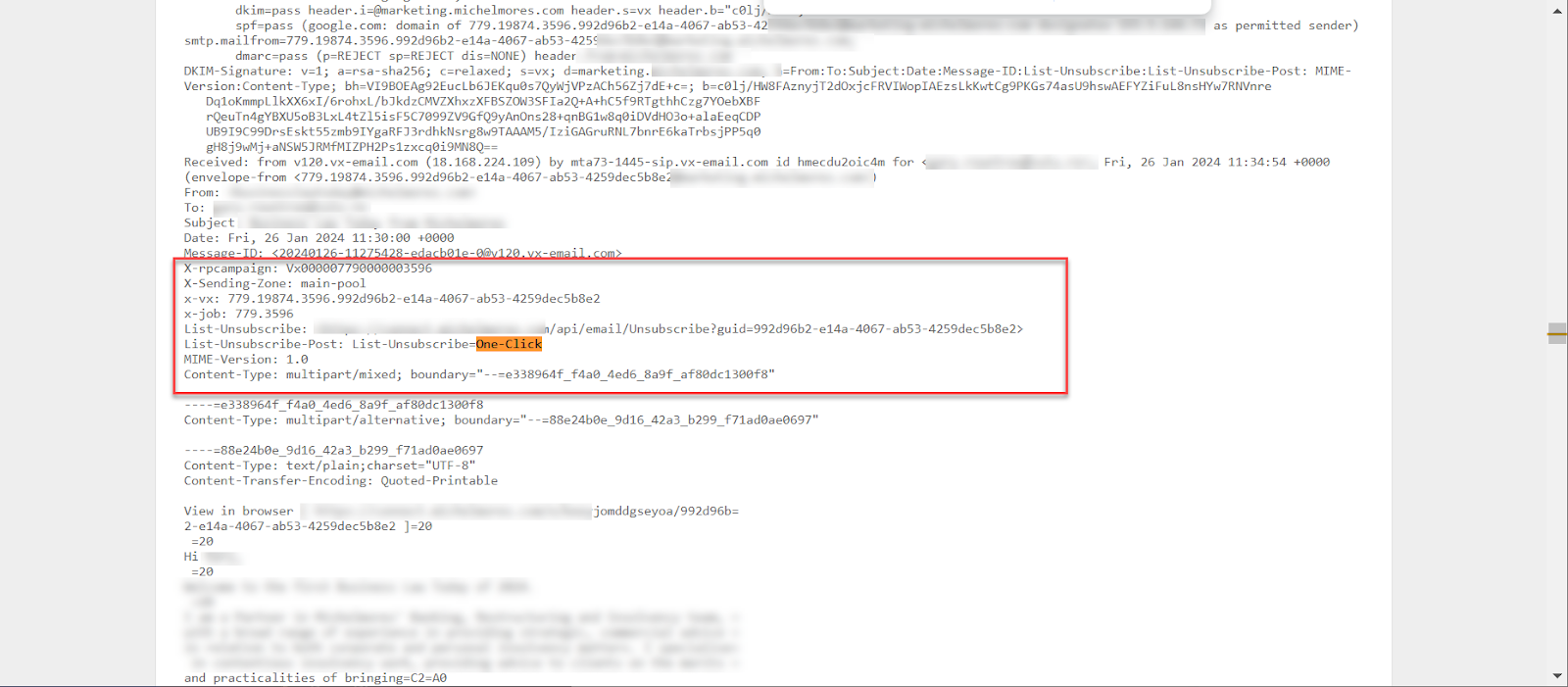
The requirement by Gmail/Yahoo to add a one-click Unsubscribe link into the header of all Vuture emails will begin to take effect for all clients on nightly and stable during the last week of January 2024.
This requirement applies to all emails sent from the platform.
Clients will be able to view their contacts who have unsubscribed using the Spam or Feedback Loop Dashboard. This dashboard will display the emails of contacts who have either clicked Report as Spam, or who have clicked the one-click Unsubscribe link in the header.
Process
As soon as Vuture announces this release to clients, it is expected that most clients will check and test their outgoing emails to verify that the link is appearing in the header.
The link may not always be visible in the browser.
This will be for a variety of reasons, not all of which have been shared with us by Gmail. However, if the email is obviously (apparent to Gmail) not marketing, or it has an extremely low Spam score for example, Gmail may choose not to make the link visible.
Check to see if the link is present
If clients are concerned about whether or not the link is present, you can examine the email and verify that the link is in place, just not being displayed in this email.
Step by step process
Ask for the email to be forwarded to you.
Click on the email to select it.
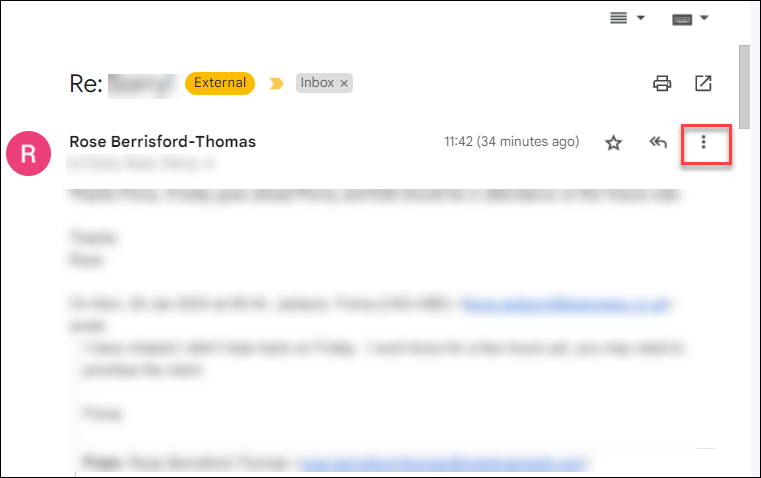
Left mouse click on the three dots More menu on the right hand side of the email (image below)
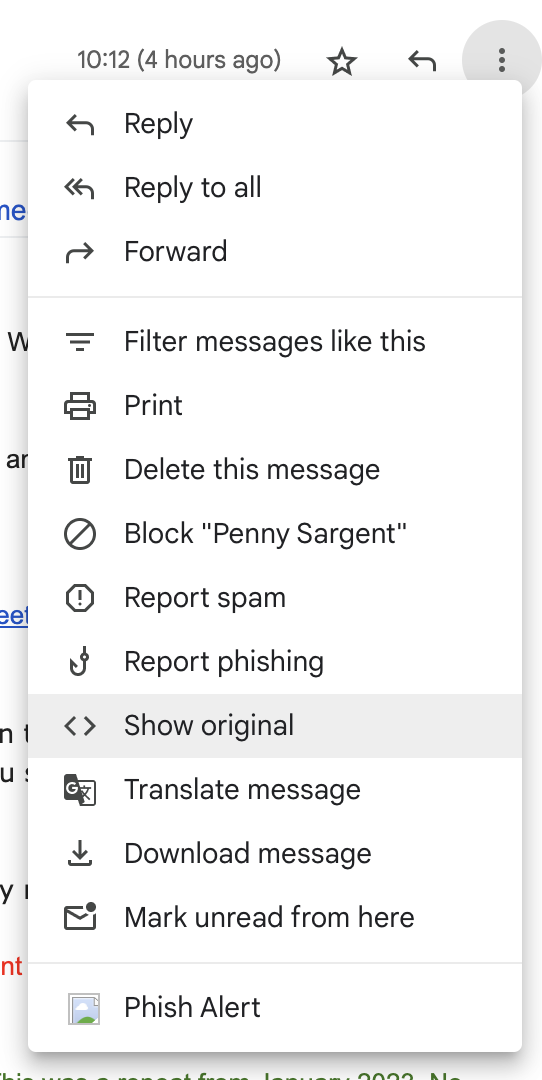
Select Show original from the menu
This will open the code for the email in question. Do a Control F search for one-click.
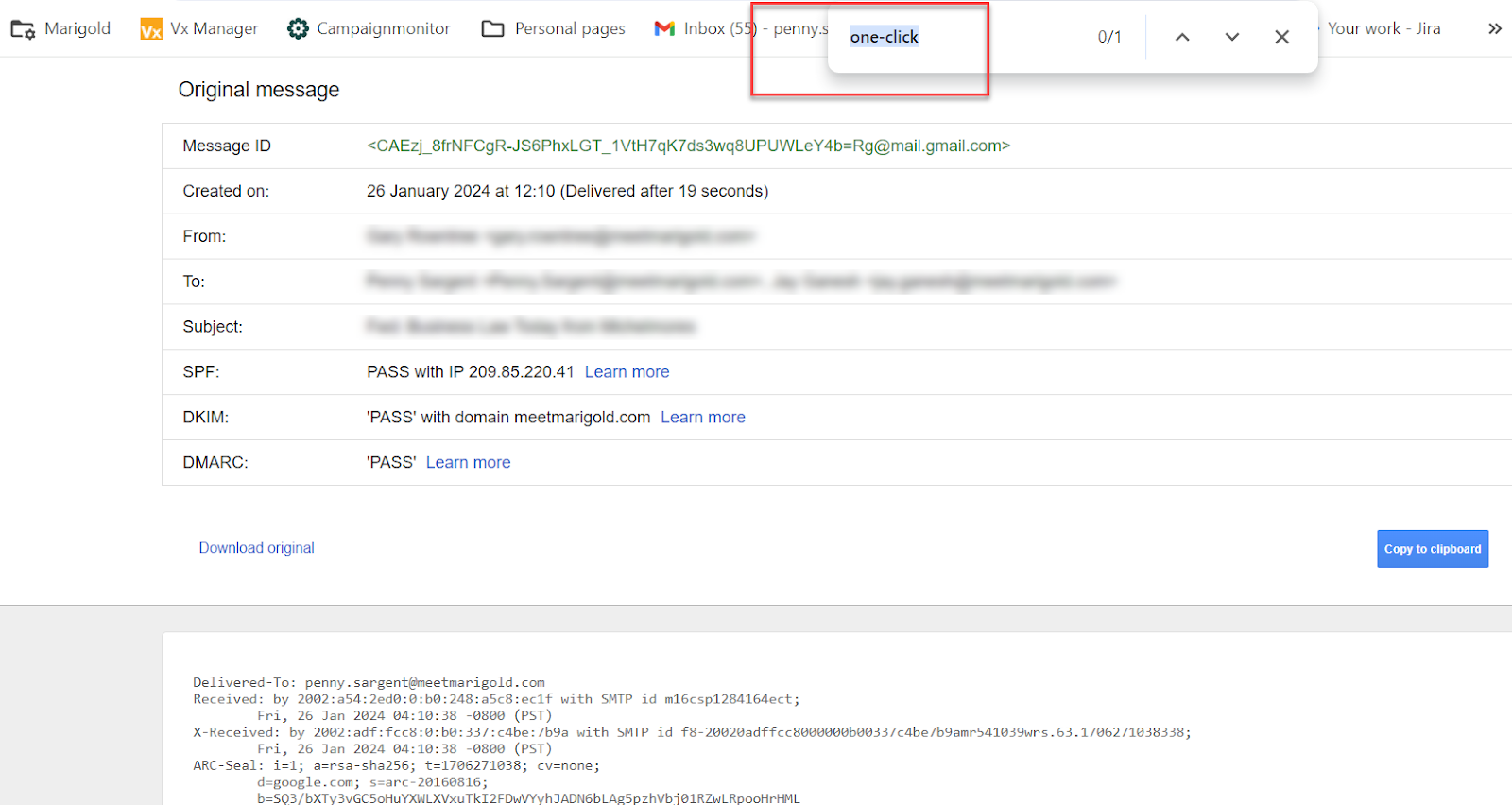
The search result below proves that the link is being inserted correctly, even if Gmail is not choosing to show it. The client does not need to take any action.