Tooling - Social Snippet Checker
(There is an article for Vuture Only about configuring the Social Snippet here )
Users may have issues with their Social Snippet code, caused by a problem with either the code (usually metadata tags or the link shortener) or their configuration settings. There can also be issues where the user is not seeing the changes they are making, due to LinkedIn's 7 day cache.
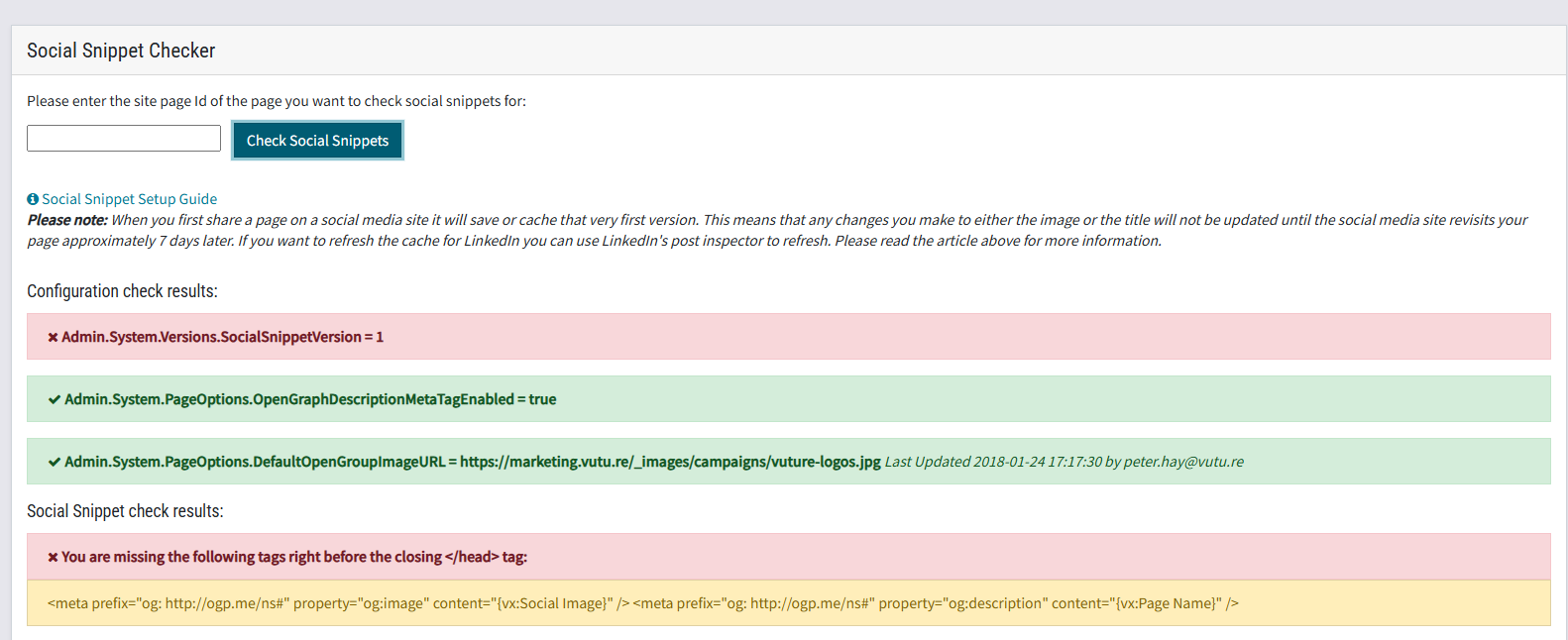
This tool will ask for the SitePageId of the problem page. We will check it for errors. If the issue is due to the link shortener, we will advise the user to turn this off. If the issue is due to the metadata tags, we will highlight what is missing and ask the user to add it.
Start by entering the SitePageId of the page you are trying to check.
If you don’t know the site page Id you can find it by navigating to your campaign and hovering the mouse over the name of the page to be checked. The SitePageId appears in a box.
The tool then does a check and displays the missing tags or configs (if any).
You can now take the appropriate action to fix the page. These results may need to be interpreted by an HTML expert in your team.