Allowing Duplicates in the Intapp CRM
This article is intended for all clients with an integration with the Intapp CRM
Query:
What is the expected behavior for blank forms creating duplicate contacts if the new information does not match the CRM exactly?
Is there a config that can be changed to not create a duplicate if, for example, the Company Name is entered differently than is listed in the CRM?
Solution:
There is a config setting, described below:
By default, the way that duplications work in Intapp is that if there is more than one contact with the same details in the CRM, for example Email Address and Last Name, Vuture will not automatically update one of the contacts, but instead:
- create a new contact and
- email the data steward.
The email to the data steward contains the information that has been submitted on the form. This information will potentially cause the duplicate record. The email comes from info@vuture.co.uk and looks something like this:
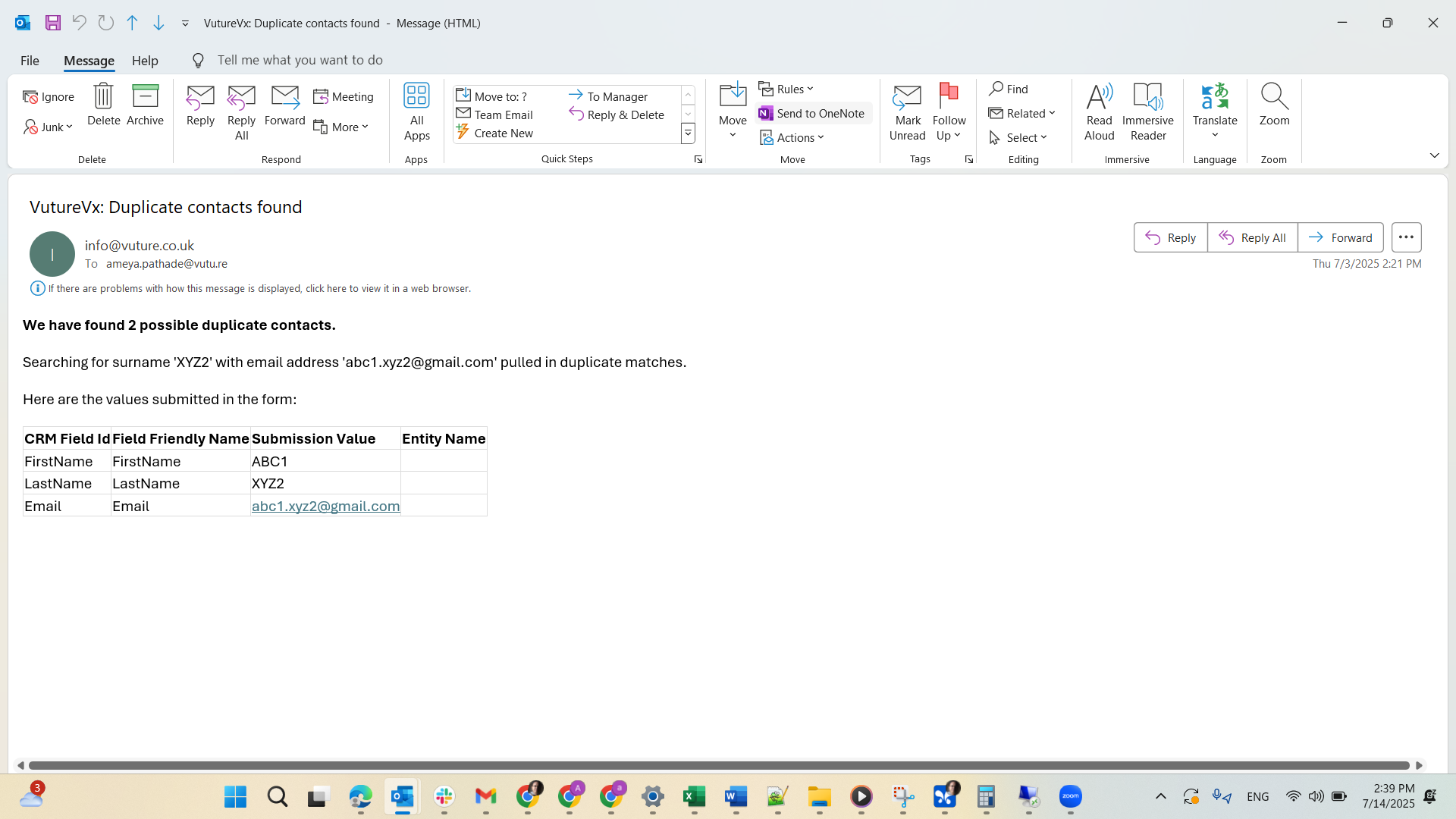
From this email you can see that the contact called ABC1 has submitted a form, but there are already two versions of this contact in the CRM. This email is the reminder to de-duplicate the records in the CRM.
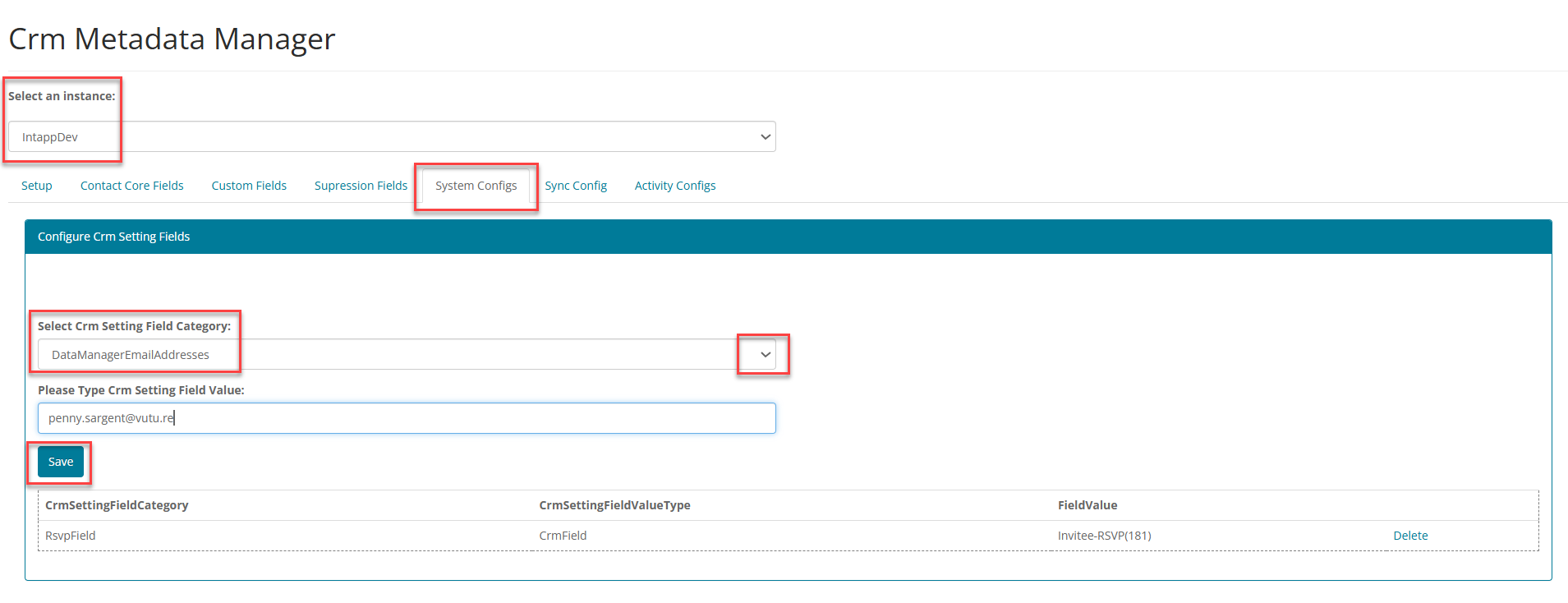
The duplicate warning email will be sent to the specified Data Steward email address. This address is entered in the config by your Customer Success Manager, in the CRM Metadata Manager, in the following way:
In System/Admin/CRMmetaDataManager, for example: https://{{vutureurlgoeshere}}/admin/CrmMetaDataManager.aspx
Select the CRM
Select the System Configs tab
Select DataManagerEmailAddresses in the drop down.
Add the email you want to use for the Data Steward as the Field Value, and Save.
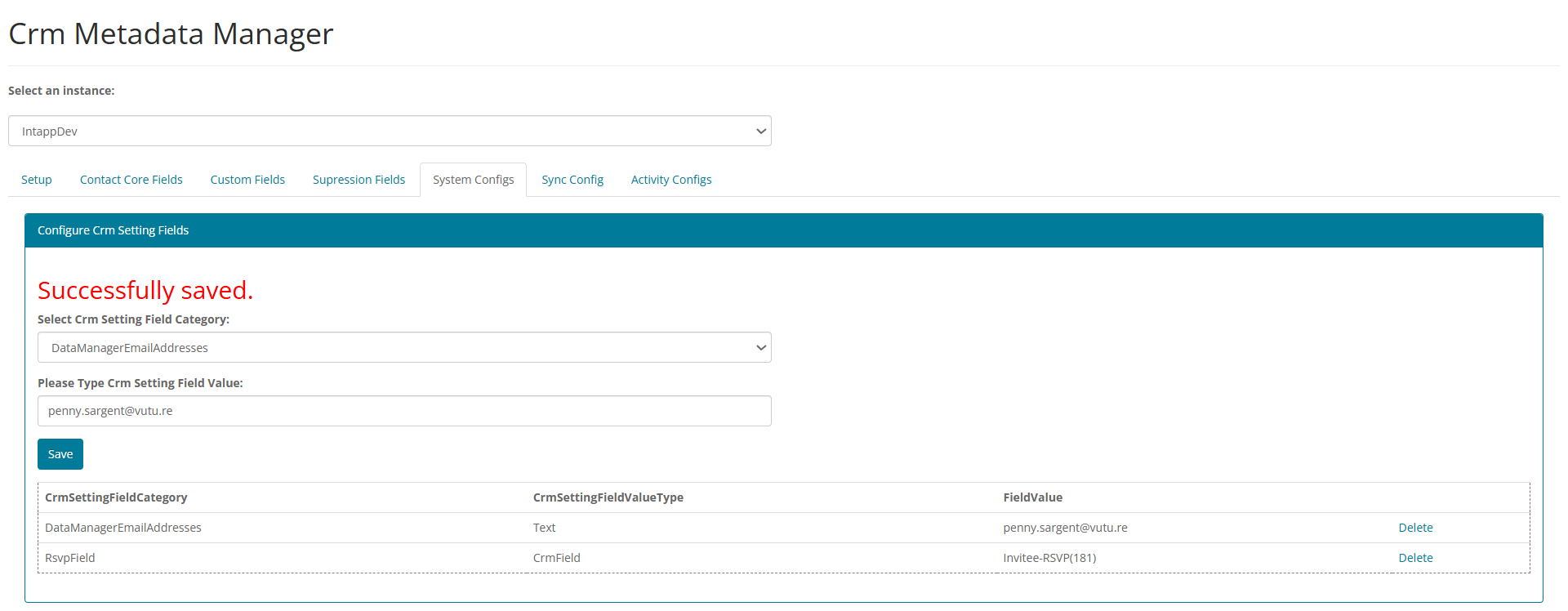
Note: You can enter more than one email address if you wish, in a list, separated by semi-colons. All email will be sent to this address/these addresses from info@vuture.co.uk.
Allow Duplicates?
There is a setting in the Intapp CRM that allows you to either Allow duplicates or Not Allow (see screenshot below). Please check with your CRM provider for which setting you have set.

Options:
· Disable the duplication configuration in Intapp. Opting for this requires the client to ensure CRM contact data is up to date and no duplicated contacts exist.
In this scenario, if a contact submits a blank form and there is more than one contact record with the same email and surname, Vuture will not update anything or create a new contact. The CRM won't record the data since it doesn't know which contact to update and the data steward email process will NOT trigger a email to your team.
· Enable the duplication configuration, allowing duplicate records to be created, on the off chance that there are contacts with the same details.
With this option, Vuture will create a new contact and notify the data steward about records that require merging, if there is more than one contact with the same email and last name.
Some Vuture settings you can check - https://support.vutu.re/s/article/6418976611357-Intapp-OnePlace-updating-Company-Field
