Payments Page Submissions
Unlike forms, submission information for a payments landing page is not displayed in the 'View Stats' report.
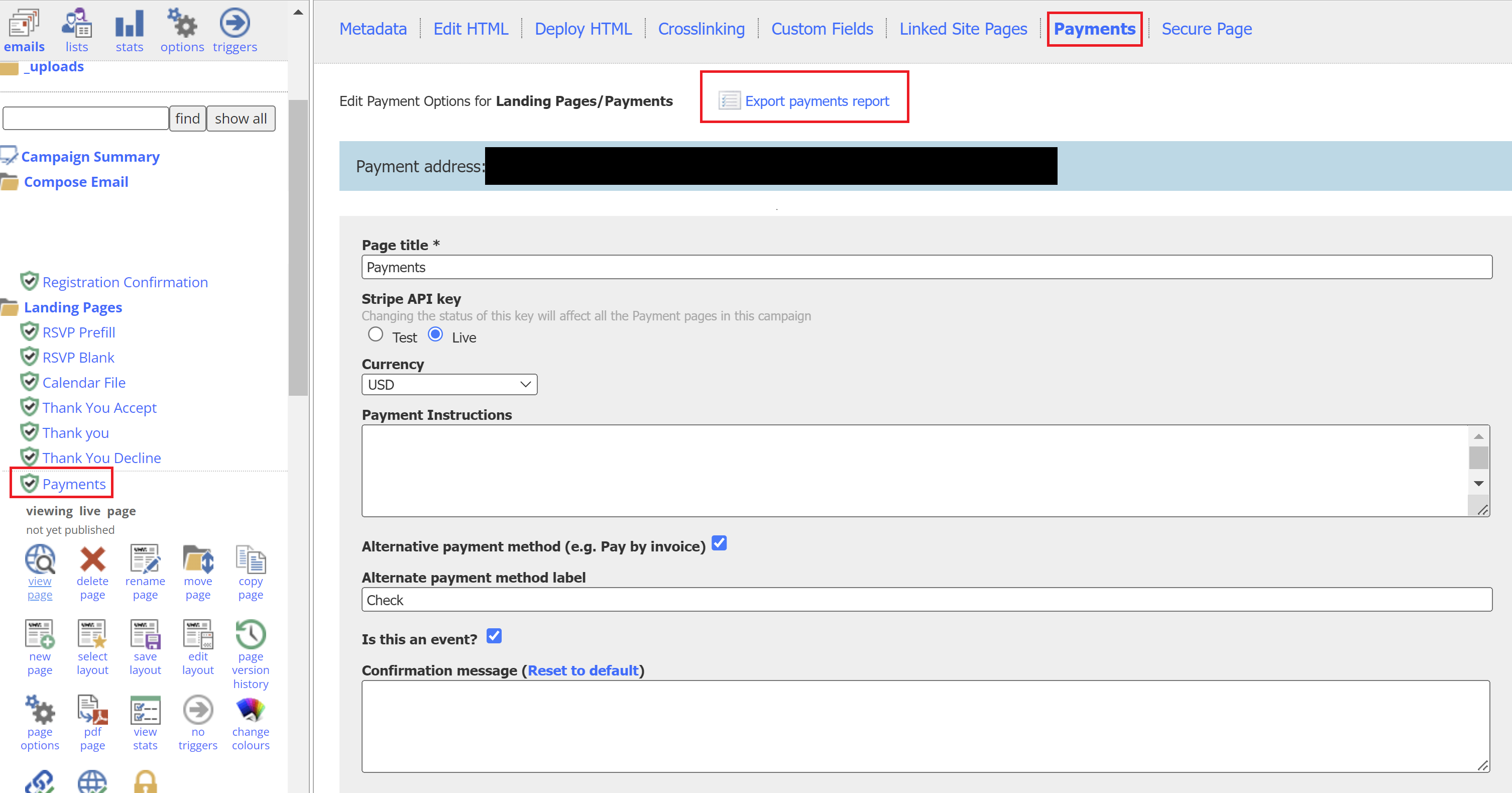
To see payments page submissions, open on the form in the Vuture editor as if you were editing the payments page.
You will see a link to 'Export Payments Report'. Clicking this link will download all the payments page submissions made so far on that page.
You can also export a payment report from Stripe, which contains the payment page name, total amount paid, a brief description of each item purchased, and the cardholder’s name. It does not contain personal information about individual tickets.
For more information and frequently asked questions about payment landing pages, see this Payments FAQ article
