If you notice that, during the RSVP period of an event that has a prefill form, some contacts in your CRM have been overwritten with different contact details, you need to check the setup of your prefill form.
If your prefill form does not have the contact fields set to 'read only', then in the event that the original recipient forwards their email to a colleague, and that colleague clicks on the RSVP link, they will be presented with the prefilled form of the original recipient. If they neglect to read the instructional that states 'if these are not your details, click here', then they may just delete the existing information in the fields, replace it with their details, and click submit.
If this happens, Vuture writes back this colleague's information to CRM, updating and overwriting the original recipient's information.
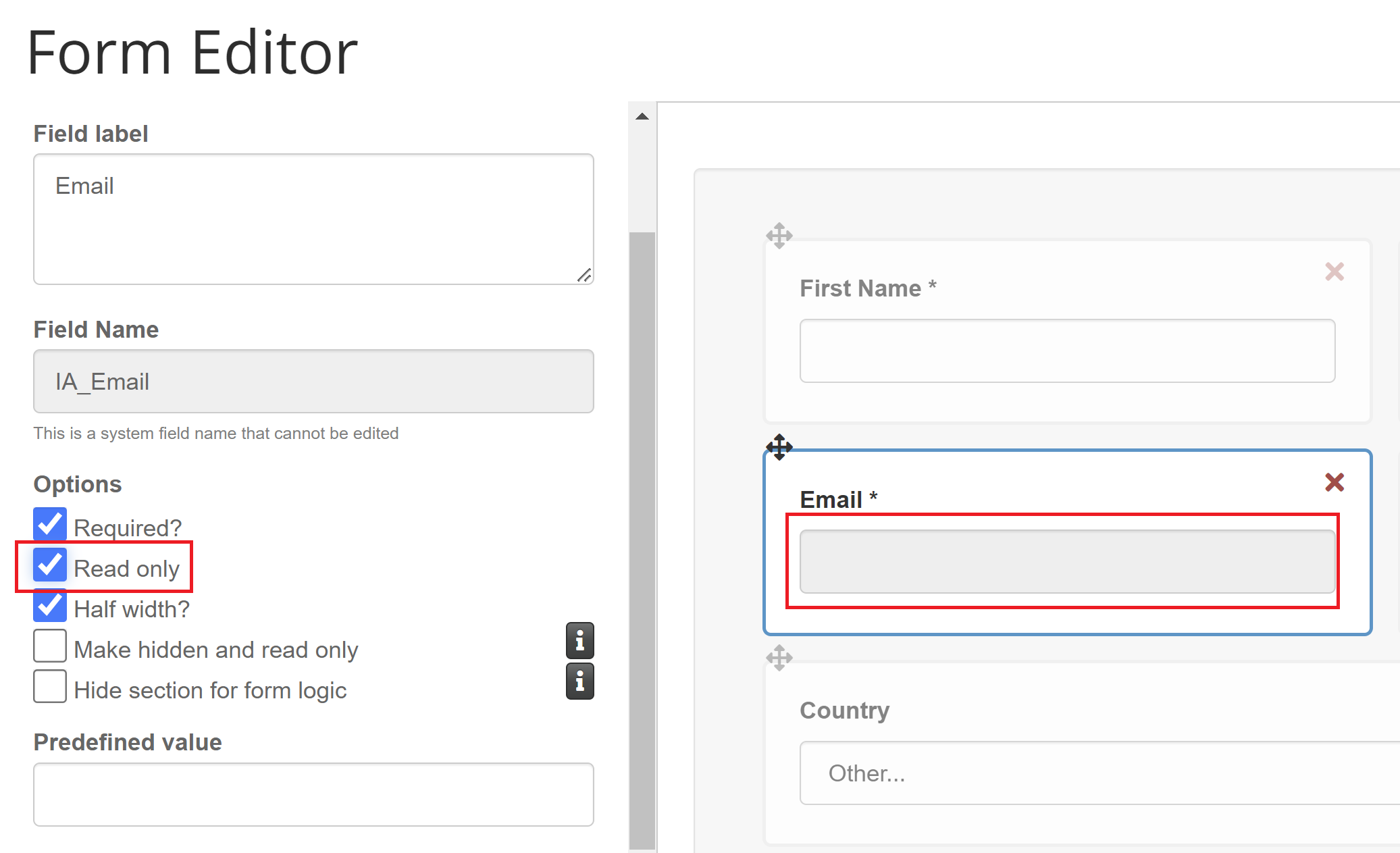
To stop this from happening, you must ensure that identifying contact fields on the prefill form (such as Last Name and Email) are set to 'read only'. This will cause the second user to realize they cannot edit this information, and upon second inspection, find the link to the blank page, and fill that in.
Select each contact field in the form editor, and ensure the 'read only' box is checked for that field. This will make the text area of the field turn grey when in the form editor:
If your contact fields are set to Read only, but you still see contact data being overwritten, please reach out to your CSM or raise a ticket with Technical Support.
