Starting in the User's Default Container
When a user first logs into Vuture they will be taken to the Home screen of their default container. Their default has been set for them by the Admin user who created their account. Each firm may set up their users slightly differently - some directing their users to the Root container and some directing their users to the container they think will become the most commonly used.
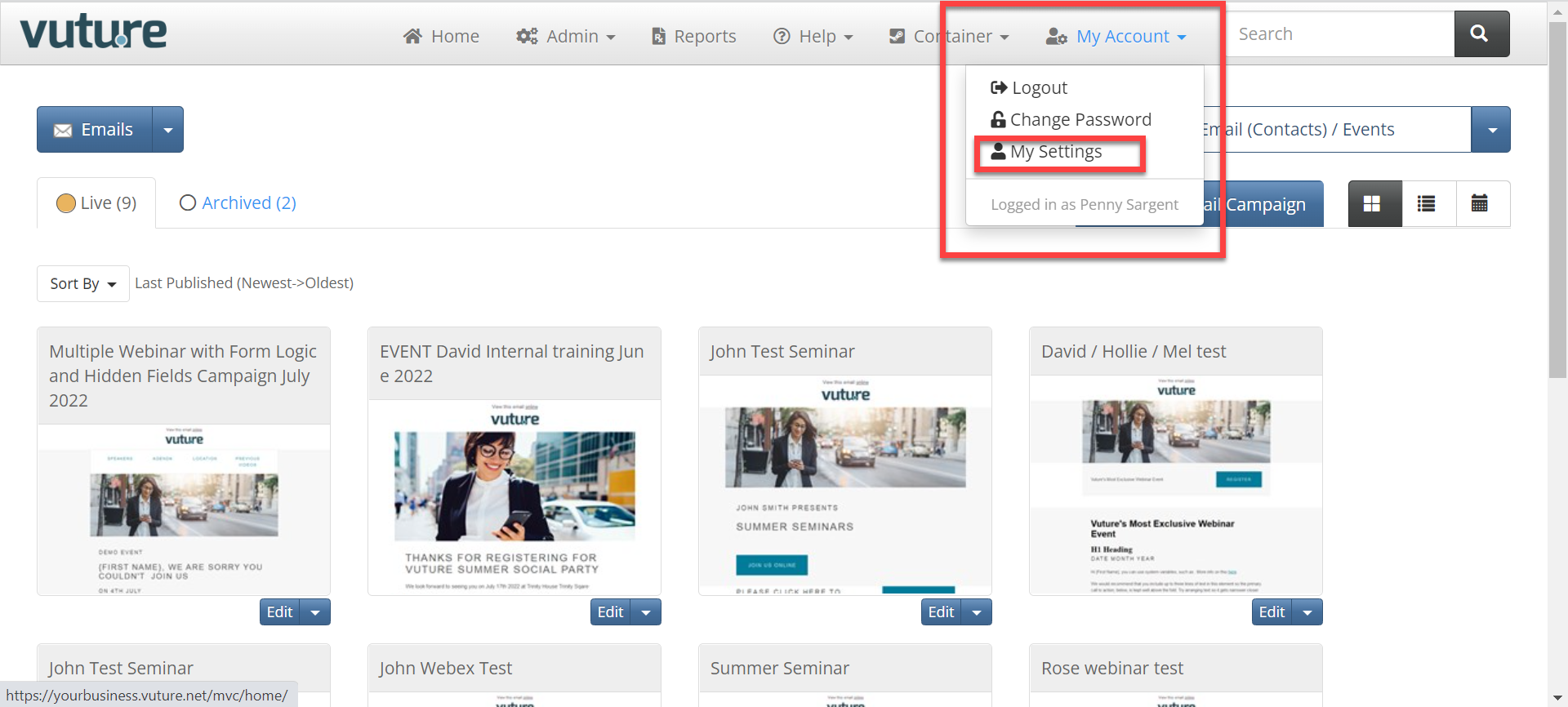
Subsequently, users can select their own default container, where they will automatically begin working whenever they log in to Vuture. They will do this by, on the Home Page, selecting the option My Account and My Settings:
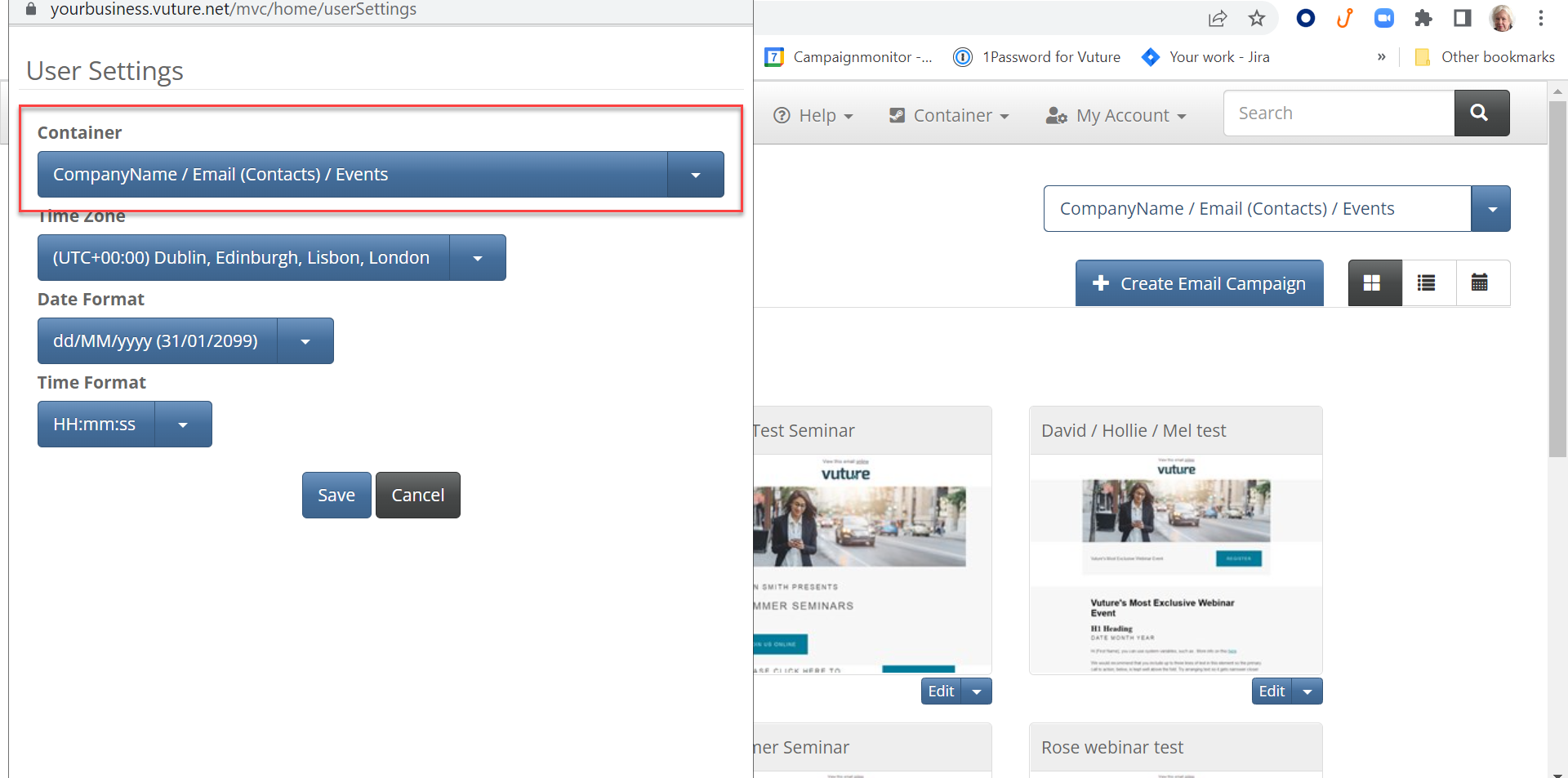
From there the user can choose their preferred default or starting container
Returning to Last Page Worked, on Login
As an alternative to starting work in their default container, there is an option for users to be returned to where they were last working. This is described in a brief article here .
Starting in the Root Container
Some users prefer to begin working in Vuture by starting in the Root container. If users are reporting that this is not happening for them, check that user's account for their 'Default Container' to ensure the root container is selected.
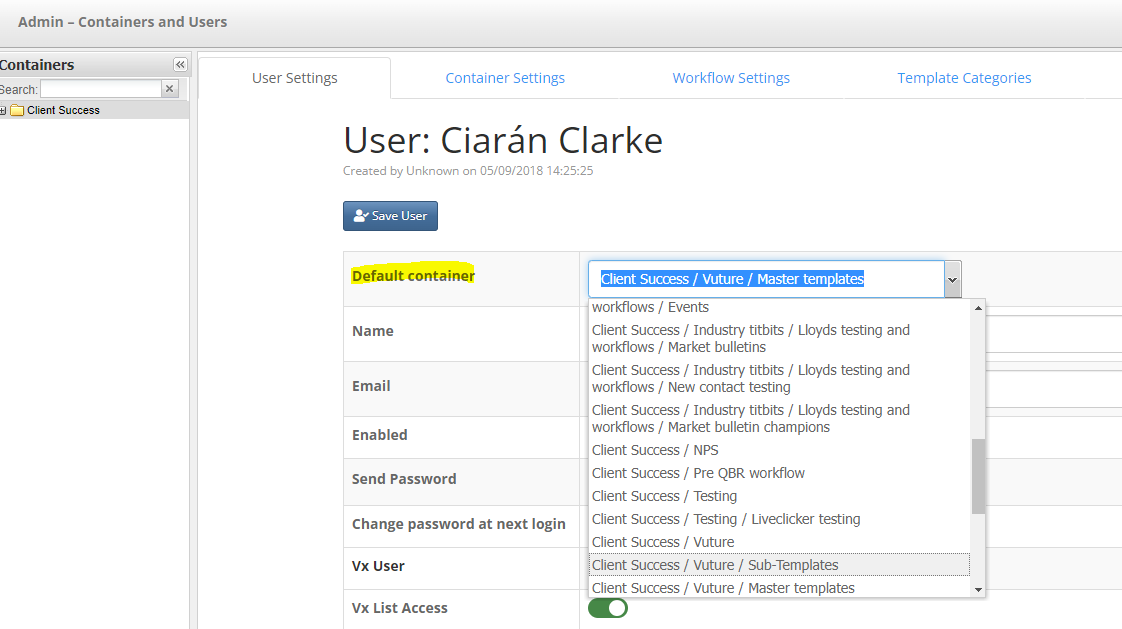
To do this, navigate to Admin>containers and users, find the user's account, and ensure the 'Default Container' is set to the root container.
In the image below, this user has the Master template container selected as their starting point.