If you have set up an event with an RSVP page that asks the contact for contact details (such as first name, last name, email etc) and find that the contact details don't seem to be writing back to InterAction, this article is a guide to check whether the fields have been setup correctly.
If after you have checked and made any adjustments as recommended in this article, the fields are still not writing back to IA, then please contact your CSM or raise a support ticket.
First of all, please ensure that the fields in question are InterAction fields. If you have set the form up by adding Vuture (or Vx) fields, then these details will not write back, and must be replaced by the corresponding InterAction fields.
To check this, go into the form editor on the form that is not writing back, and select one of the fields that is not writing back.
Take for example the 'First Name' field. If you select this field and the Field Name is editable and is set to something like 'Firstname', then the Conditional Field Name will be 'VxForm_Firstname'. See the below image for an example:
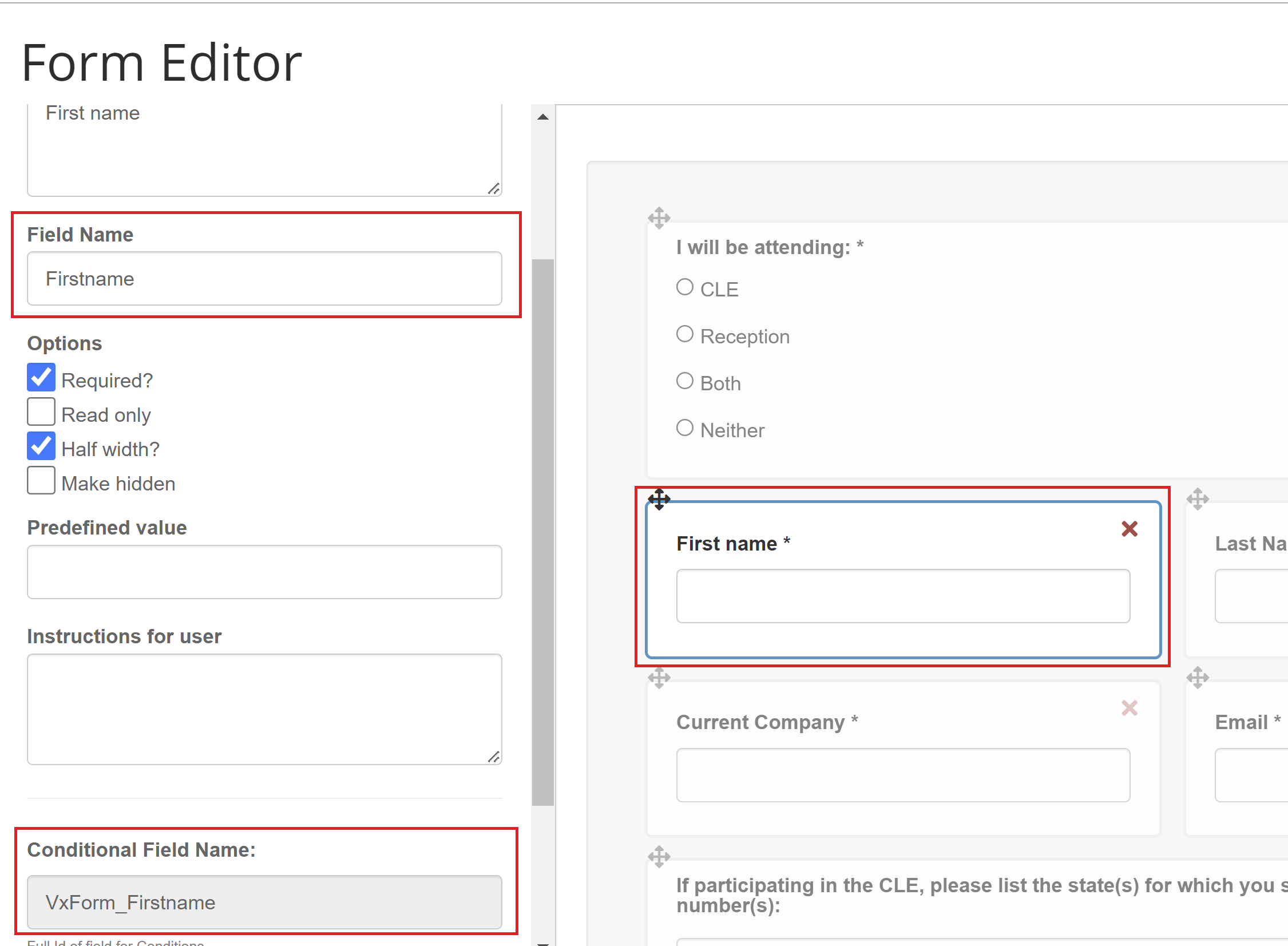
This means the field is a Vx field, and not an InterAction field. If this is what you find, please replace the fields that are not writing back with InterAction fields. To do this, follow the below steps:
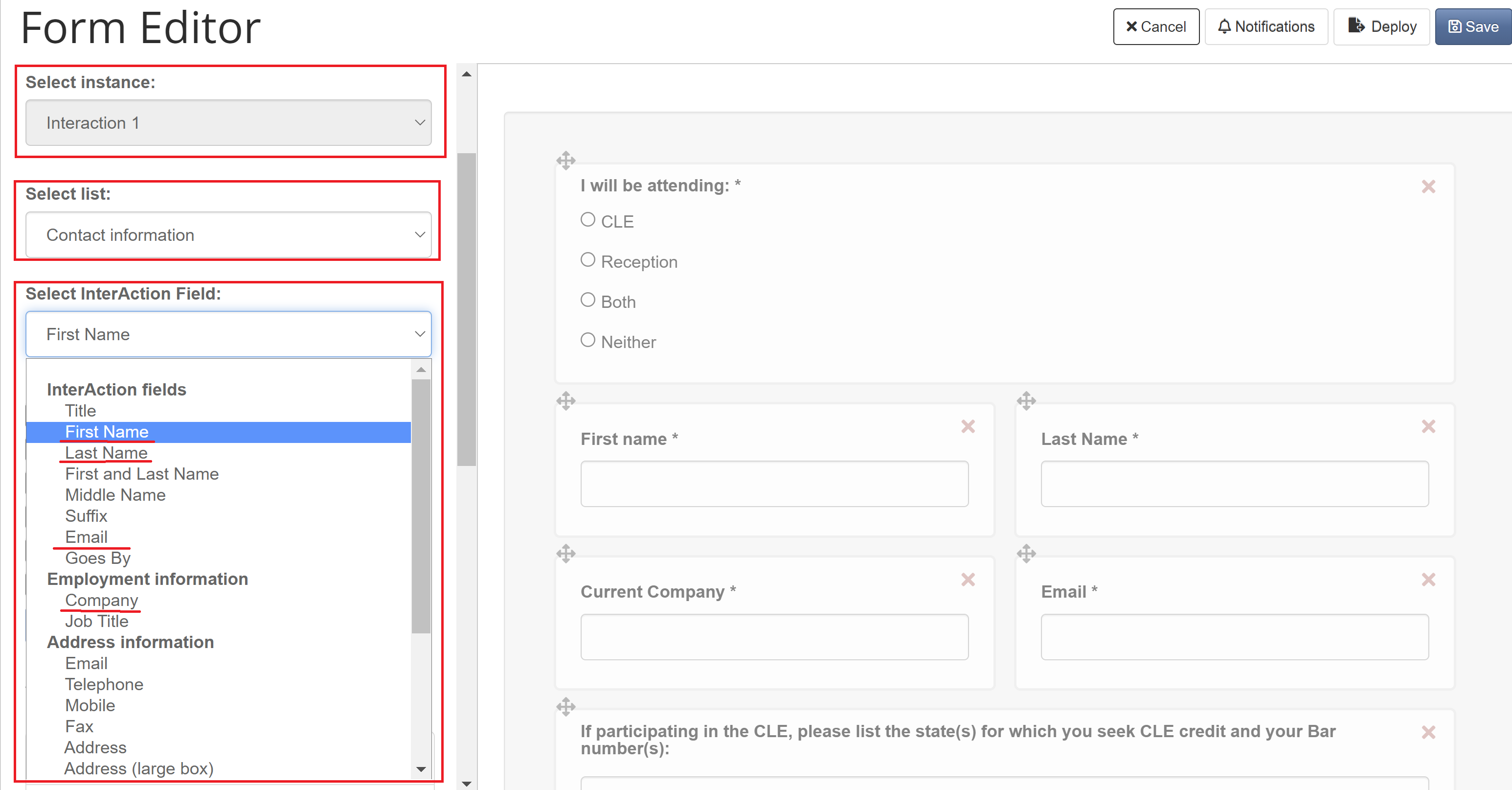
- Go to the 'Add a field' tab in the form editor, ensure 'Select instance' is set to the correct InterAction, for example 'InterAction 1'.
- In the 'Select List:' drop down, ensure 'Contact Information' is selected
- Then, using the 'Select InterAction Field:' drop down, select the required field.
- Tick the options you want to apply to this field (required field, half width, etc)
- Then click 'Add field'
Below is a screenshot to help illustrate the above instructions:
Once you have replaced all the fields that were not writing back with the correct InterAction field equivalent and saved the form, test the form to see if it is now writing back.
If the form is still not writing back, contact your CSM or raise a Support ticket with as much information as possible and a link to the form in question.
For more information on using forms with InterAction, see this article, to go straight to the section on adding InterAction Additional Fields, click here.
