Introduction
This simple process has been suggested to answer the question: "Can we attribute Vuture form submissions to specific traffic sources? For example, a client may share Event Invitation forms via Vx mailings, but also in places like LinkedIn. Can we help clients to determine the mix of form submissions which came from different sources?"
Process for Events
Create the campaign as usual, including an extra copy of the blank form
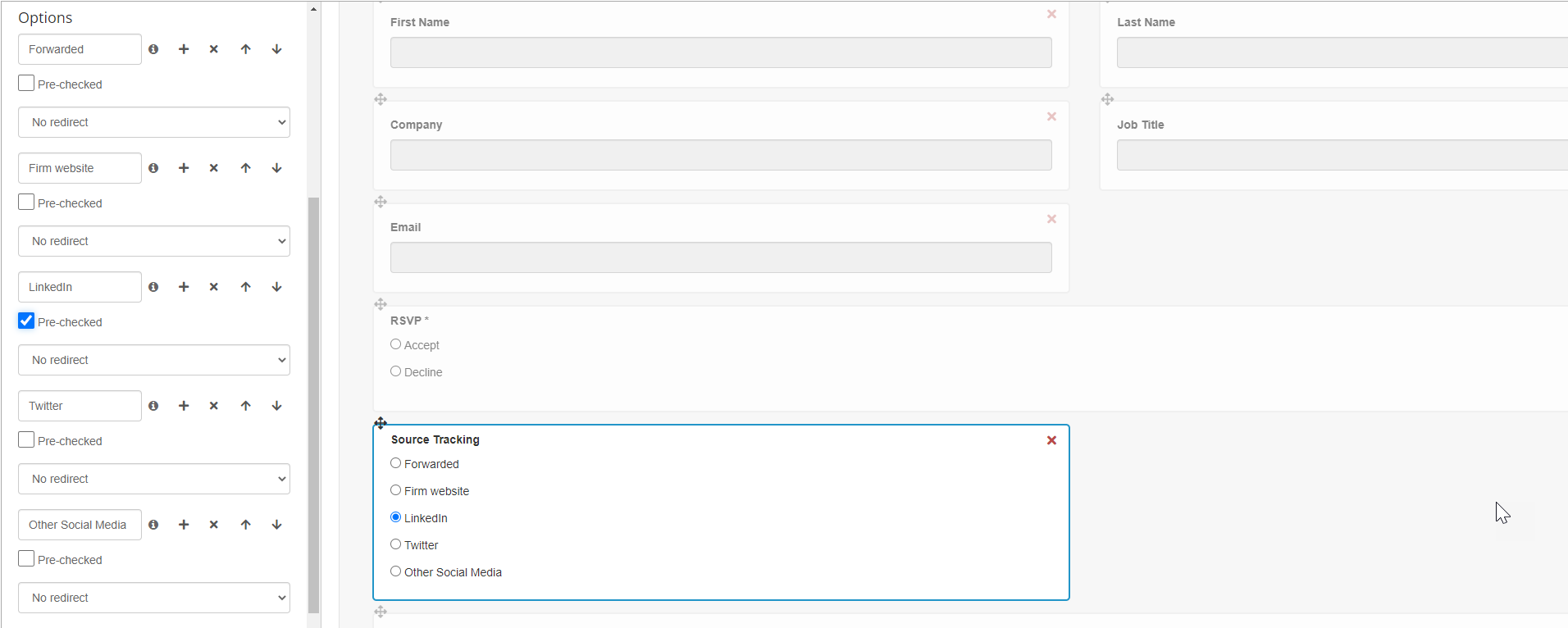
Add a new hidden field called Source Tracking (or similar) to the form copy.
Create options in the new field for the different places you intend to put the form (Website, LinkedIn)
Precheck the Source option, depending on where the form is to be placed
The Source Tracking field writes back against the RSVP record.
Process for Subscription Forms
The process is the same. If the example scenario is that you wish to know which practice area of your website generated the form submissions, you will need as many blank subscription forms as you have practice areas.
For each practice area, pre-check the hidden field that names that practice area before placing the form on the website. In the example below, the hidden field has been called Vuture Form.
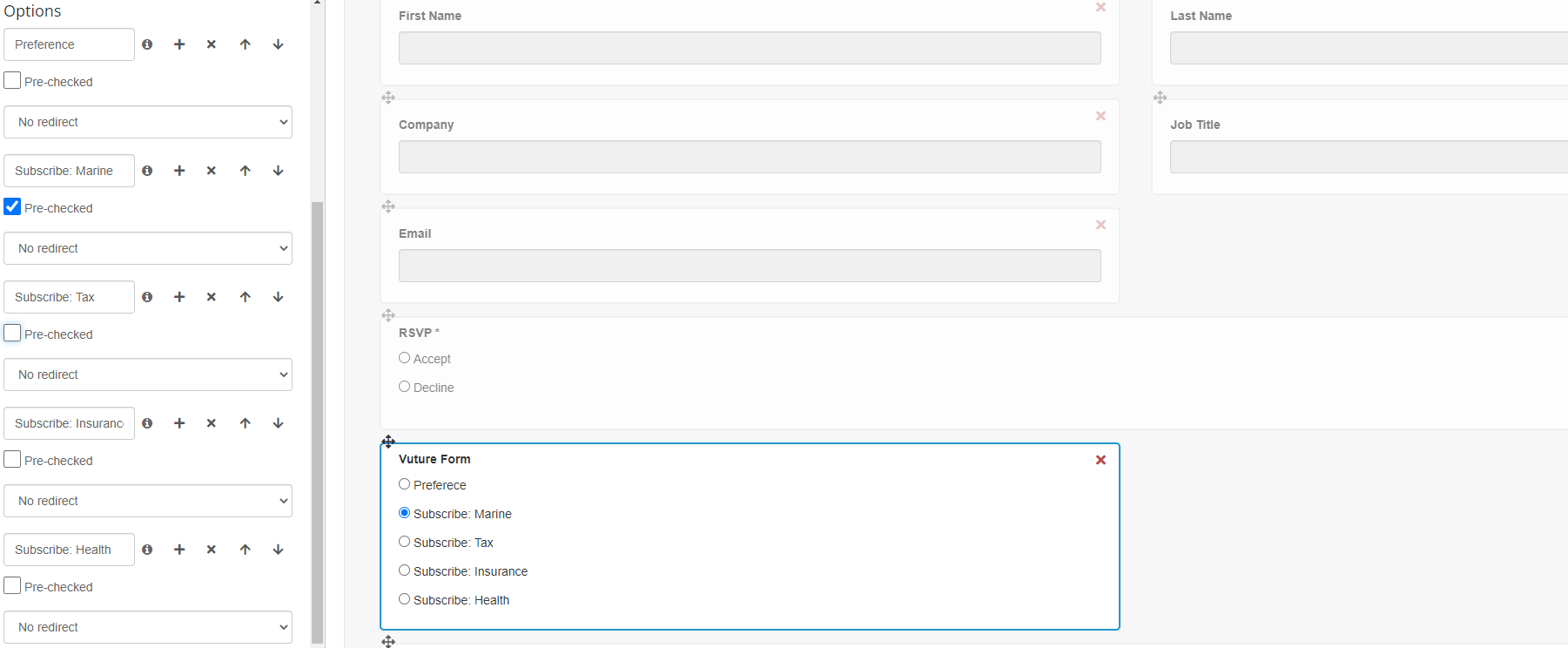
In this example, the Vuture Form field writes back against the contact record to indicate from where the contact subscribed.
