Overview
This Help Desk article walks you through how to set up Vuture Activities to be most recent first in Salesforce.
How To Steps:
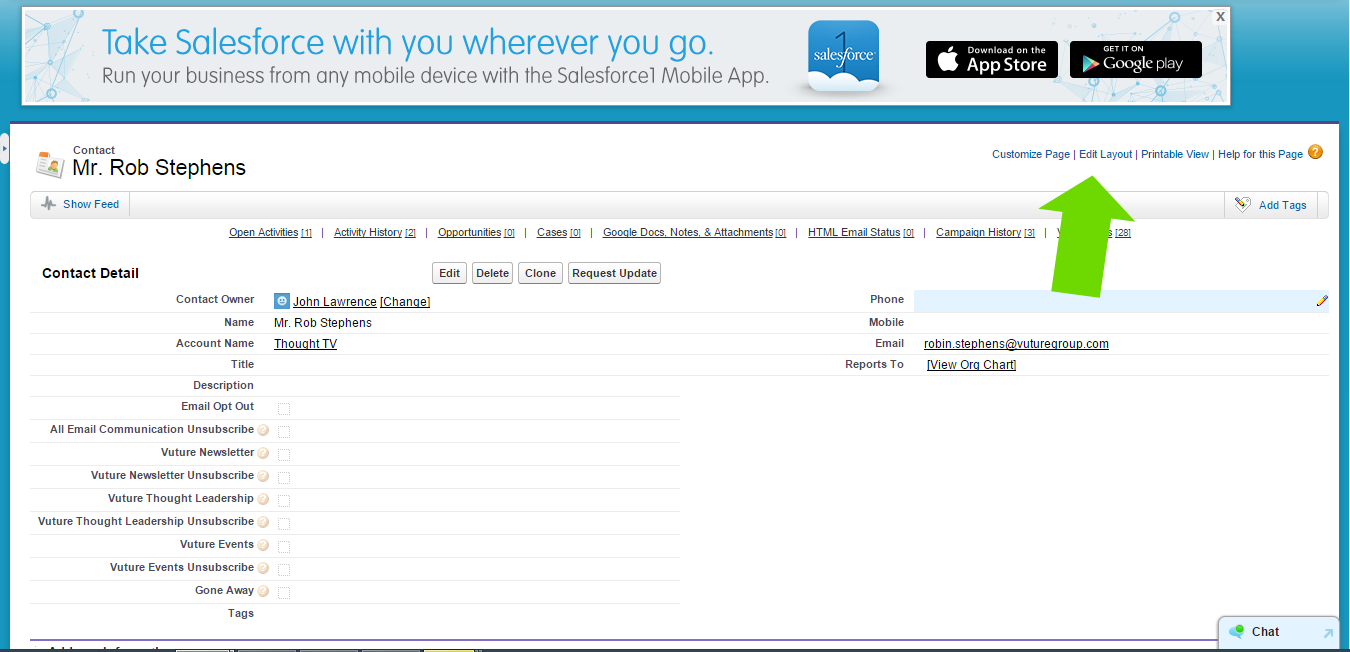
1) From within Salesforce, enter a contact and click Edit Layout.
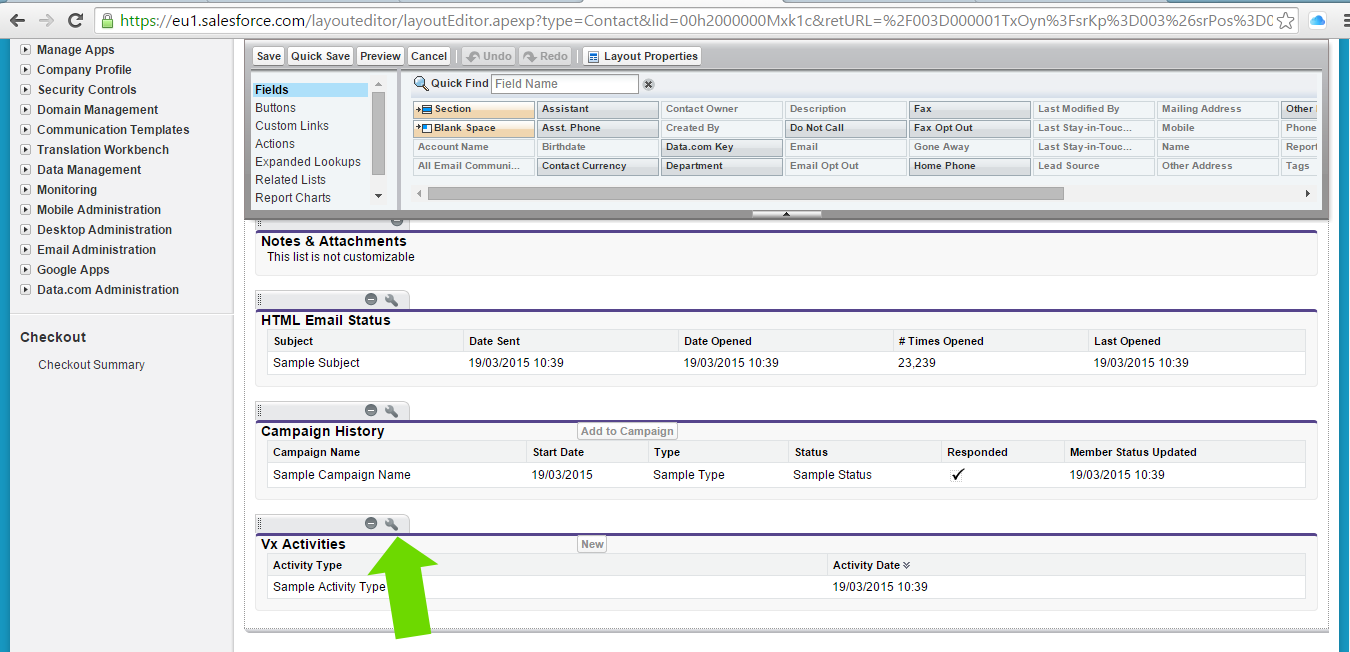
2) Scroll down the page and find Vx Activities
3) Click the spanner icon
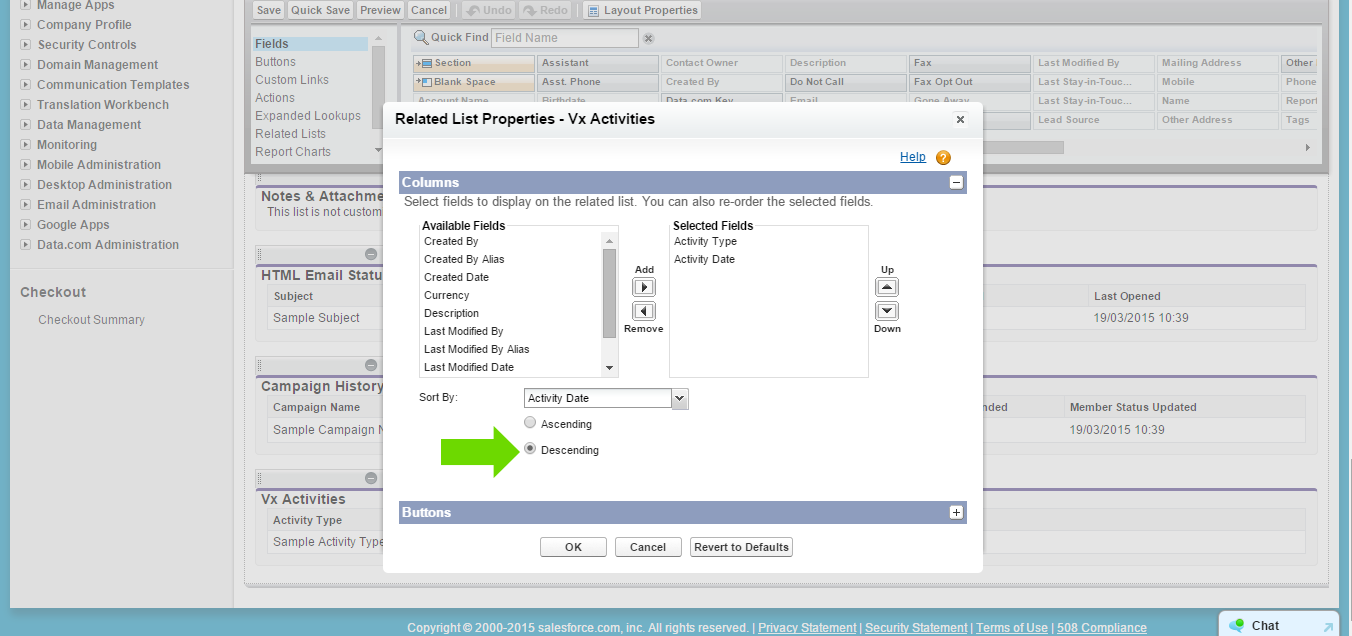
4) Mark the activity date as descending
See related document provided by Salesforce attached to this article.
