There are two ways to send an email to multiple InterAction Lists:
1. Send to multiple InterAction lists at the same time by choosing the lists at send time
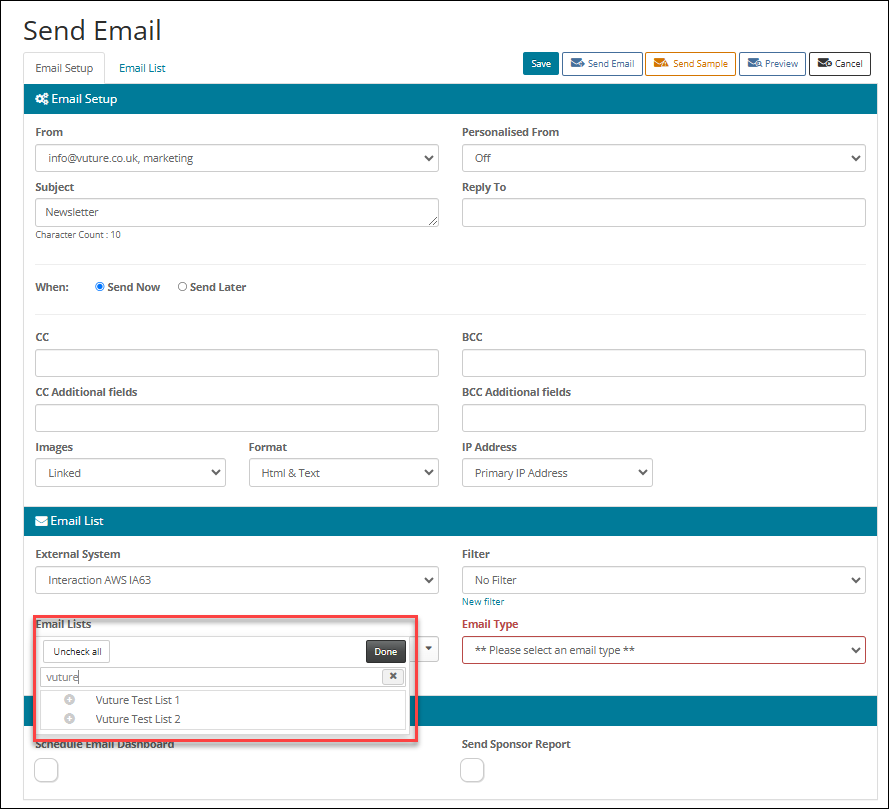
This allows you to select multiple InterAction lists to send to when on the Send screen.
It is enabled by checking the configuration setting "Admin.System.Emails.Send to multiple lists" . Contact Vuture Support or your account manager to arrange this. Additionally it will need to be enabled for your role "Admin.Roles.Emails.Send to multiple lists".
With this feature enabled you can use the quick-search feature to find and select multiple IA lists. When you click Send the lists will be downloaded in real-time, with automatic de-duplication, so contacts in more than one list will only receive the email once.
NOTE: When a contact unsubscribes from an email which was sent to multiple lists, the contact will be unsubscribed from each of the lists to which the email was sent.
2. Send to multiple InterAction lists by using the Send More function to send to each list in turn
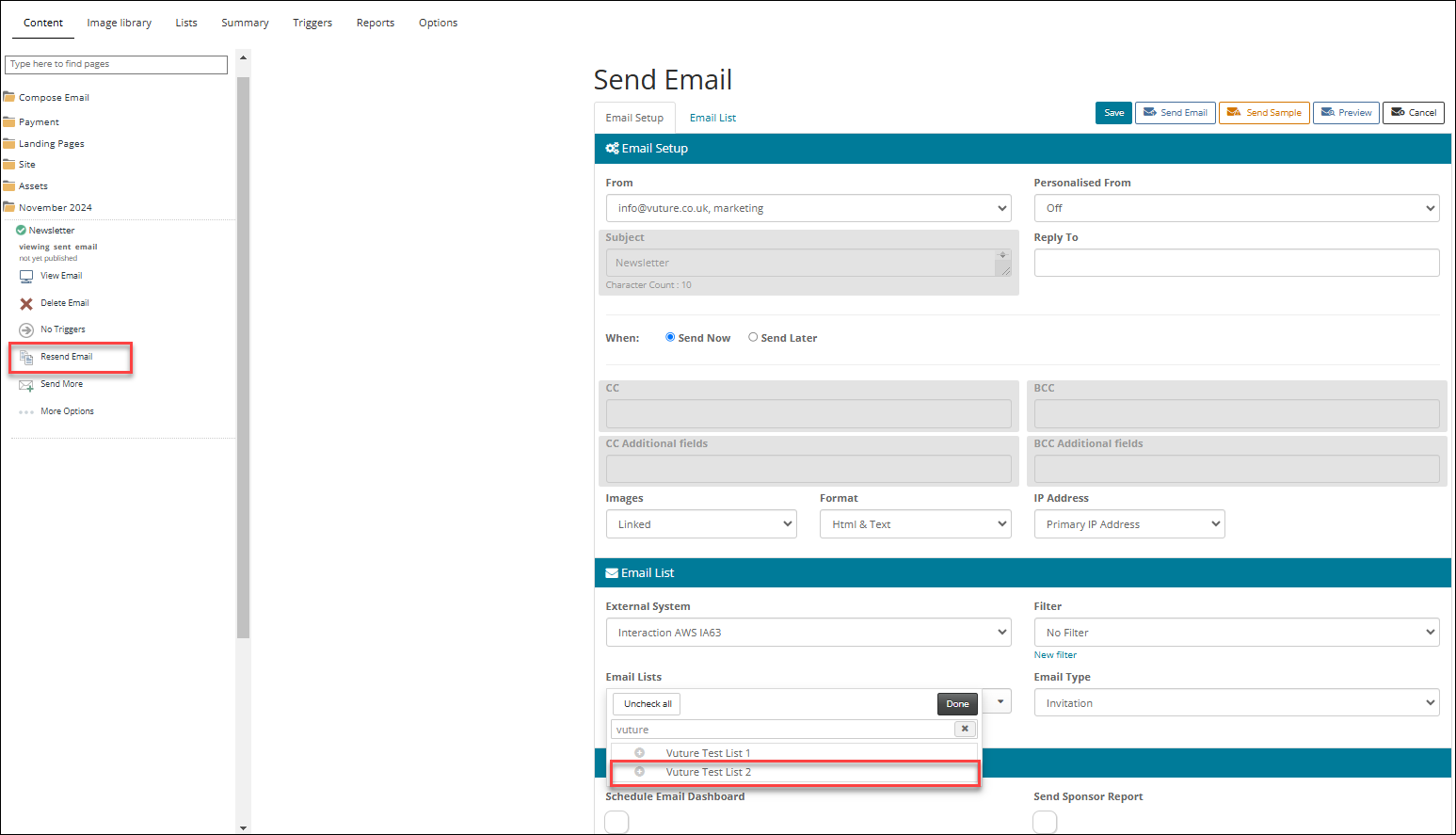
Once you have sent an email to an InterAction list you can use the "Send more" function to choose an additional InterAction list to send to.
The system will automatically de-duplicate and not send the mailing to any contact who has already received it. Note that the Subject and cc fields are locked to the same values as the previous send.
FAQ
Q. Can I send the same email to both a contact's primary and alternative email address or will this trigger the deduplicate process?
A. Vuture will dedupe based on the contact's email address and sitepage ID. Which means it is possible to send both to a contact’s main address and their alternate address.