Once the Events Module or App has been deployed in your platform the system will automatically generate an Events App URL you can use for access. Contact your Account Manager or Vuture Support if you do not have a URL.
There is now an alternate way to find the URL - if you have the Campaign Summary screen enabled in your system. The Campaign Summary page will have a section at the foot of the page from where you can configure the App and link to the newly-created URL.
The Events App URL can be accessed through any browser.To use the app on your IOS device (iPad/iPhone) there are two options:
1. Simply access the URL through the browser by entering the address into your iOS browser
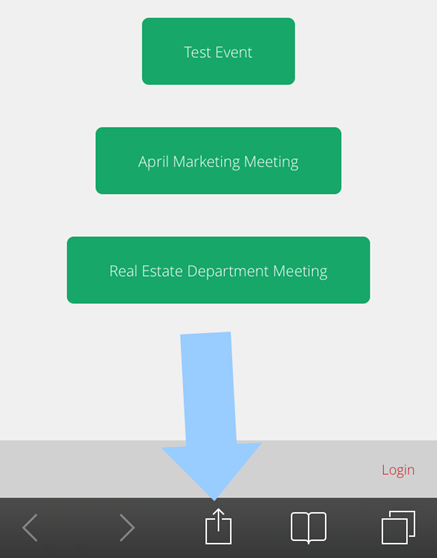
2. Save it as an App on your desktop - when you have the app open in the device click on the bottom of the page (the square icon with an up arrow)
Next click on the add to home screen button.
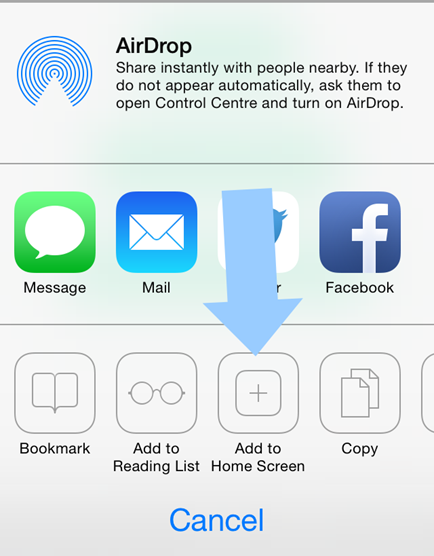
This will automatically create a button branded for your firm, on the chosen IOS device.
