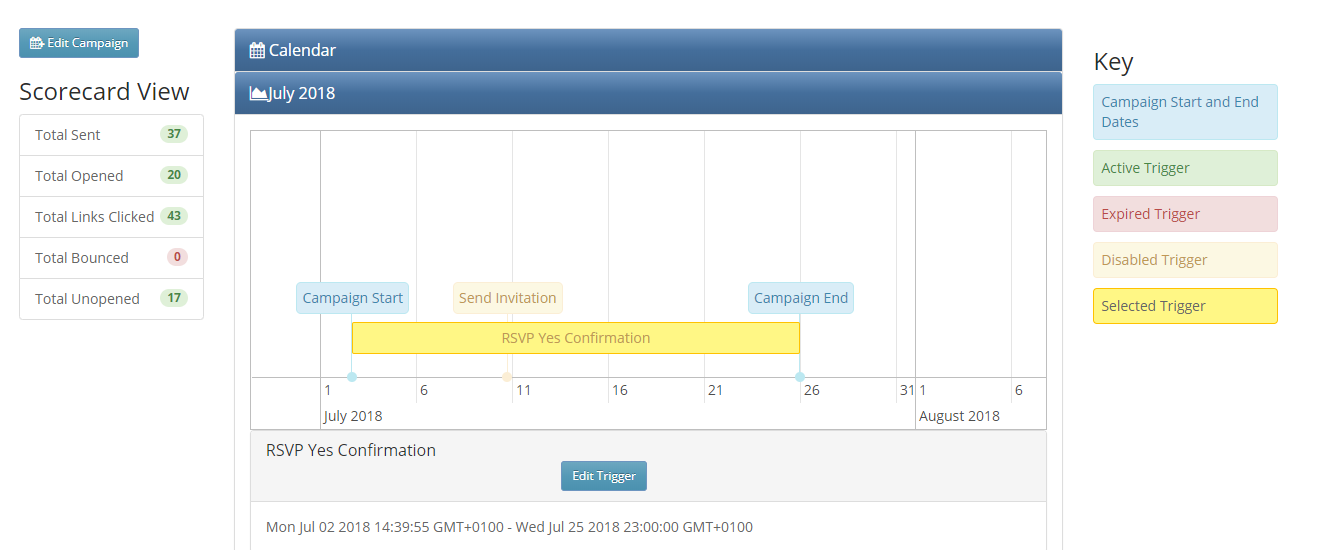
Accessed from a new tab next to the Thumbnail and List View tabs on the Email Home page, the Campaign Calendar displays a visual timeline of all the campaigns in that container. It works for all CRMs and none.
This feature must be enabled for your role under Admin.Roles.Enable Calendar View.
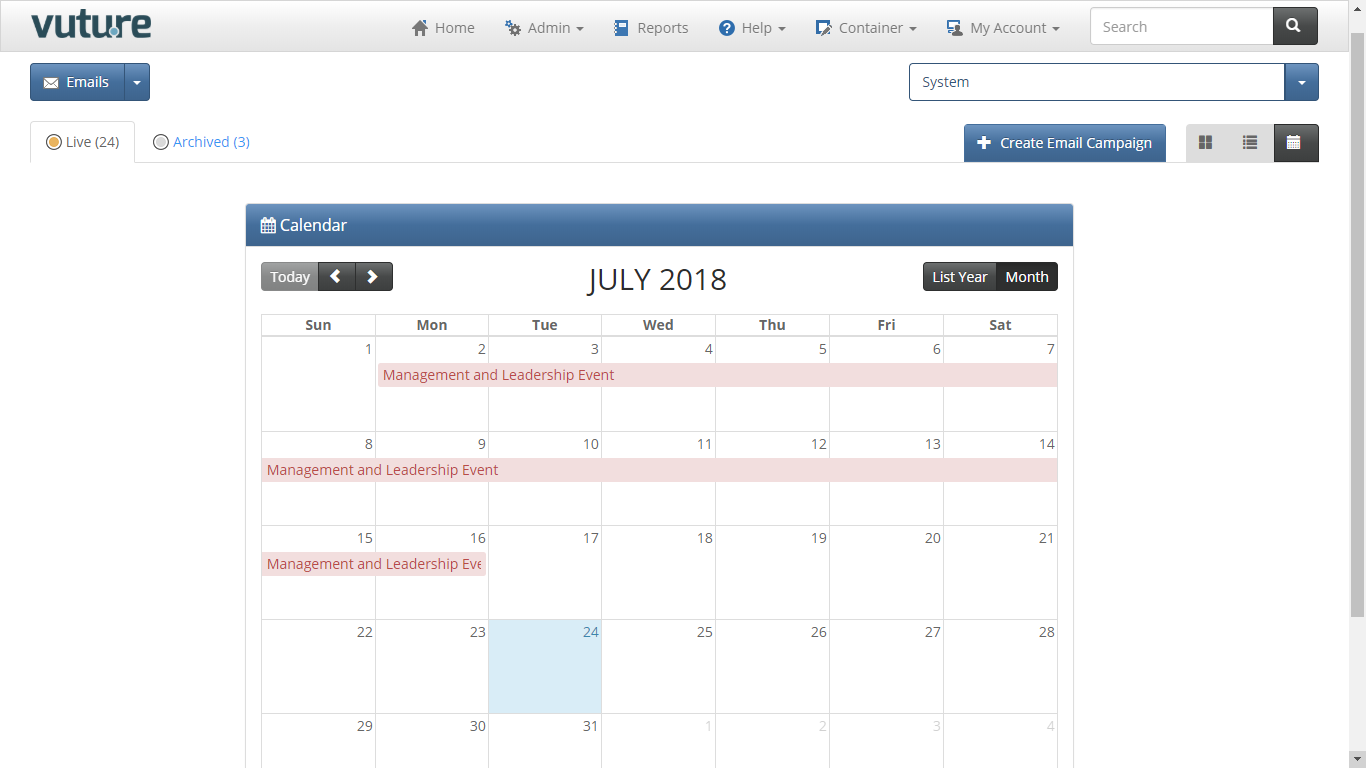
The calendar shows campaigns in the container, with their start and end dates.
You can then click on a campaign in the month views to see the triggers for that campaign on a timeline view.
To see the detail of the triggers which have been set up and enabled for each campaign, first select a campaign. You can then see all the live triggers and the dates on which they are due to fire. You can go to a trigger if you wish to edit it by clicking on the "Edit Trigger" button.
The campaign Start Date and End Date are as defined by you in the Campaign Summary Screen.
Additionally, the Campaign Calendar displays a Summary Scorecard of mailing metrics for each campaign. The campaign metrics are per campaign only and included so far are:
- Total Emails Sent
- Total Emails Opened
- Total Emails Bounced
- Total Emails Unopened
- Total Links Clicked
This data is dynamic and will update each time you refresh the page.
All enabled triggers are displayed in the following way:
- Date Trigger - displayed on the specific date it is due to fire
- Recurring Trigger - displayed for its time range (start and end date)
- Email Opened Trigger - displayed for the whole duration of the campaign regardless whether before and after dates have been set
- Link Clicked Trigger - displayed for the whole duration of the campaign regardless of the before and after dates
- Form Submitted Trigger - displayed for the whole duration of the campaign regardless of the before and after dates
- Email Not Opened Trigger - only the “email not opened by” date is displayed
- Link Not Clicked Trigger - only the “link not clicked by” date is displayed
- Form Not Submitted Trigger - only the “form not submitted by” date is displayed
- Website visited/URL Clicked Trigger - displayed for its time range (start and end date)
- Trigger Completed Trigger - displayed for the whole duration of the campaign