Keywords: GDPR, CASL, Consent
The Express Consent field in OnePlace is automatically integrated with Vuture Forms. Once you add the express consent field to a form, your contacts will be able to tick the check-box and either agree or disagree to be contacted by your organisation.
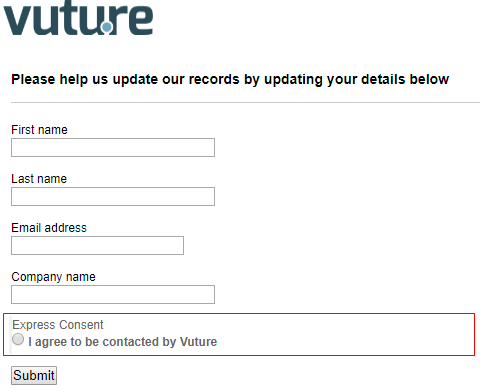
When a form is submitted the value will be updated in OnePlace, when there is consent, the "Express Consent Date" field will be updated. If consent is not given, this will be added as an "Exclusion Reason" and the contact will be automatically suppressed from any communications being sent through Vuture.
Please note, for this field to be added to the exclusion reasons you to need to add it in OnePlace. Please contact your OnePlace administrator.
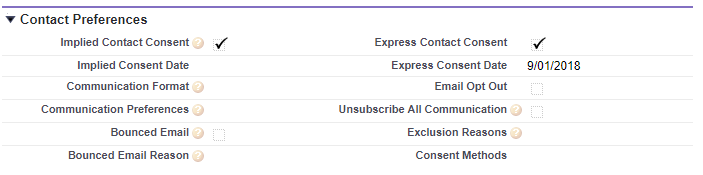
Consent Methods
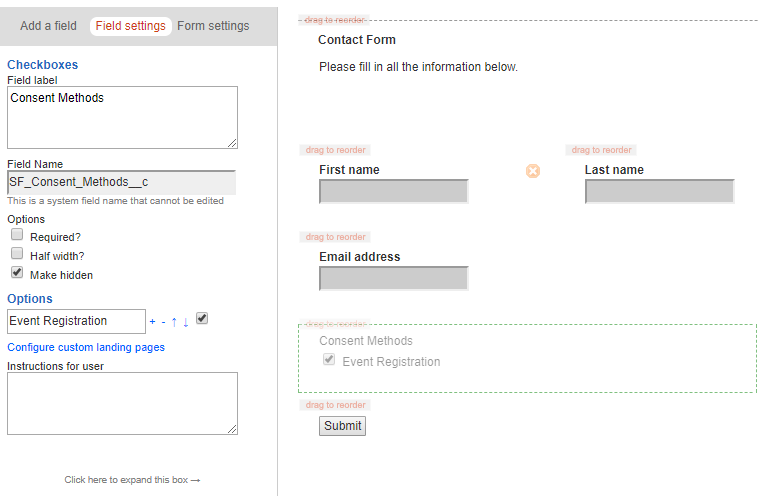
The OnePlace "Consent Methods" field will automatically appear the form editor. This will allow you to record the method used to record consent.
You may add the field as "Hidden" in the form with a pre-selected value, as specific forms will be relevant to specific situations. For example, "event registration" is a type of method which would only be relevant to an event registration form.