Overview
Vuture’s Web Tracking has been designed to help you see which of your clients and contacts are visiting your website, as well as, which pages they are reading and how long they stay on your site. All of this is possible by the contact receiving a Vuture email and clicking on a link to your website.
See this article for important information about web tracking privacy compliance
Setting up the tracking code
Insert the following code into the <HEAD> of any page on your website that you wish to be tracked replacing {TrackingURL} with your front-end vanity Vuture URL (usually in the format {Your Organisation}.vuturevx.com) without the http:// or https://
<script>!function(r){var i=document.createElement("img");i.setAttribute("src","//{TrackingUrl}/security/tracker.gif?referer="+encodeURIComponent(r))}(document.referrer);</script>
For example, if your front-end vanity Vuture URL is https://mycompany.vuture.net the code would look like the below:
Please ensure your Account Manager has turned on cookie tracking configuration setting in your instance which can be found at "Admin.System.Emails.Use Cookie". They should also check that "Admin.System.Versions.Email Handler Version" is set to ExchangeSitesRedirect.
*Please be aware this function relies on cookies for tracking. Please ensure you have appropriate compliance notifications about using cookies.
Writing back InterAction activities
Web tracking has the ability to report on page visits each hour into your CRM. Please ask your administrator to enable the WebTrackingTask in "Admin.Services" and ensure that the system configuration "Admin.System.InterAction. InterAction Activity Type Webpage Clicked" has the required InterAction Activity Type.

This will find all browsing sessions that ended during the previous hour, group each page visit by contact, and report back into your CRM as below:
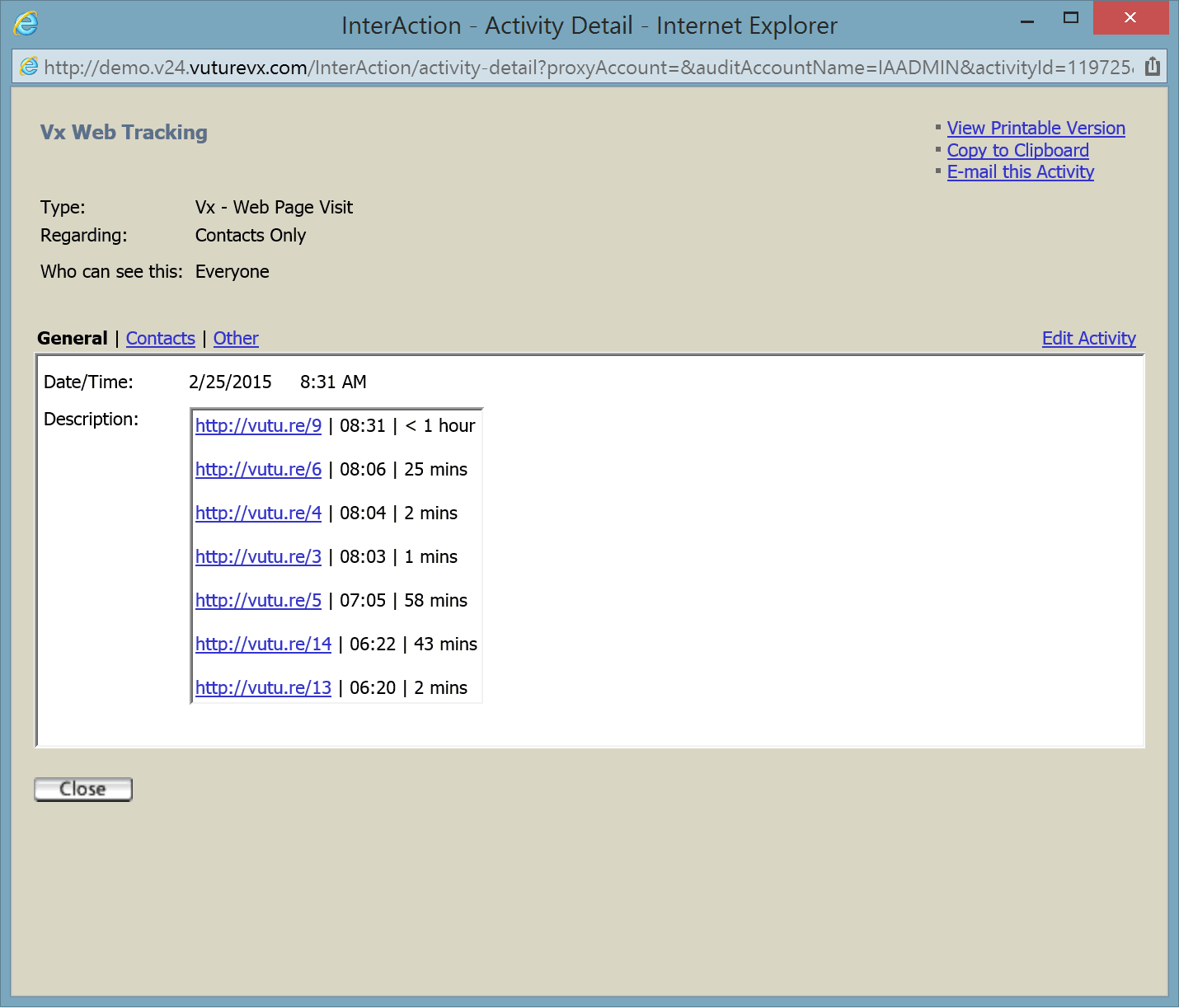
The system considers a session ended when the gap between page visits is one hour or more.
